
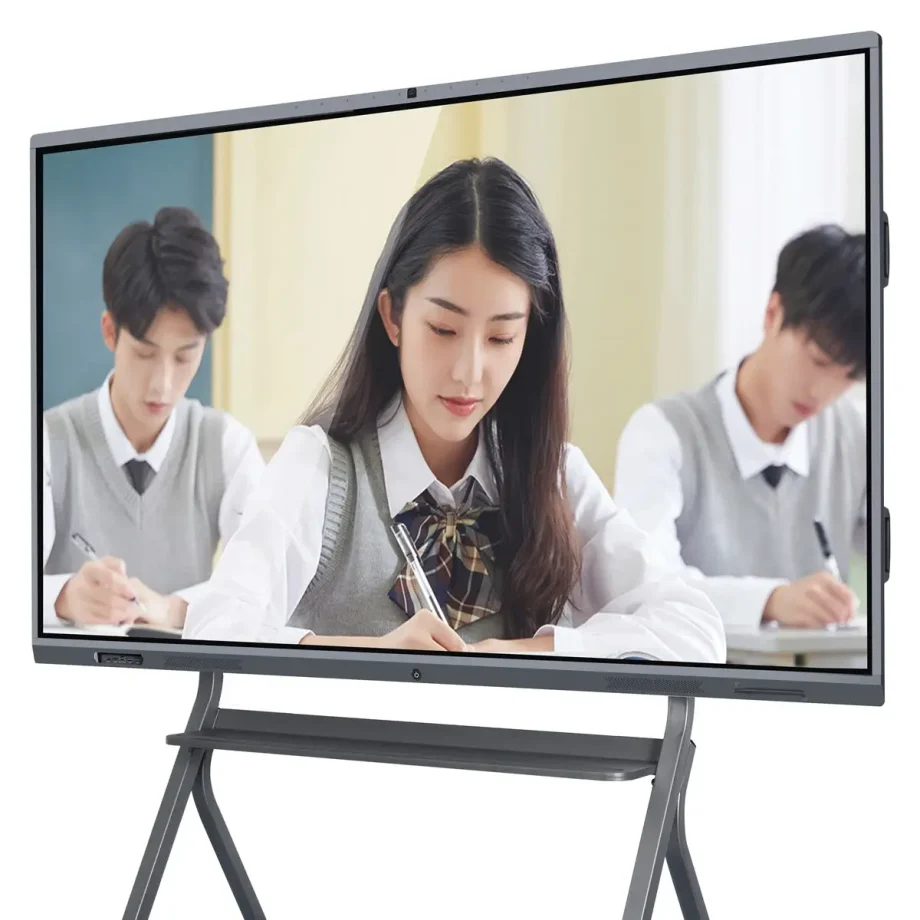
What is a Smart Board?
Benefits of Using a Smart Board in Education
- Interactive Learning
Smart boards transform traditional classrooms into dynamic, interactive environments, engaging students through touch-based interactions. - Enhanced Collaboration
With smart boards, students can work together more effectively, sharing ideas and solving problems in real-time, fostering a collaborative learning culture. - Multimedia Integration
Smart boards support various multimedia formats, allowing educators to incorporate videos, animations, and digital resources that make lessons more engaging and easier to understand. - Accessibility and Inclusivity
Smart boards provide tools that cater to different learning styles and needs, ensuring all students, including those with disabilities, have access to quality education. - Easy Content Sharing
Teachers can save, share, and revisit lessons at any time, providing students with the ability to review material at their own pace.
How Smart Boards Improve Classroom Management
- Time Efficiency
Teachers can quickly access and switch between different teaching materials, reducing downtime and keeping students focused. - Streamlined Lesson Planning
Smart boards allow educators to prepare and organize lessons in advance, which can be easily accessed and adjusted during class. - Instant Feedback
Teachers can use smart boards to conduct quizzes and polls, offering immediate feedback to students, helping them stay engaged and on track.
Key Features to Look for When Choosing a Smart Board
- Touch Sensitivity
A highly responsive touch screen ensures smooth interactions and reduces lag, crucial for maintaining the flow of lessons. - Connectivity Options
Look for smart boards with versatile connectivity, such as HDMI, USB, and wireless options, to seamlessly integrate with other classroom technology. - Software Compatibility
Ensure the smart board supports the educational software and applications that are commonly used in your institution. - Durability and Maintenance
Consider the build quality and the availability of support services to ensure long-term use with minimal disruptions. - Size and Resolution
Choose a smart board that is appropriately sized for your classroom, with high resolution for clear, visible content.
Top Smart Board Models for Education in 2024
- SMART Board MX Series
The SMART Board MX Series offers a blend of affordability and functionality, ideal for classrooms looking to upgrade their technology without breaking the budget. - Promethean ActivPanel Titanium
Known for its robust features and superior touch accuracy, the Promethean ActivPanel Titanium is a top choice for schools aiming for a premium experience. - ViewSonic IFP Series
The ViewSonic IFP Series combines advanced collaboration tools with an intuitive interface, making it perfect for interactive learning. - BenQ RP Series
With its focus on health and safety, including germ-resistant screens, the BenQ RP Series is a great option for schools prioritizing student wellness.
At Lynnhan.com, you can aslo check high quality less expensive smart board.

Smart Board vs. Traditional Whiteboard: A Comparative Analysis
- Interactivity
Smart boards offer unparalleled interactivity compared to traditional whiteboards, allowing for dynamic teaching methods and greater student participation. - Content Preservation
Unlike traditional whiteboards, smart boards enable teachers to save and distribute their notes and presentations, enhancing learning continuity. - Engagement Level
The multimedia capabilities of smart boards keep students more engaged, as opposed to the static content of traditional whiteboards. - Cost Implications
While smart boards may have a higher upfront cost, their long-term benefits and versatility can lead to significant savings over time, compared to the recurring costs of markers and board maintenance for whiteboards.
How to Integrate Smart Boards into Your Curriculum
- Training for Teachers
Providing comprehensive training ensures that educators can effectively use all the features of smart boards to enhance their teaching methods. - Incorporating Multimedia Resources
Start integrating videos, animations, and digital resources into your lesson plans to make full use of the smart board’s capabilities. - Collaborative Projects
Use the smart board to facilitate group projects, allowing students to present their work and collaborate in real-time. - Continuous Assessment Tools
Leverage the smart board’s assessment tools, like quizzes and polls, to monitor student progress and adapt your teaching strategies accordingly.
Conclusion
Smart boards are transforming the educational landscape by making learning more interactive, collaborative, and inclusive. By understanding the benefits, key features, and practical applications of smart boards, educators can effectively integrate this technology into their classrooms, leading to improved student outcomes and a more engaging learning experience. Whether you’re upgrading your classroom or starting fresh, choosing the right smart board can make a significant difference in the quality of education you provide.
Incorporating smart boards into your curriculum not only enhances the teaching process but also prepares students for a technology-driven future, making them more adept at navigating the digital world.