
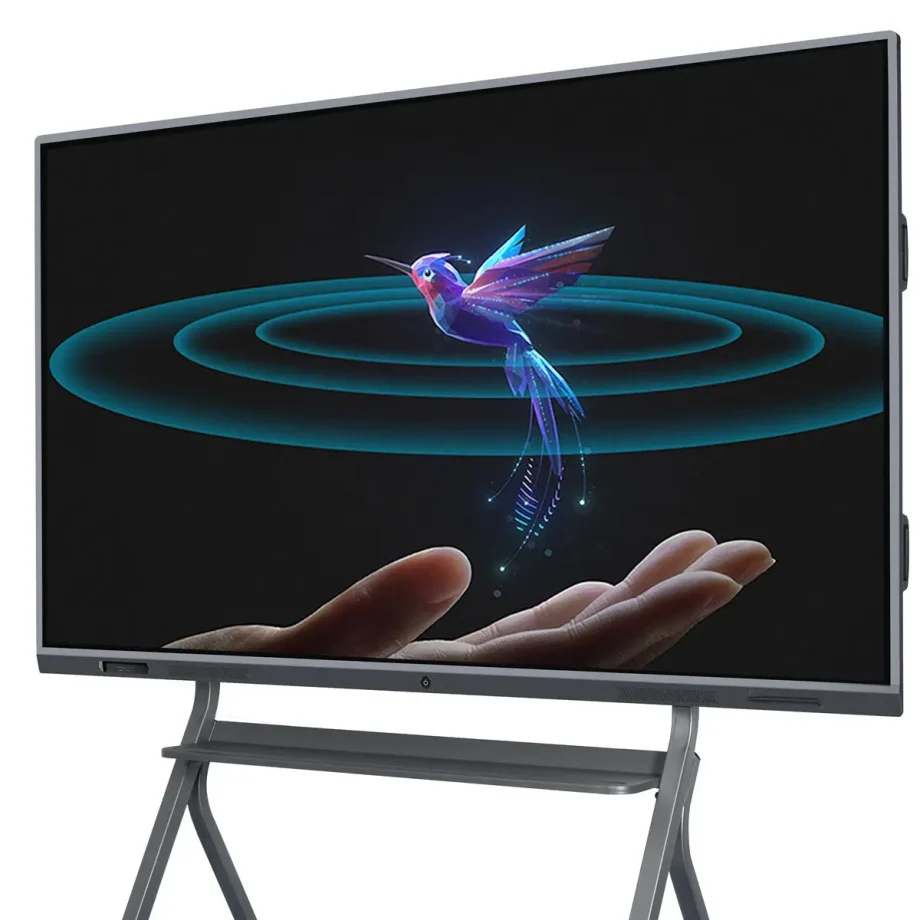
Small to medium-sized rooms, individual or small group use.
1. Пregled pametnih interaktivnih beležnikov
2. Interaktivni beležniki (IWBs) so preoblikovali način, kako sodelujemo, učimo in predstavljamo informacije. Ti digitalni naprave združujejo funkcionalnost tradicionalnih beležnikov z napredno tehnologijo, kar omogoča uporabnikom interakcijo z vsebino s dotiki, gesti in škrablji. Kako v učilnicah, korporativnih dvoranih ali kreativnih studijih, so pametni interaktivni beležniki ključni orodji, ki povzročajo večjo učinkovitost in proizvodnost.
3. Varnost izbire pravilnega interaktivnega beležnika
4. Izbira pravilnega interaktivnega beležnika je ključna, saj takoj vpliva na kakovost interakcije in učinkovitost komunikacije. Pravilna tabla bo usklajena s vašimi specifičnimi potrebami, tako da upravljate virtualnim poslovnim sestankom, učite plennih učiteljnic ali vodite zbirke idej. Faktorji kot so kakovost prikaza, občutljivost dotikanja, združljivost z programarskimi vira in enostavnost uporabe lahko zelo vplivajo na to, koliko učinkovito tabla izpolnjuje svojo namen.
5. Tipi in kategorije interaktivnih beležnikov
6. Infrared Touch proti Capacitive Touch
7. Razumevanje razlike med tehnologijami dotikanja je osnovno za izbiro pravilnega IWB.
- 8. Tehnologija Infrared Touch9. : To je eden izmed najbolj pogostih tipov tehnologije dotikanja, ki se uporablja v interaktivnih beležnikih. Deluje tako, da ustvari neviden omrežje infrardečih lučev po ekranu. Ko prst ali škrabljica prekine lučke, se dotik zabeleži. Ta tehnologija podpira večdotikanje, kar omogoča več uporabnikov hkrati interagirati s tablo, kar je idealno za kooperativne okoliščine.
- 10. Tehnologija Capacitive Touch11. : Nađena v napravah kot so smartfoni in tabli, kapacitivne zaslone detektirajo dotik prek električne provodnosti. Medtem ko ponujajo bolj precizno občutljivost dotikanja in so običajno bolj odzivni, so običajno tudi skuplje. Kapacitivni tabli so idealne za okoliščine, kjer je kakovost in hitrost odziva ključna, kot so dizajnerski studiji ali inženirski podjetja.
12. Laser Projected proti LED/LCD zasloni
13. Teknologija zaslona pametnega interaktivnega beležnika močno vpliva na njegov izvedek in uporabnost.
- 14. Laser Projected zasloni15. : Ti IWB uporabljajo projektor za prikaz slik na površino, ki jo nato lahko interagiramo s. Medtem ko so pogosto bolj izdatni, prihajajo z nedostoki, kot so potemščene sence, ko uporabnik stoji med projektorjem in tablo, in zahtevujejo redno vzdrževanje projektorja samega.
- 16. LED/LCD zasloni17. : To so najbolj pogosti tipi zaslonov v sodobnih IWB. Ponujajo ostrve slike, žive barve in niso obremenjeni z senci kot projekcijski zasloni. LED/LCD tabli so običajno bolj trde in zahtevujejo manj vzdrževanja, kar jih naredi boljšo dolgoročno investicijo.
18. Stenno name
Your choice between a wall-mounted and a portable interactive whiteboard depends on your intended usage and space constraints.
- Wall-Mounted Interactive Whiteboards: These are fixed installations, ideal for permanent spaces like classrooms, conference rooms, or lecture halls. They offer a stable and large interactive surface but lack the flexibility to be moved around.
- Portable Interactive Whiteboards: These boards come with stands or are integrated into movable systems, allowing them to be used in multiple locations. They are ideal for environments where flexibility is needed, such as companies that host workshops in various rooms or schools with limited space.
Standalone vs. Integrated Solutions
When selecting an IWB, consider whether you need a standalone device or an integrated solution that combines the board with other tools.
- Standalone Interactive Whiteboards: These are basic IWBs that require connection to external devices like computers or projectors to function. They are more affordable but may lack some advanced features found in integrated solutions.
- Integrated Solutions: These systems come with built-in computing power, cameras, and advanced software. They are designed for seamless integration with other tools and systems, making them ideal for environments that require advanced functionalities, such as video conferencing or large-scale presentations.
Key Features to Consider
6. 屏幕尺寸和分辨率
画面大小和分辨率在智能交互式白板的有效性中起着至关重要的作用,尤其是在较大的环境中。
- 画面大小: 交互式白板的大小应与房间大小和用户数量相匹配。对于小型教室或办公室,55英寸的屏幕可能足够,但较大的房间可能需要75英寸或更大的屏幕,以确保所有参与者都能看到。
- Rezolucija: 更高的分辨率对于清晰地显示详细内容至关重要,尤其是在文本和图像很重要的情况下,如教育或设计。4K分辨率已成为大屏幕的标准,提供清晰的图像,并确保内容从远处也能清晰阅读。
多点触控功能
交互式白板识别多个触点的功能对于协作环境至关重要。
- 多点触控的好处: 多点触控技术允许多个用户同时与板交互。这一特性在教育环境中尤其有益,因为小组活动很常见,或者在需要头脑风暴会议的商务会议中。它增强了参与度,并促进了实时协作。
- 在协作环境中的应用: 除了识别多个触点外,一些板还提供高级手势识别,使用户能够以更直观的方式操作内容,例如缩放或滑动手势。这使得板更加多功能且用户友好。
Mogućnosti povezivanja
现代智能交互式白板应提供各种连接选项,以无缝集成到其他设备中。
- 有线连接: 必要的端口包括HDMI、USB和以太网。HDMI端口对于将板连接到计算机或其他视频源至关重要,而USB端口允许连接外围设备,如键盘、鼠标或外部存储设备。以太网端口对于稳定的互联网连接很重要,尤其是在Wi-Fi信号较差的环境中。
- 无线连接: 内置Wi-Fi和蓝牙允许无线屏幕共享和设备连接,使板更加多功能,并减少电缆杂乱。无线连接在需要连接到多个设备的环境中特别有价值,例如笔记本电脑、平板电脑或智能手机。
Kompatibilnost softvera
交互式白板的有效性在很大程度上取决于其支持的软件。
- 教育工具: 对于教育环境,板应支持各种教育软件,包括交互式课程、测验和多媒体内容。与学习管理系统(LMS)如Google Classroom或Moodle的兼容性也是一个关键考虑因素。
- 企业软件集成: 在商业环境中,与协作工具如Microsoft Teams、Zoom或Google Workspace的集成是必要的。能够无缝地在演示、视频会议和协作白板会议之间切换可以大大提高生产力。
音频和视频功能
为了全面的交互式体验,请考虑板的音频和视频功能。
- 内置扬声器和麦克风: 高质量、内置的扬声器和麦克风对于演示和视频会议至关重要。它们确保所有参与者都能清楚地听到和被听到,即使在较大的房间中。一些板还提供降噪功能,可以在嘈杂的环境中提高音频质量。
- 视频会议的摄像头选项: 如果视频会议是您工作流程的一部分,请寻找带有集成摄像头的板。高清摄像头具有广角镜头,可以捕捉房间中的所有参与者,确保远程与会者可以清楚地看到每个人。
耐用性和构建质量
智能交互式白板的耐用性很重要,尤其是在高使用环境中。
- 所用材料: 寻找使用高质量、耐用的材料制成的板,这些材料可以承受日常使用。防眩光和防刮表面在教室和繁忙的办公室中特别有价值。
- 耐磨损和磨损: Interactive whiteboards should be designed to resist wear and tear, including scratches, stains, and impacts. Boards with reinforced edges or protective coatings can last longer and maintain their appearance and functionality over time.
Ease of Use and Installation
The usability of the board and the ease with which it can be installed are also important considerations.
- User-Friendly Interfaces: The interactive whiteboard should have an intuitive interface that is easy to navigate, even for those with limited technical knowledge. Features like customizable menus, easy access to frequently used tools, and clear instructions can greatly enhance the user experience.
- Installation Requirements: Consider the installation process, including whether professional installation is required. Wall-mounted boards should come with clear instructions and all necessary hardware. Portable boards should be easy to move and set up, with stable stands and secure locking mechanisms.
Benefits of Smart Interactive Whiteboards
Enhanced Collaboration in Classrooms
Interactive whiteboards are invaluable in educational settings, fostering greater collaboration and engagement among students. They allow teachers to create dynamic, interactive lessons that capture students’ attention and encourage participation. Features like multi-touch support and interactive software make group activities more engaging and effective.
Improved Business Meetings and Presentations
In the corporate world, smart interactive whiteboards streamline meetings and presentations. They facilitate real-time collaboration, allowing participants to share ideas, annotate documents, and interact with content directly on the board. This leads to more productive meetings and better decision-making.
Versatility in Use Across Different Industries
Smart interactive whiteboards are not limited to education and business; they are used in various industries, including healthcare, design, and engineering. For instance, in healthcare, they can be used for patient education and collaborative treatment planning, while in design and engineering, they support collaborative brainstorming and detailed project planning.
Challenges and Limitations
成本考虑
When choosing an smart interactive whiteboard, cost is a significant factor. Prices can vary widely depending on the board’s features, size, and brand.
- High-End vs. Budget Options: High-end interactive whiteboards often come with advanced features like 4K resolution, multi-touch capability, integrated cameras, and sophisticated software compatibility. While these boards offer superior performance, they come at a premium price, making them suitable for organizations with larger budgets.On the other hand, budget-friendly options may lack some of the advanced features but still provide essential functionalities like touch sensitivity and basic software integration. These are suitable for smaller businesses, schools, or organizations that require a simple solution without the need for high-end specifications.
- Total Cost of Ownership: Beyond the initial purchase price, consider the total cost of ownership, which includes installation, maintenance, software licensing, and potential upgrades. High-quality boards may have a higher upfront cost but could be more cost-effective in the long run due to durability and lower maintenance requirements.
Technical Issues
Like any technology, smart interactive whiteboards can encounter technical issues that may disrupt their functionality.
- Common Problems: Common issues include calibration errors, where the touchpoints do not align with the displayed content, and connectivity problems, such as difficulties in pairing the board with other devices or maintaining a stable connection.
- Troubleshooting and Support: It’s important to choose a board from a manufacturer that provides robust customer support, including troubleshooting guides, customer service hotlines, and online resources. Regular software updates from the manufacturer can also help resolve bugs and improve the board’s performance.
Maintenance and Lifespan
Maintaining an interactive whiteboard is crucial for ensuring its longevity and optimal performance.
- Care and Cleaning: Interactive whiteboards require regular cleaning to remove dust, smudges, and fingerprints. It’s important to use appropriate cleaning solutions and materials to avoid damaging the screen or affecting its touch sensitivity. Some boards come with protective coatings that make cleaning easier and prevent wear over time.
- 规律的软件更新: 保持董事会软件的最新状态对于与其他设备和应用程序的兼容性至关重要。定期更新还可以引入新功能和修复安全漏洞。
- 寿命考虑: 交互式白板的寿命取决于其构建质量、使用频率以及维护情况。来自知名品牌的高端白板通常使用寿命更长,并提供更好的保修,为用户提供安心。
交互式白板最新创新
人工智能集成和智能功能
人工智能(AI)越来越多地集成到交互式白板中,带来一系列智能功能,增强用户体验。
- 人工智能助手: 一些现代白板配备了人工智能虚拟助手,可以帮助用户安排会议、记录笔记,甚至在演示期间提供实时翻译。这些助手使白板更加直观,减少了手动输入的需求。
- 自动内容识别: 人工智能还可以用于自动识别和组织白板上的内容,使其更容易搜索和检索信息。例如,白板可能会将手写笔记、图表和图像分类到不同的文件夹中,简化内容管理。

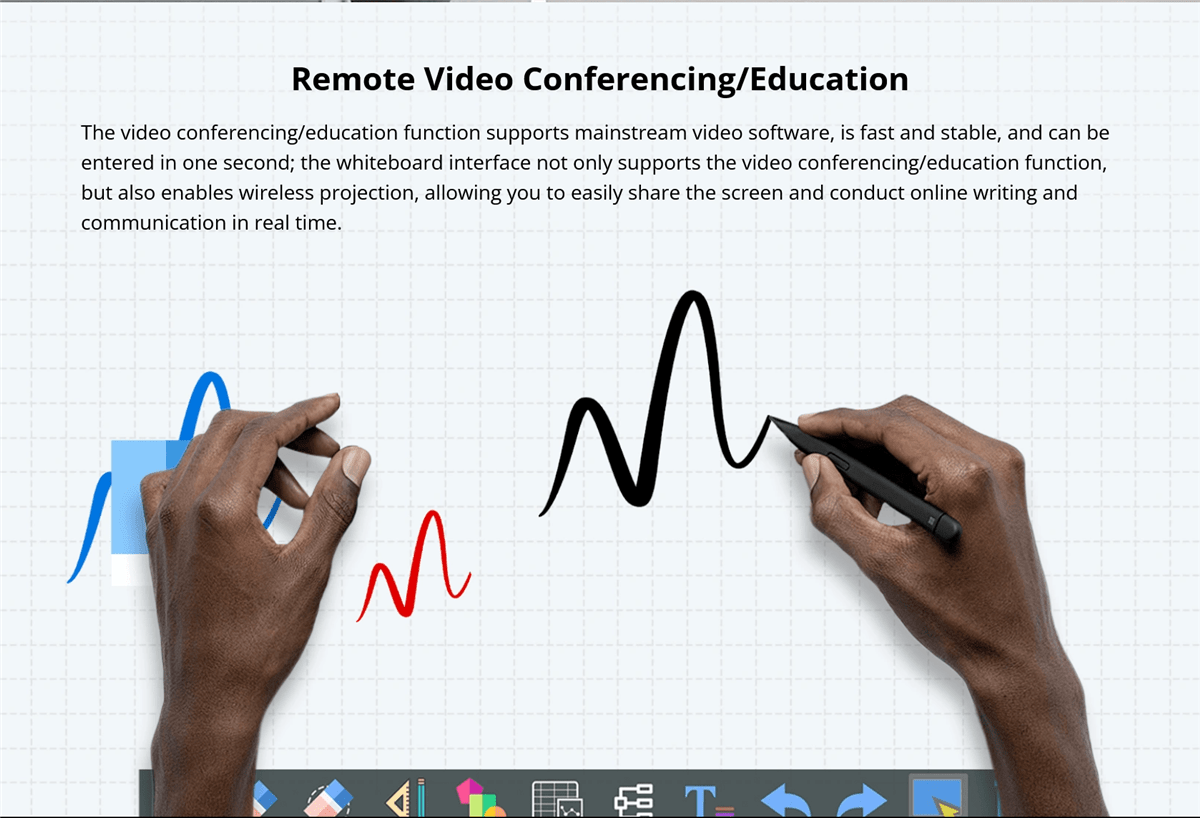
19. : 基于手势控制和语音识别,以提高卫生和便利性。
无接触技术是交互式白板中的一个新兴趋势,使用户能够在不接触表面的情况下与白板互动。
- 手势识别: 先进的手势识别技术使用户能够通过手势控制白板。这在需要考虑卫生的环境(如医疗保健环境或COVID-19大流行期间,减少身体接触很重要)中尤其有用。
- 语音命令: 语音命令功能允许用户使用语音指令操作白板。这可以简化打开应用程序、切换幻灯片或搜索信息等任务,使白板对行动不便的用户更加易于访问。
语音命令功能
语音命令功能正在成为许多智能设备的标准功能,包括交互式白板。
- 无需动手操作: 语音命令允许无需动手即可操作白板,这在用户需要同时处理多项任务的环境中特别有用。例如,在演示过程中,演讲者可以使用语音命令切换幻灯片、突出重点,甚至启动视频,而无需打断他们的流程。
- 与虚拟助手集成: 一些交互式白板与流行的虚拟助手(如Amazon Alexa或Google Assistant)集成,进一步扩展了其功能。这种集成使用户能够控制房间内的其他智能设备,如灯光或投影仪,创造一个完全自动化和流畅的环境。
增强的软件生态系统
交互式白板的软件生态系统在其整体功能和用户体验中发挥着关键作用。
- 可定制的用户界面: 许多交互式白板现在提供可定制的用户界面,允许用户根据他们的偏好个性化他们的工作空间。这包括组织常用工具、设置快捷方式,甚至定制界面的外观。
- 第三方应用集成: 增强的软件生态系统通常支持与广泛第三方应用的集成,扩展了白板的功能。这包括教育应用、生产力工具和创意软件,使白板成为不同行业的多功能工具。
- 云连接: 云连接是另一个重要功能,使用户能够随时随地保存和访问他们的工作。这对于远程团队或需要与学生或同事在物理房间之外分享内容的教师来说特别有利。
未来展望
交互式白板的新兴趋势
交互式白板的未来受到几个新兴趋势的影响,这些趋势有望进一步增强其功能。
- 增强现实(AR)集成: 预计增强现实将在交互式白板的演变中扮演重要角色。AR可以将数字内容叠加到现实世界,使用户能够直接在白板上与3D模型、模拟和其他沉浸式内容互动。
- 区块链保障数据安全: 随着交互式白板变得越来越互联,数据安全成为了一个关键问题。区块链技术正在被探索,作为一种增强这些白板数据安全的方式,通过提供去中心化和防篡改的数据存储。
- Sustainability Initiatives: 环境可持续性正在成为科技行业的一个优先事项,交互式白板也不例外。未来的白板可能会使用更可持续的材料制造,消耗更少的能源,并提供减少电子废物特性的功能,例如模块化设计,以便于升级和维修。
对教育和商业的潜在影响
交互式白板的持续发展预计将对教育和商业领域产生深远影响。
- آموزش: 在教育领域,交互式白板将继续改变学生学习和教师教学的方式。随着人工智能、增强现实和云技术的集成,这些白板将使学习更具互动性、个性化,并使世界各地包括偏远或服务不足地区的学生的学习变得更容易。
- 商业: 在商业领域,交互式白板将提高协作和生产力。随着远程工作的普及,通过交互式和沉浸式技术连接不同地点的团队的能力将至关重要。交互式白板将成为会议、头脑风暴会议和演示的中心枢纽,成为现代工作中的不可或缺的工具。
比较分析
比较流行品牌
在选择交互式白板时,根据其特性、性能和价格比较流行品牌是至关重要的。
- 品牌A与品牌B: 例如,品牌A可能提供优越的多点触控能力和强大的软件生态系统,但价格较高,适合大型企业或教育机构。另一方面,品牌B可能提供更具成本效益的选项,性能尚可,但高级功能较少,适合预算有限的小企业或学校。
- 特性与价格: 比较特性和价格对于做出明智的决定至关重要。虽然一些品牌提供广泛的功能,但它们可能并不总是符合您的具体需求。另一方面,预算选项可能缺乏某些功能,但仍然提供与其价格相称的卓越价值,特别是如果您的用例需求较低的话。
不同技术的优缺点
了解不同交互式白板技术的优缺点可以帮助您根据需求选择最佳选项。
- 红外触摸与电容触摸: 红外触摸技术更便宜,支持多点触控,适合协作环境。然而,它可能不像电容触摸那样精确,电容触摸更灵敏、更准确,但也更昂贵。
- LED/LCD与激光投影显示: LED/LCD显示器以其高质量的图像、耐用性和最小的维护需求而闻名,是大多数用户的首选。然而,它们可能比激光投影显示器更贵,激光投影显示器更具成本效益,但可能存在如影子问题,并且需要更频繁的维护。
用户指南或教程
步骤安装指南
如果遵循逐步指南,安装交互式白板可以很简单。
- 准备1. : Zaqalajjë me të cilin vendin e duhet të përzgjidhës për panelin. Sigurohuni se muri ose standi mund të mbështesë ngjyshmërin e panelit dhe që ka të gjitha hapësira përreth panelit që përdoruesit të interaktojnë mirë. Bashkoni të gjitha instrumentet e nevojshme, përfshirë çavarret, ankrat, dhe një nivel.
- 2. Montimi i Panelit3. : Për panel që mbi muri, përdorni një nivel për të shënuar pozitën e rrethave e montimit mbi muren. Bëni gojra për çavarret, shtypni ankrat në rast nevojshëm, dhe siguroni rrethat mbi muren. Lëvizeni me paqës së mirë panelin dhe përcaktoni atë mbi rrethat, siguruar që është nivel dhe i sigurt.
- 4. Lidhja e Panelit5. : Lidhuni panelin me energji dhe çdo pajisje e nevojshme, si kompjuterin ose projektoren. Nëse paneli suporton lidhje wireless, ndjekni udhëzimet prodhuesit për të bashkëpërshtatur atë me pajisje të tjera. Ekzekutoni çdo proces e nevojshme instalimi softueri ose kalibrimi, për të siguruar se paneli është gati për përdorim.
6. Si të përdorni Karakteristikat Kryesore
7. : Kuptimi se si të përdorni karakteristikat kryesore të panelit tuaj interactive inteligjent do ti ndihmojë të merrës maksimum nga ato.
- 8. Përdorimi i Capabiliteteve Multi-Touch9. : Për të përdorur karakteristikat multi-touch, thjesht thosni me shumë ngjyra me panelin ose lejojuni shumë përdorues të interaktojnë me atë së bashku. Kjo mund të përdoret për detyra bashkëkohore, siç janë përgjegjësia ose projektit. Famëruarëtë me gesta si zbukurimi për të zhvendosur, shpejtësia, dhe rrotullimi, të cilat mund ta bëjnë interaksionin me lëndën më intuitiv.
- 10. Personalizimi i Interfaqes11. : Përgjithmonë interactive whiteboardat lejojnë ti personalizoni interfaqen për të përshtatur nevojitë tuaja. Zhvilloni menunë e rregullimeve për të rregulluar strukturën, shtypni shkurtësi te instrumentet e përdorura shpesh, dhe ndryshoni paraqitjen e interfaqes. Personalizimi mund të bëjë panelin më i pranueshëm dhe më i efikas për detyrat tuaja specifike.
- 连接设备12. : Për të lidhur pajisje si laptopet, tabletat, ose smartphone, përdorni portat e përshtatura ose opsionet e lidhjes wireless. Për lidhje me rreth, sigurohuni se keni çavrat e saktë (p.sh., HDMI, USB). Për lidhje wireless, ndjekni udhëzimet për bashkëpërshtaturin, të cilat mund të përfshijnë hyrjen e një kodi ose përdorimin e një aplikacioni të veçantë.

Conclusion

13. Ripërshtim i Pika Kryesore
14. Zgjedhja e një smart interactive whiteboard i tillë përfshin parasyrje të qëndrueshme të shumë faktorësh, përfshirë teknologjinë touch, tipin e shfaqjes, madhësinë, kompatibilitetin me softuerin, dhe buxhetin. Kuptimi i për
Završne misli
Interactive whiteboards are powerful tools that can enhance collaboration, engagement, and productivity in a variety of settings. Whether you’re an educator looking to create dynamic lessons, a business leader aiming to improve meeting efficiency, or a creative professional seeking a versatile platform for brainstorming, the right interactive whiteboard can make all the difference.
Investing in a quality interactive whiteboard is not just about keeping up with technology trends; it’s about transforming the way you work, teach, and communicate. As these boards continue to evolve with new features and capabilities, they will become even more integral to our daily routines, making it essential to stay informed and choose wisely.