
Introducción
智能交互式白板概述
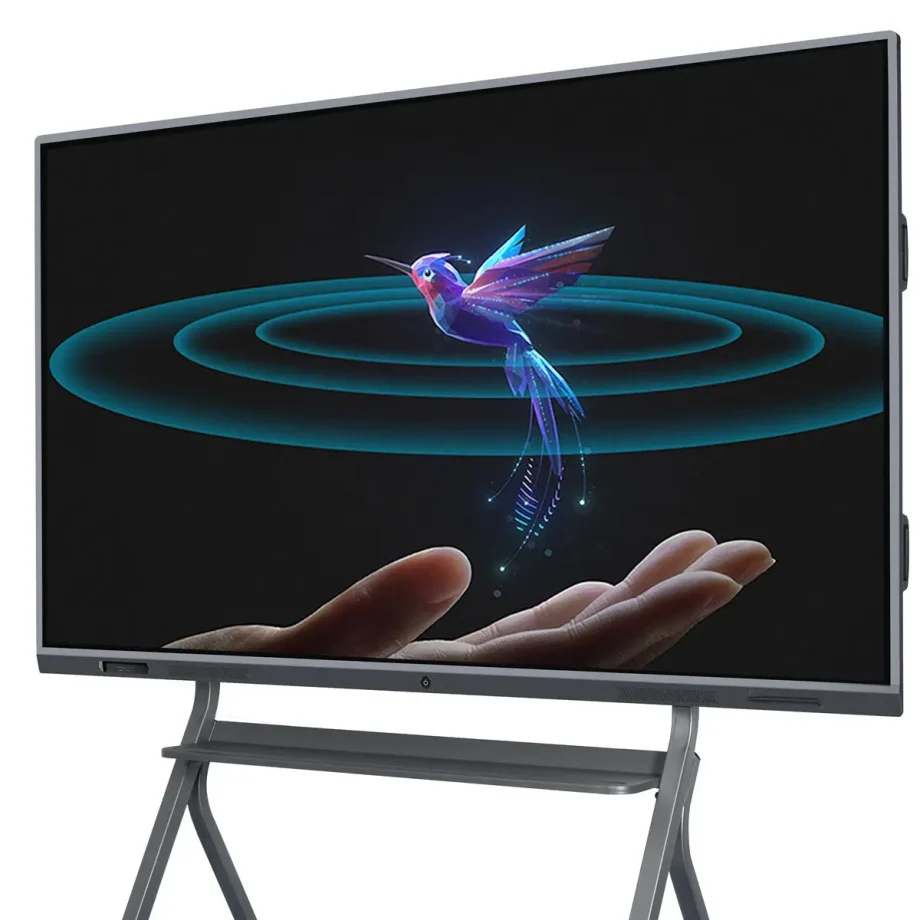
交互式白板(IWBs)已经改变了我们协作、教学和展示信息的方式。这些数字设备结合了传统白板的功能和先进技术,使用户能够通过触摸、手势和笔触与内容互动。无论是在教室、企业会议室还是创意工作室,智能交互式白板都是提高参与度和生产力的必备工具。
选择合适的交互式白板的重要性
选择合适的交互式白板至关重要,因为它直接影响交互质量和沟通效率。合适的白板将满足您的特定需求,无论您是在进行虚拟商务会议、教授一群学生,还是领导头脑风暴会议。如显示质量、触控灵敏度、软件兼容性和易用性等因素,都会对白板如何有效地发挥作用产生重大影响。
交互式白板的类型和类别
红外触摸与电容触摸
理解触摸技术之间的区别是选择合适的IWB的基础。
- 红外触摸技术: 这是在交互式白板中应用最广泛的触摸技术之一。它通过在屏幕上创建一个不可见的红外光束网格来工作。当手指或笔触中断光束时,触摸就会被记录。这项技术支持多点触摸,允许多个用户同时与白板互动,使其非常适合协作环境。
- 电容触摸技术: 它可以在智能手机和平板电脑等设备中找到,电容触摸屏通过电导率检测触摸。虽然它们提供更精确的触摸灵敏度和更快的响应速度,但通常更昂贵。电容触摸板在需要精确度和快速响应时间的环境中非常理想,例如设计工作室或工程公司。
激光投影与LED/LCD显示屏
智能交互式白板的显示技术极大地影响了其性能和可用性。
- 激光投影显示屏: 这些IWB使用投影仪将图像投射到表面上,然后可以与之互动。虽然它们通常更实惠,但也有一些缺点,例如当用户站在投影仪和白板之间时可能出现的阴影,以及需要定期维护投影仪本身。
- LED/LCD显示屏: 这些是现代IWB中最常见的显示类型。它们提供清晰的图像、鲜艳的颜色,不会像投影显示那样出现阴影问题。LED/LCD白板通常更耐用,维护需求较低,是更好的长期投资。
墙挂式与便携式选项
您选择墙挂式还是便携式交互式白板取决于您的使用意图和空间限制。
- 墙挂式交互式白板: 这些是固定安装,非常适合永久空间,如教室、会议室或讲堂。它们提供了一个稳定且大的交互表面,但缺乏移动的灵活性。
- 便携式交互式白板: 这些板带有支架或集成到可移动系统中,可以在多个地点使用。它们在需要灵活性的环境中非常理想,例如举办研讨会或空间有限学校。
独立式与集成式解决方案
在选择IWB时,考虑您是否需要一个独立设备或一个将白板与其他工具结合的集成式解决方案。
- 独立式交互式白板: 这些是基本的IWB,需要连接到外部设备如电脑或投影仪才能工作。它们更实惠,但可能缺乏集成式解决方案中的一些高级功能。
- 集成式解决方案: 这些系统配备了内置的计算能力、摄像头和高级软件。它们旨在与其他工具和系统无缝集成,非常适合需要高级功能的环境,如视频会议或大规模演示。
考虑的关键功能
画面大小和分辨率
您的智能互动白板的画面大小和分辨率在其有效性中起着至关重要的作用,尤其是在大型环境中。
- 画面大小: 互动白板的大小应该与房间的大小和用户的数量相匹配。对于小型教室或办公室,55英寸的屏幕可能足够,但较大的房间可能需要75英寸或更大的屏幕,以确保所有参与者都能看到。
- 分辨率: 较高的分辨率对于清晰显示详细内容至关重要,尤其是在文本和图像重要的环境中,如教育或设计。4K分辨率已成为大屏幕的标准,提供清晰的图像,并确保内容从远处也能清晰可见。
多点触控功能
互动白板识别多个触控点的功能对于协作环境至关重要。
- 多点触控的好处: 多点触控技术允许多个用户同时与白板互动。这一特性在教育环境中特别有益,因为在教育环境中常见的团队活动或需要头脑风暴会议的商务会议中,它可以增强参与度并促进实时协作。
- 在协作环境中的应用: 除了识别多个触控点之外,一些白板还提供高级手势识别,使用户能够以更直观的方式操作内容,例如缩放手势或滑动手势。这使得白板更具多功能性和用户友好性。
Connectivity Options
现代智能互动白板应提供各种连接选项,以便与其他设备无缝集成。
- 有线连接: 必要的端口包括HDMI、USB和以太网。HDMI端口对于将白板连接到计算机或其他视频源至关重要,而USB端口允许连接外围设备,如键盘、鼠标或外部存储设备。以太网端口对于稳定的互联网连接非常重要,尤其是在Wi-Fi信号较差的环境中。
- 无线连接: 内置Wi-Fi和蓝牙允许无线屏幕共享和设备连接,使白板更具多功能性,并减少电缆杂乱。无线连接在需要与多个设备连接的动态环境中特别有价值,例如笔记本电脑、平板电脑或智能手机。
Software Compatibility
互动白板的有效性在很大程度上取决于它所支持的软件。
- 教育工具: 对于教育环境,白板应支持广泛的教育软件,包括互动课程、测验和多媒体内容。与学习管理系统(LMS)如Google Classroom或Moodle的兼容性也是一个重要的考虑因素。
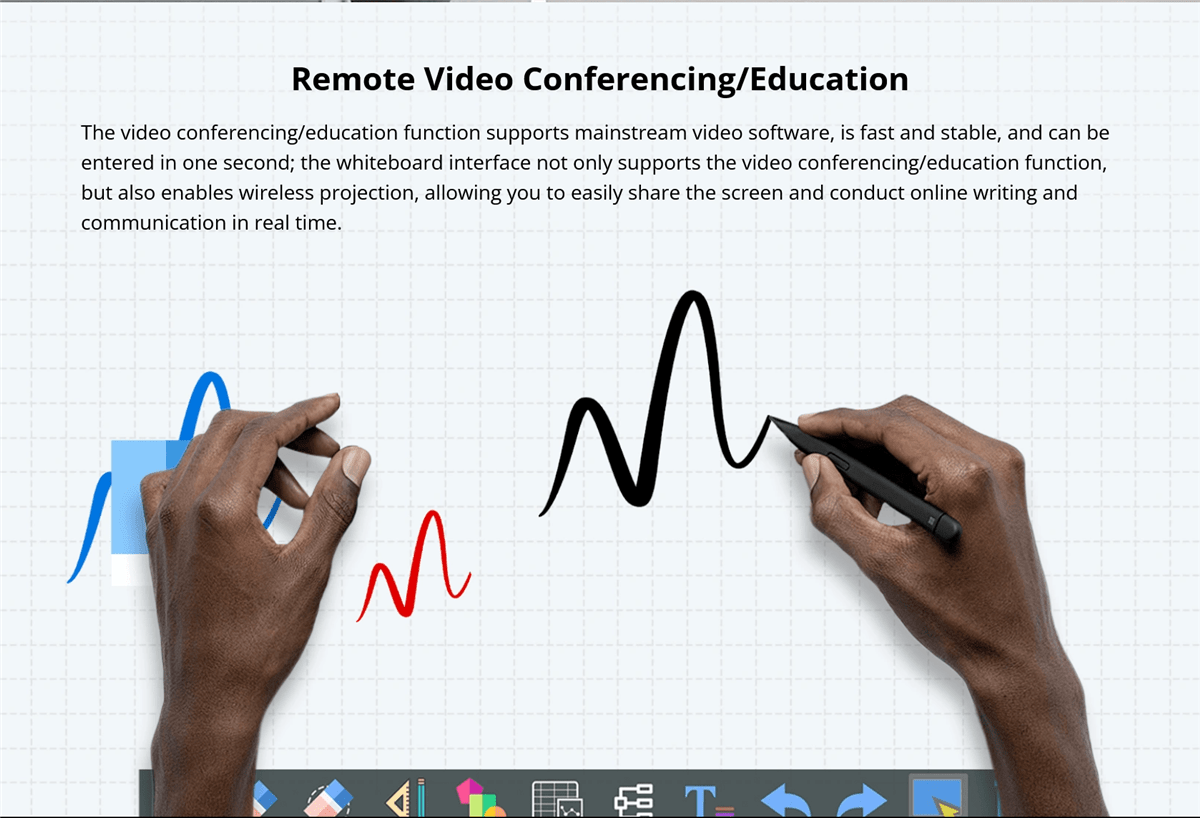
- 企业软件集成: 在商业环境中,与协作工具如Microsoft Teams、Zoom或Google Workspace的集成至关重要。能够在演示、视频会议和协作白板会议之间无缝切换的能力可以大大提高生产力。
音频和视频功能
对于全面的交互式体验,请考虑白板的音频和视频功能。
- 内置扬声器和麦克风: 高质量、内置的扬声器和麦克风对于演示和视频会议至关重要。它们确保所有参与者都能清晰地听到和被听到,即使在较大的房间中也是如此。一些白板还提供降噪功能,可以在嘈杂的环境中提高音频质量。
- 视频会议的摄像头选项: 如果视频会议是您工作流程的常规部分,请寻找带有集成摄像头的白板。具有广角镜头的高清摄像头可以捕捉房间中的所有参与者,确保远程与会者可以清楚地看到每个人。
耐用性和构建质量
智能互动白板的耐用性在高度使用环境中非常重要。
- 使用的材料: 请寻找使用高质量、耐用材料制成的白板,这些材料可以承受日常使用。防眩光和防刮擦的表面在教室和繁忙的办公室中特别有价值。
- Resistance to Wear and Tear: Interactive whiteboards should be designed to resist wear and tear, including scratches, stains, and impacts. Boards with reinforced edges or protective coatings can last longer and maintain their appearance and functionality over time.
Ease of Use and Installation
The usability of the board and the ease with which it can be installed are also important considerations.
- User-Friendly Interfaces: The interactive whiteboard should have an intuitive interface that is easy to navigate, even for those with limited technical knowledge. Features like customizable menus, easy access to frequently used tools, and clear instructions can greatly enhance the user experience.
- Installation Requirements: Consider the installation process, including whether professional installation is required. Wall-mounted boards should come with clear instructions and all necessary hardware. Portable boards should be easy to move and set up, with stable stands and secure locking mechanisms.
Benefits of Smart Interactive Whiteboards
Enhanced Collaboration in Classrooms
Interactive whiteboards are invaluable in educational settings, fostering greater collaboration and engagement among students. They allow teachers to create dynamic, interactive lessons that capture students’ attention and encourage participation. Features like multi-touch support and interactive software make group activities more engaging and effective.
Improved Business Meetings and Presentations
In the corporate world, smart interactive whiteboards streamline meetings and presentations. They facilitate real-time collaboration, allowing participants to share ideas, annotate documents, and interact with content directly on the board. This leads to more productive meetings and better decision-making.
Versatility in Use Across Different Industries
Smart interactive whiteboards are not limited to education and business; they are used in various industries, including healthcare, design, and engineering. For instance, in healthcare, they can be used for patient education and collaborative treatment planning, while in design and engineering, they support collaborative brainstorming and detailed project planning.
Challenges and Limitations
Considerações de Custo
When choosing an smart interactive whiteboard, cost is a significant factor. Prices can vary widely depending on the board’s features, size, and brand.
- High-End vs. Budget Options: High-end interactive whiteboards often come with advanced features like 4K resolution, multi-touch capability, integrated cameras, and sophisticated software compatibility. While these boards offer superior performance, they come at a premium price, making them suitable for organizations with larger budgets.On the other hand, budget-friendly options may lack some of the advanced features but still provide essential functionalities like touch sensitivity and basic software integration. These are suitable for smaller businesses, schools, or organizations that require a simple solution without the need for high-end specifications.
- Total Cost of Ownership: Beyond the initial purchase price, consider the total cost of ownership, which includes installation, maintenance, software licensing, and potential upgrades. High-quality boards may have a higher upfront cost but could be more cost-effective in the long run due to durability and lower maintenance requirements.
Technical Issues
Like any technology, smart interactive whiteboards can encounter technical issues that may disrupt their functionality.
- Common Problems: Common issues include calibration errors, where the touchpoints do not align with the displayed content, and connectivity problems, such as difficulties in pairing the board with other devices or maintaining a stable connection.
- Troubleshooting and Support: It’s important to choose a board from a manufacturer that provides robust customer support, including troubleshooting guides, customer service hotlines, and online resources. Regular software updates from the manufacturer can also help resolve bugs and improve the board’s performance.
Maintenance and Lifespan
Maintaining an interactive whiteboard is crucial for ensuring its longevity and optimal performance.
- Care and Cleaning: Interactive whiteboards require regular cleaning to remove dust, smudges, and fingerprints. It’s important to use appropriate cleaning solutions and materials to avoid damaging the screen or affecting its touch sensitivity. Some boards come with protective coatings that make cleaning easier and prevent wear over time.
- Regular Software Updates: Keeping the board’s software up-to-date is essential for maintaining compatibility with other devices and applications. Regular updates can also introduce new features and fix security vulnerabilities.
- Lifespan Considerations: The lifespan of an interactive whiteboard depends on its build quality, usage frequency, and how well it’s maintained. High-end boards from reputable brands typically last longer and offer better warranties, providing peace of mind for users.
Latest Innovations in Interactive Whiteboards
AI Integration and Smart Features
Artificial intelligence (AI) is increasingly being integrated into interactive whiteboards, bringing a host of smart features that enhance user experience.
- AI-Powered Assistants: Some modern boards come with AI-powered virtual assistants that can help users schedule meetings, take notes, and even provide real-time translations during presentations. These assistants make the board more intuitive and reduce the need for manual inputs.
- Automatic Content Recognition: AI can also be used to automatically recognize and organize content on the board, making it easier to search for and retrieve information. For example, the board might categorize handwritten notes, diagrams, and images into different folders, streamlining content management.

19. AI整合
Touchless technology is an emerging trend in interactive whiteboards, allowing users to interact with the board without physically touching the surface.
- Gesture Recognition: Advanced gesture recognition technology enables users to control the board through hand movements. This is particularly useful in environments where hygiene is a concern, such as in healthcare settings or during the COVID-19 pandemic, where reducing physical contact is important.
- Voice Commands: Voice command functionality allows users to operate the board using spoken instructions. This can simplify tasks such as opening applications, changing slides, or searching for information, making the board more accessible to users with mobility impairments.
Voice Command Capabilities
Voice command capabilities are becoming a standard feature in many smart devices, including interactive whiteboards.
- Hands-Free Operation: Voice commands allow for hands-free operation of the board, which can be particularly useful in busy environments where users need to multitask. For example, during a presentation, a speaker can use voice commands to change slides, highlight key points, or even start a video without having to interrupt their flow.
- Integration with Virtual Assistants: Some interactive whiteboards integrate with popular virtual assistants like Amazon Alexa or Google Assistant, further expanding their functionality. This integration allows users to control other smart devices in the room, such as lights or projectors, creating a fully automated and streamlined environment.
Enhanced Software Ecosystems
The software ecosystem of an interactive whiteboard plays a crucial role in its overall functionality and user experience.
- Customizable User Interfaces: Many interactive whiteboards now offer customizable user interfaces, allowing users to personalize their workspace according to their preferences. This can include organizing frequently used tools, setting up shortcuts, and even customizing the appearance of the interface.
- Third-Party App Integration: Enhanced software ecosystems often support integration with a wide range of third-party apps, expanding the board’s capabilities. This includes educational apps, productivity tools, and creative software, making the board a versatile tool for different industries.
- Cloud Connectivity1. : La conectividad en la nube es otra característica importante, permitiendo a los usuarios guardar y acceder a su trabajo desde cualquier lugar. Esto es particularmente beneficioso para los equipos remotos o educadores que necesitan compartir contenido con estudiantes o colegas fuera del aula físico.
2. Perspectivas Futuras
3. Tendencias Emergentes en Pizarras Interactivas
4. El futuro de las pizarras interactivas está moldeado por varias tendencias emergentes que prometen mejorar aún más sus capacidades.
- 5. Integración de Realidad Aumentada (RA)6. : Se espera que la realidad aumentada juegue un papel significativo en la evolución de las pizarras interactivas. La RA puede superponer contenido digital sobre el mundo físico, permitiendo a los usuarios interactuar con modelos 3D, simulaciones y otro contenido inmersivo directamente en la pizarra.
- 7. Blockchain para la Seguridad de los Datos8. : A medida que las pizarras interactivas se vuelven más conectadas, la seguridad de los datos se convierte en una preocupación crítica. La tecnología de blockchain está siendo explorada como una manera de mejorar la seguridad de los datos en estas pizarras mediante el proveer almacenamiento descentralizado y no modificable.
- 可持续发展倡议9. : La sostenibilidad ambiental se está volviendo una prioridad en la industria tecnológica, y las pizarras interactivas no son la excepción. Las pizarras futuras probablemente estarán hechas de materiales más sostenibles, consumirán menos energía y ofrecerán características que minimicen el desperdicio electrónico, como diseños modulares para actualizaciones y reparaciones más fáciles.
10. Impacto Potencial en la Educación y el Negocio
11. El desarrollo continuo de las pizarras interactivas está destinado a tener un impacto profundo en los sectores de la educación y el negocio.
- Utdanning12. : En la educación, las pizarras interactivas continuarán revolucionando la manera en que los estudiantes aprenden y los profesores enseñan. Con la integración de IA, RA y tecnologías en la nube, estas pizarras harán que el aprendizaje sea más interactivo, personalizado y accesible para estudiantes de todo el mundo, incluyendo aquellos en áreas remotas o subdesarrolladas.
- 13. Negocio14. : En el mundo de los negocios, las pizarras interactivas mejorarán la colaboración y la productividad. A medida que el trabajo remoto se vuelva más común, la capacidad de conectar equipos en diferentes ubicaciones a través de tecnología interactiva e inmersiva será crucial. Las pizarras interactivas actuarán como centros neurales para reuniones, sesiones de brainstorming y presentaciones, convirtiéndolas en herramientas indispensables en el lugar de trabajo moderno.
15. Análisis Comparativo
16. Comparación de Marcas Populares
17. Al seleccionar una pizarra interactiva, comparar marcas populares basándose en sus características, rendimiento y precios es esencial.
- 18. Marca A vs. Marca B19. : Por ejemplo, Marca A podría ofrecer capacidades de multi-touch superiores y un ecosistema de software robusto, pero a un punto de precio más alto, lo que la hace ideal para grandes empresas o instituciones educativas. Por otro lado, Marca B podría proporcionar una opción más económica con un rendimiento decente pero con menos características avanzadas, lo que la hace adecuada para pequeñas empresas o escuelas con presupuestos limitados.
- 20. Características vs. Precio21. : Comparar características versus precio es crucial para tomar una decisión informada. Mientras que algunas marcas ofrecen características extensas, no siempre son necesarias para tus necesidades específicas. Por otro lado, opciones de bajo presupuesto pueden carecer de ciertas funcionalidades pero aún así proporcionar excelente valor por su precio, especialmente si tu caso de uso es menos exigente.
22. Pros y Cons de Diferentes Tecnologías
23. Entender los pros y contras de diferentes tecnologías de pizarras interactivas puede ayudarte a elegir la mejor opción para tus necesidades.
- 24. Infrarrojo vs. Tocar Capacitivo25. : La tecnología táctil infrarroja es más económica y admite multi-touch, lo que la hace adecuada para entornos colaborativos. Sin embargo, puede no ofrecer el mismo nivel de precisión que el toque capacitivo, que es más sensible y preciso pero también más costoso.
- 26. LED/LCD vs. Visualizaciones Proyectadas con Láser27. : Las visualizaciones LED/LCD son conocidas por sus imágenes de alta calidad, durabilidad
User Guides or Tutorials
Step-by-Step Installation Guide
Installing an interactive whiteboard can be straightforward if you follow a step-by-step guide.
- 准备工作: 首先选择合适的地点放置板子。确保墙面或支架可以支撑板子的重量,并且板子周围有足够的空间供用户舒适地互动。收集所有必要的工具,包括螺丝、锚和水平尺。
- 安装板子: 对于壁挂式板子,使用水平尺在墙上标记安装支架的位置。钻孔安装螺丝,如有需要,插入锚,然后将支架固定在墙上。小心地抬起板子,将其挂在支架上,确保其水平和牢固。
- 连接板子: 将板子连接到电源和任何必要的设备,例如计算机或投影仪。如果板子支持无线连接,请按照制造商的说明将其与其他设备配对。运行任何必要的软件安装或校准过程,以确保板子准备就绪,可用于使用。
如何使用主要功能
了解如何使用智能交互式白板的主要功能将帮助您充分利用它。
- 使用多点触控功能: 要使用多点触控功能,只需用多个手指触摸板子或让多个用户同时与之互动。这可以用于协作任务,如头脑风暴或团队项目。熟悉像捏合缩放、滑动和旋转这样的手势,这些手势可以使与内容的互动更加直观。
- 定制界面: 大多数交互式白板允许您根据需求定制界面。探索设置菜单以调整布局,添加常用工具的快捷方式,并更改界面的外观。定制可以使板子对您的特定任务更加用户友好和高效。
- Connecting Devices: 要将笔记本电脑、平板电脑或智能手机等设备连接到板子,请使用适当的端口或无线连接选项。对于有线连接,确保您有正确的电缆(例如HDMI、USB)。对于无线连接,请按照配对说明进行操作,这可能涉及输入代码或使用特定应用程序。

结论

关键要点总结
选择合适的智能交互式白板需要仔细考虑各种因素,包括触控技术、显示类型、尺寸、软件兼容性和预算。了解不同技术和品牌的优缺点可以帮助您做出明智的决定,以满足您的特定需求。
Pensamientu Final
交互式白板是强大的工具,可以在各种环境中增强协作、参与度和生产力。无论是教育工作者希望创造动态课程,还是企业领导者希望提高会议效率,或者创意专业人士寻求灵活的头脑风暴平台,合适的交互式白板都可以带来巨大差异。
投资高质量的交互式白板不仅仅是跟上技术趋势;它关乎改变您的工作、教学和沟通方式。随着这些板子随着新功能和能力的发展而不断进步,它们将变得更加融入我们的日常生活,因此保持信息灵通并明智选择变得至关重要。