
介绍
Overview of Smart Interactive Whiteboards
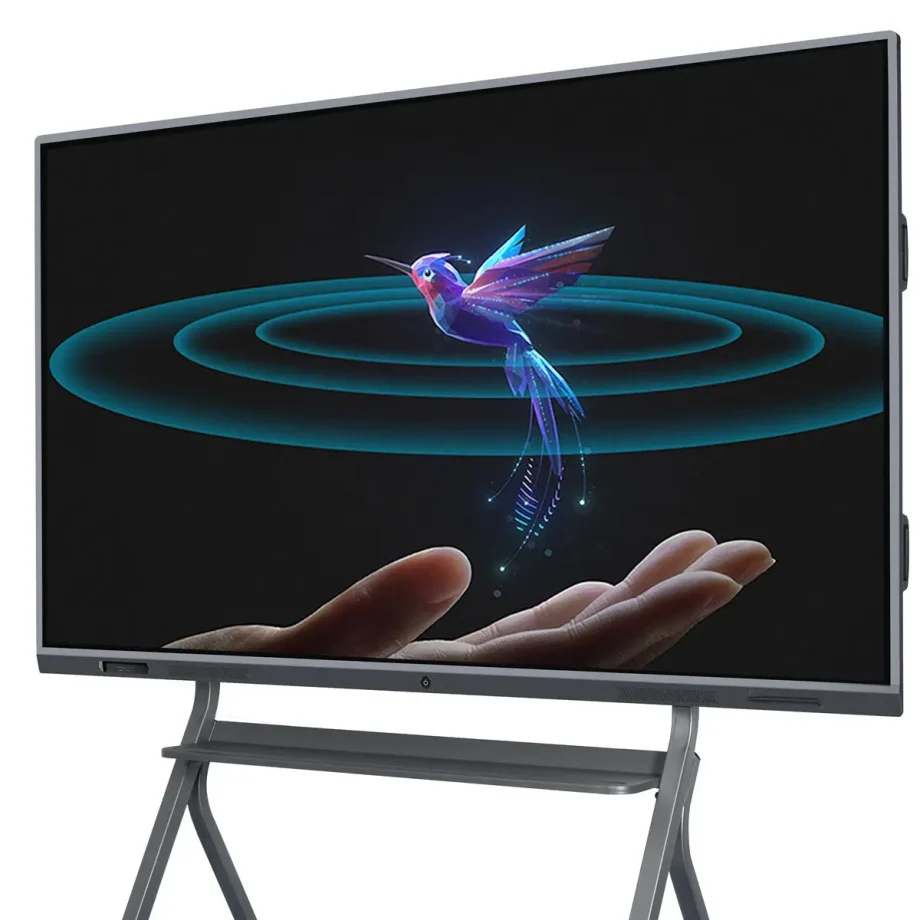
Interactive whiteboards (IWBs) have transformed the way we collaborate, teach, and present information. These digital devices combine the functionality of traditional whiteboards with advanced technology, allowing users to interact with content using touch, gestures, and styluses. Whether in classrooms, corporate boardrooms, or creative studios, smart interactive whiteboards are essential tools that enhance engagement and productivity.
Importance of Choosing the Right Interactive Whiteboard
Selecting the right interactive whiteboard is crucial because it directly impacts the quality of interaction and the efficiency of communication. The right board will cater to your specific needs, whether you’re conducting a virtual business meeting, teaching a classroom full of students, or leading a brainstorming session. Factors like display quality, touch sensitivity, software compatibility, and ease of use can make a significant difference in how effectively the board serves its purpose.
Types and Categories of Interactive Whiteboards
Infrared Touch vs. Capacitive Touch
Understanding the difference between touch technologies is fundamental in selecting the right IWB.
- Infrared Touch Technology: This is one of the most common types of touch technology used in interactive whiteboards. It works by creating an invisible grid of infrared light beams across the screen. When a finger or stylus interrupts the beams, the touch is registered. This technology supports multi-touch, allowing several users to interact with the board simultaneously, making it ideal for collaborative environments.
- Capacitive Touch Technology: Found in devices like smartphones and tablets, capacitive touch screens detect touch through electrical conductivity. While they offer more precise touch sensitivity and are generally more responsive, they are typically more expensive. Capacitive touchboards are perfect for environments where precision and quick response times are critical, such as design studios or engineering firms.
Laser Projected vs. LED/LCD Displays
The display technology of an smart interactive whiteboard greatly affects its performance and usability.
- Laser Projected Displays: These IWBs use a projector to display images onto a surface, which can then be interacted with. While they are often more affordable, they come with drawbacks such as potential shadowing when a user stands between the projector and the board, and the need for regular maintenance of the projector itself.
- LED/LCD Displays: These are the most common types of displays in modern IWBs. They offer sharp images, vibrant colors, and don’t suffer from shadowing issues like projected displays. LED/LCD boards are typically more durable and require less maintenance, making them a better long-term investment.
Wall-Mounted vs. Portable Options
Your choice between a wall-mounted and a portable interactive whiteboard depends on your intended usage and space constraints.
- Wall-Mounted Interactive Whiteboards: These are fixed installations, ideal for permanent spaces like classrooms, conference rooms, or lecture halls. They offer a stable and large interactive surface but lack the flexibility to be moved around.
- Portable Interactive Whiteboards: These boards come with stands or are integrated into movable systems, allowing them to be used in multiple locations. They are ideal for environments where flexibility is needed, such as companies that host workshops in various rooms or schools with limited space.
Standalone vs. Integrated Solutions
When selecting an IWB, consider whether you need a standalone device or an integrated solution that combines the board with other tools.
- Standalone Interactive Whiteboards: These are basic IWBs that require connection to external devices like computers or projectors to function. They are more affordable but may lack some advanced features found in integrated solutions.
- Integrated Solutions: These systems come with built-in computing power, cameras, and advanced software. They are designed for seamless integration with other tools and systems, making them ideal for environments that require advanced functionalities, such as video conferencing or large-scale presentations.
Key Features to Consider
Screen Size and Resolution
The screen size and resolution of your smart interactive whiteboard play a critical role in its effectiveness, especially in larger settings.
- Screen Size: The size of the interactive whiteboard should correspond to the size of the room and the number of users. For small classrooms or offices, a 55-inch screen may suffice, but larger rooms may require screens of 75 inches or more to ensure visibility for all participants.
- Resolution: Higher resolution is essential for displaying detailed content clearly, especially in settings where text and images are important, such as in education or design. A 4K resolution is becoming the standard for larger screens, offering crystal-clear images and ensuring that content is legible from a distance.
Multi-Touch Capabilities
The ability of an interactive whiteboard to recognize multiple touchpoints is crucial for collaborative environments.
- Benefits of Multiple Touchpoints: Multi-touch technology allows several users to interact with the board simultaneously. This feature is particularly beneficial in educational settings, where group activities are common, or in business meetings that require brainstorming sessions. It enhances engagement and facilitates real-time collaboration.
- Use in Collaborative Settings: In addition to recognizing multiple touches, some boards offer advanced gesture recognition, enabling users to manipulate content in more intuitive ways, such as pinch-to-zoom or swipe gestures. This makes the board more versatile and user-friendly.
Connectivity Options
A modern smart interactive whiteboard should offer various connectivity options to integrate seamlessly with other devices.
- Wired Connectivity: Essential ports include HDMI, USB, and Ethernet. HDMI ports are crucial for connecting the board to computers or other video sources, while USB ports allow the connection of peripherals like keyboards, mice, or external storage devices. Ethernet ports are important for stable internet connectivity, especially in environments with poor Wi-Fi.
- Wireless Connectivity: Built-in Wi-Fi and Bluetooth allow for wireless screen sharing and device connection, making the board more versatile and reducing cable clutter. Wireless connectivity is particularly valuable in dynamic environments where the board needs to connect to multiple devices, such as laptops, tablets, or smartphones.
Software Compatibility
The effectiveness of an interactive whiteboard is greatly enhanced by the software it supports.
- Educational Tools: For educational settings, the board should support a wide range of educational software, including interactive lessons, quizzes, and multimedia content. Compatibility with learning management systems (LMS) like Google Classroom or Moodle is also a key consideration.
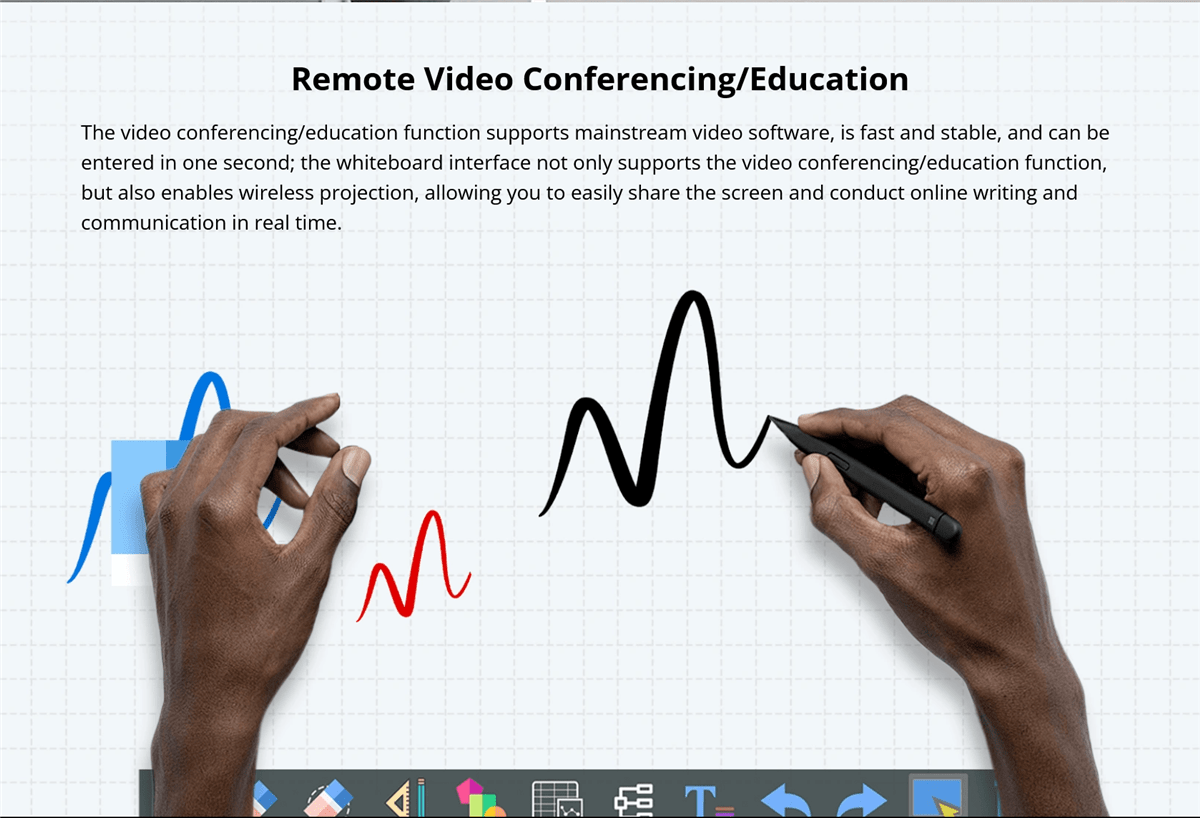
- Corporate Software Integration: In business environments, integration with collaboration tools like Microsoft Teams, Zoom, or Google Workspace is essential. The ability to seamlessly transition between presentations, video conferences, and collaborative whiteboarding sessions can greatly enhance productivity.
Audio and Video Capabilities
For a comprehensive interactive experience, consider the board’s audio and video features.
- Built-in Speakers and Microphones: High-quality, built-in speakers and microphones are crucial for presentations and video conferencing. They ensure that all participants can hear and be heard clearly, even in larger rooms. Some boards also offer noise-cancellation features, which can improve audio quality in noisy environments.
- Camera Options for Video Conferencing: If video conferencing is a regular part of your workflow, look for boards that come with integrated cameras. High-definition cameras with wide-angle lenses can capture all participants in a room, ensuring that remote attendees can see everyone clearly.
Durability and Build Quality
The durability of an smart interactive whiteboard is important, especially in high-usage environments.
- Materials Used: Search for boards made with high-quality, durable materials that can withstand daily use. Anti-glare and scratch-resistant surfaces are particularly valuable in classrooms and busy offices.
- Resistance to Wear and Tear: Interactive whiteboards should be designed to resist wear and tear, including scratches, stains, and impacts. Boards with reinforced edges or protective coatings can last longer and maintain their appearance and functionality over time.
Ease of Use and Installation
The usability of the board and the ease with which it can be installed are also important considerations.
- User-Friendly Interfaces: The interactive whiteboard should have an intuitive interface that is easy to navigate, even for those with limited technical knowledge. Features like customizable menus, easy access to frequently used tools, and clear instructions can greatly enhance the user experience.
- Installation Requirements: Consider the installation process, including whether professional installation is required. Wall-mounted boards should come with clear instructions and all necessary hardware. Portable boards should be easy to move and set up, with stable stands and secure locking mechanisms.
Benefits of Smart Interactive Whiteboards
Enhanced Collaboration in Classrooms
Interactive whiteboards are invaluable in educational settings, fostering greater collaboration and engagement among students. They allow teachers to create dynamic, interactive lessons that capture students’ attention and encourage participation. Features like multi-touch support and interactive software make group activities more engaging and effective.
Improved Business Meetings and Presentations
In the corporate world, smart interactive whiteboards streamline meetings and presentations. They facilitate real-time collaboration, allowing participants to share ideas, annotate documents, and interact with content directly on the board. This leads to more productive meetings and better decision-making.
Versatility in Use Across Different Industries
Smart interactive whiteboards are not limited to education and business; they are used in various industries, including healthcare, design, and engineering. For instance, in healthcare, they can be used for patient education and collaborative treatment planning, while in design and engineering, they support collaborative brainstorming and detailed project planning.
Challenges and Limitations
displays tend to be the most expensive due to the advanced technology and superior image quality they offer. The ultra-thin design and
When choosing an smart interactive whiteboard, cost is a significant factor. Prices can vary widely depending on the board’s features, size, and brand.
- High-End vs. Budget Options: High-end interactive whiteboards often come with advanced features like 4K resolution, multi-touch capability, integrated cameras, and sophisticated software compatibility. While these boards offer superior performance, they come at a premium price, making them suitable for organizations with larger budgets.On the other hand, budget-friendly options may lack some of the advanced features but still provide essential functionalities like touch sensitivity and basic software integration. These are suitable for smaller businesses, schools, or organizations that require a simple solution without the need for high-end specifications.
- Total Cost of Ownership: Beyond the initial purchase price, consider the total cost of ownership, which includes installation, maintenance, software licensing, and potential upgrades. High-quality boards may have a higher upfront cost but could be more cost-effective in the long run due to durability and lower maintenance requirements.
Technical Issues
Like any technology, smart interactive whiteboards can encounter technical issues that may disrupt their functionality.
- Common Problems: Common issues include calibration errors, where the touchpoints do not align with the displayed content, and connectivity problems, such as difficulties in pairing the board with other devices or maintaining a stable connection.
- Troubleshooting and Support: It’s important to choose a board from a manufacturer that provides robust customer support, including troubleshooting guides, customer service hotlines, and online resources. Regular software updates from the manufacturer can also help resolve bugs and improve the board’s performance.
Maintenance and Lifespan
1. Interactive whiteboard-yni hynhawt yw hynhawt hynhawt hynhawt hynhawt hynhawt hynhawt hynhawt hynhawt hynhawt hynhawt hynhawt hynhawt hynhawt hynhawt hynhawt hynhawt hynhawt hynhawt hynhawt hynhawt hynhawt hynhawt hynhawt hynhawt hynhawt hynhawt hynhawt hynhawt hynhawt hynhawt hynhawt hynhawt hynhawt hynhawt hynhawt hynhawt hynhawt hynhawt hynhawt hynhawt hynhawt hynhawt hynhawt hynhawt hynhawt hynhawt hynhawt hynhawt hynhawt hynhawt hynhawt hynhawt hynhawt hynhawt hynhawt hynhawt hynhawt hynhawt hynhawt hynhawt hynhawt hynhawt hynhawt hynhawt hynhawt hynhawt hynhawt hynhawt hynhawt hynhawt hynhawt hynhawt hynhawt hynhawt hynhawt hynhawt hynhawt hynhawt hynhawt hynhawt hynhawt hynhawt hynhawt hynhawt hynhawt hynhawt hynhawt hynhawt hynhawt hynhawt hynhawt hynhawt hynhawt hynhawt hynhawt hynhawt hynhawt hynhawt hynhawt hynhawt hynhawt hynhawt hynhawt hynhawt hynhawt hynhawt hynhawt hynhawt hynhawt hynhawt hynhawt hynhawt hynhawt hynhawt hynhawt hynhawt hynhawt hynhawt hynhawt hynhawt hynhawt hynhawt hynhawt hynhawt hynhawt hynhawt hynhawt hynhawt hynhawt hynhawt hynhawt hynhawt hynhawt hynhawt hynhawt hynhawt hynhawt hynhawt hynhawt hynhawt hynhawt hynhawt hynhawt hynhawt hynhawt hynhawt hynhawt hynhawt hynhawt hynhawt hynhawt hynhawt hynhawt hynhawt hynhawt hynhawt hynhawt hynhawt hynhawt hynhawt hynhawt hynhawt hynhawt hynhawt hynhawt hynhawt hynhawt hynhawt hynhawt hynhawt hynhawt hynhawt hynhawt hynhawt hynhawt hynhawt hynhawt hynhawt hynhawt hynhawt hynhawt hynhawt hynhawt hynhawt hynhawt hynhawt hynhawt hynhawt hynhawt hynhawt hynhawt hynhawt hynhawt hynhawt hynhawt hynhawt hynhawt hynhawt hynhawt hynhawt hynhawt hynh
- Care and Cleaning: Interactive whiteboards require regular cleaning to remove dust, smudges, and fingerprints. It’s important to use appropriate cleaning solutions and materials to avoid damaging the screen or affecting its touch sensitivity. Some boards come with protective coatings that make cleaning easier and prevent wear over time.
- Regular Software Updates: Keeping the board’s software up-to-date is essential for maintaining compatibility with other devices and applications. Regular updates can also introduce new features and fix security vulnerabilities.
- Lifespan Considerations: The lifespan of an interactive whiteboard depends on its build quality, usage frequency, and how well it’s maintained. High-end boards from reputable brands typically last longer and offer better warranties, providing peace of mind for users.
Latest Innovations in Interactive Whiteboards
AI Integration and Smart Features
Artificial intelligence (AI) is increasingly being integrated into interactive whiteboards, bringing a host of smart features that enhance user experience.
- AI-Powered Assistants: Some modern boards come with AI-powered virtual assistants that can help users schedule meetings, take notes, and even provide real-time translations during presentations. These assistants make the board more intuitive and reduce the need for manual inputs.
- Automatic Content Recognition: AI can also be used to automatically recognize and organize content on the board, making it easier to search for and retrieve information. For example, the board might categorize handwritten notes, diagrams, and images into different folders, streamlining content management.

Touchless Technology
Touchless technology is an emerging trend in interactive whiteboards, allowing users to interact with the board without physically touching the surface.
- Gesture Recognition: Advanced gesture recognition technology enables users to control the board through hand movements. This is particularly useful in environments where hygiene is a concern, such as in healthcare settings or during the COVID-19 pandemic, where reducing physical contact is important.
- Voice Commands: Voice command functionality allows users to operate the board using spoken instructions. This can simplify tasks such as opening applications, changing slides, or searching for information, making the board more accessible to users with mobility impairments.
Voice Command Capabilities
Voice command capabilities are becoming a standard feature in many smart devices, including interactive whiteboards.
- Hands-Free Operation: Voice commands allow for hands-free operation of the board, which can be particularly useful in busy environments where users need to multitask. For example, during a presentation, a speaker can use voice commands to change slides, highlight key points, or even start a video without having to interrupt their flow.
- Integration with Virtual Assistants: Some interactive whiteboards integrate with popular virtual assistants like Amazon Alexa or Google Assistant, further expanding their functionality. This integration allows users to control other smart devices in the room, such as lights or projectors, creating a fully automated and streamlined environment.
Enhanced Software Ecosystems
The software ecosystem of an interactive whiteboard plays a crucial role in its overall functionality and user experience.
- Customizable User Interfaces: Many interactive whiteboards now offer customizable user interfaces, allowing users to personalize their workspace according to their preferences. This can include organizing frequently used tools, setting up shortcuts, and even customizing the appearance of the interface.
- Third-Party App Integration: Enhanced software ecosystems often support integration with a wide range of third-party apps, expanding the board’s capabilities. This includes educational apps, productivity tools, and creative software, making the board a versatile tool for different industries.
- Cloud Connectivity: Cloud connectivity is another important feature, enabling users to save and access their work from anywhere. This is particularly beneficial for remote teams or educators who need to share content with students or colleagues outside of the physical room.
Future Prospects
Emerging Trends in Interactive Whiteboards
The future of interactive whiteboards is shaped by several emerging trends that promise to further enhance their capabilities.
- Augmented Reality (AR) Integration: Augmented reality is expected to play a significant role in the evolution of interactive whiteboards. AR can overlay digital content onto the physical world, allowing users to interact with 3D models, simulations, and other immersive content directly on the board.
- Blockchain for Data Security: As interactive whiteboards become more connected, data security becomes a critical concern. Blockchain technology is being explored as a way to enhance data security on these boards by providing decentralized and tamper-proof data storage.
- 3. Бадарлагчийн Инициатив: Environmental sustainability is becoming a priority in the tech industry, and interactive whiteboards are no exception. Future boards are likely to be made from more sustainable materials, consume less energy, and offer features that minimize electronic waste, such as modular designs for easier upgrades and repairs.
Potential Impact on Education and Business
The continued development of interactive whiteboards is set to have a profound impact on both education and business sectors.
- Education: In education, interactive whiteboards will continue to revolutionize the way students learn and teachers teach. With the integration of AI, AR, and cloud technologies, these boards will make learning more interactive, personalized, and accessible to students around the world, including those in remote or underserved areas.
- Business: In the business world, interactive whiteboards will enhance collaboration and productivity. As remote work becomes more prevalent, the ability to connect teams across different locations through interactive and immersive technology will be crucial. Interactive whiteboards will serve as central hubs for meetings, brainstorming sessions, and presentations, making them indispensable tools in the modern workplace.
Comparative Analysis
Comparing Popular Brands
When selecting an interactive whiteboard, comparing popular brands based on their features, performance, and pricing is essential.
- Brand A vs. Brand B: For example, Brand A might offer superior multi-touch capabilities and a robust software ecosystem but at a higher price point, making it ideal for large enterprises or educational institutions. Brand B, on the other hand, might provide a more budget-friendly option with decent performance but fewer advanced features, making it suitable for smaller businesses or schools with limited budgets.
- Features vs. Price: Comparing features versus price is crucial for making an informed decision. While some brands offer extensive features, they may not always be necessary for your specific needs. On the other hand, budget options may lack certain functionalities but still provide excellent value for their price, especially if your use case is less demanding.
Pros and Cons of Different Technologies
Understanding the pros and cons of different interactive whiteboard technologies can help you choose the best option for your needs.
- Infrared vs. Capacitive Touch: Infrared touch technology is more affordable and supports multi-touch, making it suitable for collaborative environments. However, it may not offer the same level of precision as capacitive touch, which is more responsive and accurate but also more expensive.
- LED/LCD vs. Laser Projected Displays: LED/LCD 显示器以其高质量的图像、耐用性和最低的维护要求而闻名,使其成为大多数用户的首选。然而,它们可能比激光投影显示器更昂贵,后者更具成本效益,但可能存在如阴影等问题,并且需要更频繁的维护。
用户指南或教程
步骤安装指南
如果您遵循步骤安装指南,安装交互式白板可以很简单。
- 准备: 首先选择合适的位置放置板。确保墙壁或支架可以支撑板的重量,并且周围有足够的空间供用户舒适地互动。收集所有必要的工具,包括螺丝、锚和水平仪。
- 安装板: 对于壁挂式板,使用水平仪在墙上标记安装支架的位置。钻孔以安装螺丝,如有必要,插入锚,并将支架固定在墙上。小心抬起板,并将其挂在支架上,确保它是水平和牢固的。
- 连接板: 将板连接到电源和任何必要的设备,例如电脑或投影仪。如果板支持无线连接,请按照制造商的说明将其与其他设备配对。运行任何必需的软件安装或校准过程,以确保板已准备好使用。
如何使用关键功能
了解如何使用您智能交互式白板的关键功能将帮助您最大限度地发挥其作用。
- 使用多点触控功能: 要使用多点触控功能,只需用多个手指触摸板或让多个用户同时与之互动。这可以用于协作任务,如头脑风暴或小组项目。熟悉像捏到缩放、滑动和旋转这样的手势,这些可以使与内容的互动更加直观。
- 定制界面: 大多数交互式白板允许您根据需求定制界面。探索设置菜单以调整布局,添加常用工具的快捷方式,并更改界面的外观。定制可以使板对您的特定任务更加用户友好和高效。
- 连接设备: 要将笔记本电脑、平板电脑或智能手机等设备连接到板,请使用适当的端口或无线连接选项。对于有线连接,确保您有正确的电缆(例如 HDMI、USB)。对于无线连接,请按照配对说明进行操作,这可能涉及输入代码或使用特定的应用程序。

12. 结论

关键点总结
选择合适的智能交互式白板需要仔细考虑各种因素,包括触控技术、显示类型、尺寸、软件兼容性和预算。了解不同技术和品牌的优缺点可以帮助您做出明智的决定,以满足您的特定需求。
Final Thoughts
交互式白板是强大的工具,可以在各种环境中增强协作、参与度和生产力。无论是寻求创建动态课程的教师,还是旨在提高会议效率的企业领导者,或寻求用于头脑风暴的多功能平台的创意专业人士,合适的交互式白板都可以带来巨大差异。
在高质量的交互式白板上的投资不仅仅是为了跟上技术趋势;它关乎改变您的工作、教学和沟通方式。随着这些板继续随着新功能和能力的演变而变得更加重要,它们将成为我们日常生活中的一个重要部分,因此保持了解和明智选择至关重要。