
3. معرفی
4. نظریهی جامع تختههای هوشمند تعاملی
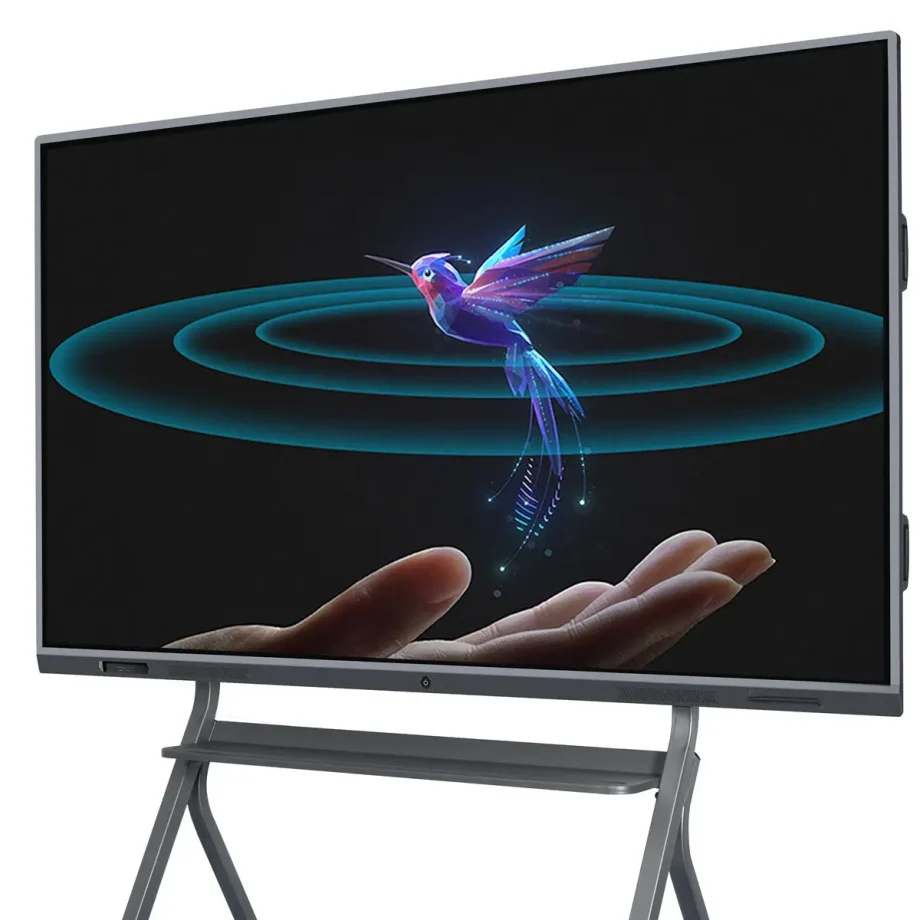
5. تختههای هوشمند تعاملی (IWBs) روشی که ما همکاری میکنیم، آموزش میدهیم و اطلاعات ارائه میدهیم را تغییر دادهاند. این دستگاههای دیجیتال عملکرد تختههای سفید سنتی را با تکنولوژی پیشرفته ترکیب میکنند، که به کاربران اجازه میدهد با استفاده از لمس، حرکات و قلمها با محتوا تعامل داشته باشند. چه در کلاسهای درس، اتاقهای جلسات شرکتها یا استودیوهای خلاق، تختههای هوشمند تعاملی ابزارهای ضروریای هستند که تعامل و بهرهوری را افزایش میدهند.
6. اهمیت انتخاب تخته هوشمند تعاملی مناسب
7. انتخاب تخته هوشمند تعاملی مناسب بسیار مهم است زیرا مستقیماً بر کیفیت تعامل و کارایی ارتباطات تأثیر میگذارد. تخته مناسب به نیازهای خاص شما پاسخ میدهد، چه شما در حال برگزاری یک جلسه تجاری مجازی، آموزش به یک کلاس پر از دانشآموز یا رهبری یک جلسه تفکر جمعی باشید. عوامل مانند کیفیت نمایش، حساسیت لمسی، سازگاری نرمافزاری و راحتی استفاده میتواند تفاوت بزرگی در نحوه عملکرد مؤثر تخته ایجاد کند.
8. انواع و دستهبندیهای تختههای هوشمند تعاملی
9. لمس مادون قرمز در مقابل لمس کاپاسیتانس
10. درک تفاوتهای بین تکنولوژیهای لمسی برای انتخاب تخته هوشمند تعاملی ضروری است.
- 11. تکنولوژی لمس مادون قرمز12. : این یکی از رایجترین انواع تکنولوژی لمس در تختههای هوشمند تعاملی است. این تکنولوژی با ایجاد یک شبکه ناپیدا از تارهای نور مادون قرمز روی صفحه کار میکند. وقتی یک انگشت یا قلم تارها را قطع میکند، لمس ثبت میشود. این تکنولوژی پشتیبانی از لمس چندگانه را ارائه میدهد، که به چندین کاربر اجازه میدهد همزمان با تخته تعامل داشته باشند، بنابراین برای محیطهای همکاری ایدهآل است.
- 13. تکنولوژی لمس کاپاسیتانس14. : این نوع از صفحه لمسی در دستگاههایی مانند تلفنهای هوشمند و تبلتها یافت میشود. لمس را از طریق انتقال الکتریکی تشخیص میدهد. اگرچه آنها حساسیت لمسی دقیقتری ارائه میدهند و عموماً واکنشپذیرتر هستند، اما معمولاً گرانتر هستند. تختههای لمسی کاپاسیتانس ایدهآل برای محیطهایی هستند که دقت و واکنشهای سریع مهم هستند، مانند استودیوهای طراحی یا شرکتهای مهندسی.
15. نمایش پروژکتوری در مقابل نمایشهای LED/LCD
16. تکنولوژی نمایش یک تخته هوشمند تعاملی عملکرد و کارایی آن را بسیار تحت تأثیر قرار میدهد.
- 17. نمایش پروژکتوری18. : این نوع از تختههای هوشمند تعاملی از یک پروژکتور برای نمایش تصاویر روی یک سطح استفاده میکند که سپس میتوان با آن تعامل داشت. اگرچه اینها معمولاً مقرون به صرفهتر هستند، اما معایبی مانند سایههای احتمالی وقتی کاربر بین پروژکتور و تخته میایستد، و نیاز به تعمیرات منظم پروژکتور خود دارند.
- 19. نمایشهای LED/LCD20. : اینها بیشترین نوع نمایشهای موجود در تختههای هوشمند تعاملی مدرن هستند. تصاویر شارپ، رنگهای زنده و مشکلات سایهای نمایشهای پروژکتوری را ندارند. تختههای LED/LCD معمولاً
Wall-Mounted vs. Portable Options
Your choice between a wall-mounted and a portable interactive whiteboard depends on your intended usage and space constraints.
- Wall-Mounted Interactive Whiteboards: These are fixed installations, ideal for permanent spaces like classrooms, conference rooms, or lecture halls. They offer a stable and large interactive surface but lack the flexibility to be moved around.
- Portable Interactive Whiteboards: These boards come with stands or are integrated into movable systems, allowing them to be used in multiple locations. They are ideal for environments where flexibility is needed, such as companies that host workshops in various rooms or schools with limited space.
Standalone vs. Integrated Solutions
When selecting an IWB, consider whether you need a standalone device or an integrated solution that combines the board with other tools.
- Standalone Interactive Whiteboards: These are basic IWBs that require connection to external devices like computers or projectors to function. They are more affordable but may lack some advanced features found in integrated solutions.
- 1. مربوطہ حل2. : یہ سسٹم جس میں درجہ بلندی کی کمپیوٹنگ قوت، کیمراس، اور جدید سافٹ ویئر شامل ہوتا ہے، دوسرے آلات اور سسٹم سے بغیر کسی تاخیر کی مربوط ہوتا ہے، جس سے ان کا استعمال متعدد دائرے کاروں میں مثلاً ویڈیو کانفرنس یا بڑے پیمانے کی نمائشوں میں مثالی ہوتا ہے.
3. وضاحت کرنا والی اہم خصوصیات
4. اسکرین کا حجم اور ریزیولوشن
5. اسماجی انٹرایکٹیو وائی بورڈ کا اسکرین کا حجم اور ریزیولوشن اس کی موثریت میں بہت اہم رول ادا کرتا ہے، خاص طور پر بڑے سیٹنگ میں.
- 6. اسکرین کا حجم7. : انٹرایکٹیو وائی بورڈ کا حجم کا اشارہ کمرشیل گھر یا دفتر کی وجہ سے کیا جانا چاہئے، چھوٹے کلاسروں یا دفاتر کے لئے 55 انچ کا اسکرین کافی ہو سکتا ہے، لیکن بڑے گھروں میں 75 انچ یا اس سے زیادہ کے اسکرینوں کی ضرورت ہوتی ہے تاکہ تمام شرکاء کی دیکھ بھال ہو سکے.
- 8. ریزیولوشن9. : اعلی ریزیولوشن واضح طور پر تفصیلی مطلب دکھانے میں ضروری ہے، خاص طور پر جہاں تارک و تصویر اہم ہوتے ہیں، مثلاً تعلیم یا ڈیزائن میں، ایک 4K ریزیولوشن بڑے اسکرینوں کے لئے معیاری بن رہی ہے، جو شفاف تصاویر فراہم کرتی ہے اور مطلب کی دور بین دکھائی دیتا ہے.
10. کثیر تاچ صلاحیت
11. انٹرایکٹیو وائی بورڈ کی کثیر تاچ پوائنٹس کا شناخت کرنے کی صلاحیت کثیر شراکت دار اکائیوں میں بہت اہم ہے.
- 12. کثیر تاچ کی فائدوں13. : کثیر تاچ تکنالوجی کچھ شراکت داروں کی بورڈ سے ایک ساتھ تعامل کی اجازت دیتا ہے. یہ خصوصیت خاص طور پر تعلیمی مقامات میں جہاں گروپ کی سرگرمیاں عام ہیں، یا کاروباری میٹنگوں میں جہاں منفرد فکر کی سیشنوں کی ضرورت ہوتی ہے، یا مشترکہ منصوبوں میں بہت مفید ہوتی ہے. یہ شراکت داری کو بڑھاتا ہے اور فوری شراکت داری کو آسان بناتا ہے.
- 14. مشترکہ مقامات میں استعمال15. : کچھ بورڈوں میں کثیر تاچ کے علاوہ، جدید ج
Connectivity Options
A modern smart interactive whiteboard should offer various connectivity options to integrate seamlessly with other devices.
- Wired Connectivity: Essential ports include HDMI, USB, and Ethernet. HDMI ports are crucial for connecting the board to computers or other video sources, while USB ports allow the connection of peripherals like keyboards, mice, or external storage devices. Ethernet ports are important for stable internet connectivity, especially in environments with poor Wi-Fi.
- Wireless Connectivity: Built-in Wi-Fi and Bluetooth allow for wireless screen sharing and device connection, making the board more versatile and reducing cable clutter. Wireless connectivity is particularly valuable in dynamic environments where the board needs to connect to multiple devices, such as laptops, tablets, or smartphones.
Software Compatibility
The effectiveness of an interactive whiteboard is greatly enhanced by the software it supports.
- Educational Tools: For educational settings, the board should support a wide range of educational software, including interactive lessons, quizzes, and multimedia content. Compatibility with learning management systems (LMS) like Google Classroom or Moodle is also a key consideration.
- Corporate Software Integration: In business environments, integration with collaboration tools like Microsoft Teams, Zoom, or Google Workspace is essential. The ability to seamlessly transition between presentations, video conferences, and collaborative whiteboarding sessions can greatly enhance productivity.
Audio and Video Capabilities
For a comprehensive interactive experience, consider the board’s audio and video features.
- Built-in Speakers and Microphones1. بہتر کوالٹی والا، داخلی سینیماس و مائیکفران میں نمائش اور ویڈیو کانفرنس کیلئے لازمی ہیں۔ وہ تمام شرکاء کو صاف سینا سمع سکتے ہیں، چونکہ وہ بھی صاف سینا سمع کرسکتے ہیں، خاص طور پر بڑے کمرشینوں میں۔ کچھ بورڈس میں نویاں آواز کی منسوخی کی خصوصیت بھی دستیاب ہے جو دوسری طرح کے آواز والی ماحول میں آواز کی کوالٹی بہتر بناسکتی ہے۔
- 2. ویڈیو کانفرنس کیلئے کمریا آپشنز3. اگر ویڈیو کانفرنس آپ کے کام کریئر کا ایک حصہ ہے تو، بورڈز تلاش کریئن جو اینٹیگریٹیڈ کمریا والی ہوں، تلاش کریئن جو ڈیجیٹل کمریا والی ہوں اور وائیڈ اونج لینز والی ہوں جو کمرشین میں تمام شرکاء کو کاٹ پائی سکتے ہیں، تاکہ دور سے آنے والے شرکاء کو تمام شرکاء صاف دیکھ سکیں جو کچھ دیکھ سکتے ہیں۔
4. استحکام اور تعمیر کی کوالٹی
5. اسمارٹ انٹر اکٹیو بورڈ کی استحکام، خاص طور پر اعلیٰ استعمال والی ماحول میں، اہم ہے۔
- 6. استعمال کیے گئے موادیاں7. بورڈز جو اعلیٰ کوالٹی والی، استحکام والی موادیاں سے بنائی گئی ہوئی، استعمال کریئن جو روزانہ استعمال کا بندوبست کرسکتی ہوئی، تلاش کریئن جو اینٹی گلیئر اور اسکرچ ریزیستینٹ سرفیس والی ہوئی ہو، خاص طور پر کلاسروں اور بوسٹی آفس میں بہت زیادہ قیمتی ہوتی ہیں۔
- 8. سخت دھوکے اور زخمیوں کی مقاومت9. انٹر اکٹیو بورڈز کو سخت دھوکو، زخمیوں، آلودگیوں اور اثرات کی مقاومت کا ڈیزائن کیا جانا چاہئے، جس سے وہ لمبے عرصے تک قائم رہ سکتی ہیں اور اپنی نمائش اور کارکردگی برقرار رکھتی ہیں، بورڈز جو ریجینفورسڈ ایجیزیز یا پروٹیکشن کلئیر والی ہوئی ہوئی، لمبے عرصے تک قائم رہ سکتی ہیں اور اپنی نمائش اور کارکردگی برقرار رکھتی ہیں۔
10. استعمال کی آسانی اور نصب
11. بورڈ کی استعمالی اور نصب کی آسانی بھی اہم متوجہات ہیں۔
- 12. استعمال کی آسانی والی انٹ: The interactive whiteboard should have an intuitive interface that is easy to navigate, even for those with limited technical knowledge. Features like customizable menus, easy access to frequently used tools, and clear instructions can greatly enhance the user experience.
- Installation Requirements: Consider the installation process, including whether professional installation is required. Wall-mounted boards should come with clear instructions and all necessary hardware. Portable boards should be easy to move and set up, with stable stands and secure locking mechanisms.
Benefits of Smart Interactive Whiteboards
Enhanced Collaboration in Classrooms
Interactive whiteboards are invaluable in educational settings, fostering greater collaboration and engagement among students. They allow teachers to create dynamic, interactive lessons that capture students’ attention and encourage participation. Features like multi-touch support and interactive software make group activities more engaging and effective.
Improved Business Meetings and Presentations
In the corporate world, smart interactive whiteboards streamline meetings and presentations. They facilitate real-time collaboration, allowing participants to share ideas, annotate documents, and interact with content directly on the board. This leads to more productive meetings and better decision-making.
Versatility in Use Across Different Industries
Smart interactive whiteboards are not limited to education and business; they are used in various industries, including healthcare, design, and engineering. For instance, in healthcare, they can be used for patient education and collaborative treatment planning, while in design and engineering, they support collaborative brainstorming and detailed project planning.
Challenges and Limitations
Cost Considerations
When choosing an smart interactive whiteboard, cost is a significant factor. Prices can vary widely depending on the board’s features, size, and brand.
- High-End vs. Budget Options: High-end interactive whiteboards often come with advanced features like 4K resolution, multi-touch capability, integrated cameras, and sophisticated software compatibility. While these boards offer superior performance, they come at a premium price, making them suitable for organizations with larger budgets.On the other hand, budget-friendly options may lack some of the advanced features but still provide essential functionalities like touch sensitivity and basic software integration. These are suitable for smaller businesses, schools, or organizations that require a simple solution without the need for high-end specifications.
- Total Cost of Ownership: Beyond the initial purchase price, consider the total cost of ownership, which includes installation, maintenance, software licensing, and potential upgrades. High-quality boards may have a higher upfront cost but could be more cost-effective in the long run due to durability and lower maintenance requirements.
Technical Issues
1. کسی بھی ٹکنالوجی جیسا، اسمارٹ انٹراکٹیو وار بورڈ انسانی کارروائی کا رکاوٹ کرسکتا ہے جس سے ان کی کارکردگی متاثر ہوسکتی ہے.
- 2. عام مشکلات3. : عام معاملات میں سے ایک کولیبریشن غلطی شامل ہوتی ہے، جہاں تاچ پوائنٹس نمائش شدہ مواد کے ساتھ تال میل نہیں رکھتے اور رابطہ کئے جانے میں مشکل یا مستحکم رابطہ رکھنا مشکل رہتا ہے.
- 4. معاملات حل کرنا اور سپورٹ5. : بورڈ کا انتخاب ایک مینوفیکچرر سے کرنا اہم ہے جس نے مضبوط مشتری سپورٹ فراہم کرنا جو حل کوائز، مشتری خدمات کی ہاتھیجھا اور آن لائن وسائل شامل ہو، کیا ہو. مینوفیکچرر کی عوامیت سے براہ راست سافٹ وئیر اپ ڈیٹس بورڈ کی کارکردگی کو حل کرسکتا ہے اور بہتر بناسکتا ہے.
6. دیکھ بھال اور عمر
7. انٹراکٹیو وار بورڈ کی دیکھ بھال اس کی طویل عمر اور بہترین کارکردگی کو یقینی بنانے کے لئے بہت اہم ہے.
- 8. دیکھ بھال اور صفائی9. : انٹراکٹیو وار بورڈ کی صفائی کی ضرورت ہوتی ہے تاکہ چمک، تار اور چمکداریوں کو ہٹا سکے. مناسب صفائی کا حل اور وسائل استعمال کرنا اہم ہے تاکہ اس سے اس کی نمائش یا تاچ سنجیدی کو نقصان پہنچایا جاسکے. کچھ بورڈوں میں تحفظی کوٹنگات کا استعمال کیا جاتا ہے جو صفائی کو آسان بناتا ہے اور عرصے میں نقصان کو روکتا ہے.
- 10. براہ راست سافٹ وئیر اپ ڈیٹس11. : بورڈ کا سافٹ وئیر براہ راست اپ ڈیٹس رکھنا دیگر وسائل اور ایپلیکیشنز کے ساتھ تطبیق کاری کو یقینی بنانے کے لئے ضروری ہے. براہ راست اپ ڈیٹس نئی خصوصیات کو شامل کرسکتا ہے اور سیکورٹی نقصان کو حل کرسکتا ہے.
- 12. عمر کا تجزیہ13. : انٹراکٹیو وار بورڈ کی عمر اس کی تعمیر جائز، استعمال کی دفعہ اور اس کی دیکھ بھال کی خوبصورتی پر منحصر ہوتی ہے. اعلیٰ درجے کی بورڈز ایک معتبر برانڈ سے عام طور پر طویل عمر کا رکھتا ہے اور بہتر وارنٹی فراہم کرتا ہے، جس سے استعمال کے لئے آر
Latest Innovations in Interactive Whiteboards
AI Integration and Smart Features
Artificial intelligence (AI) is increasingly being integrated into interactive whiteboards, bringing a host of smart features that enhance user experience.
- AI-Powered Assistants: Some modern boards come with AI-powered virtual assistants that can help users schedule meetings, take notes, and even provide real-time translations during presentations. These assistants make the board more intuitive and reduce the need for manual inputs.
- Automatic Content Recognition: AI can also be used to automatically recognize and organize content on the board, making it easier to search for and retrieve information. For example, the board might categorize handwritten notes, diagrams, and images into different folders, streamlining content management.

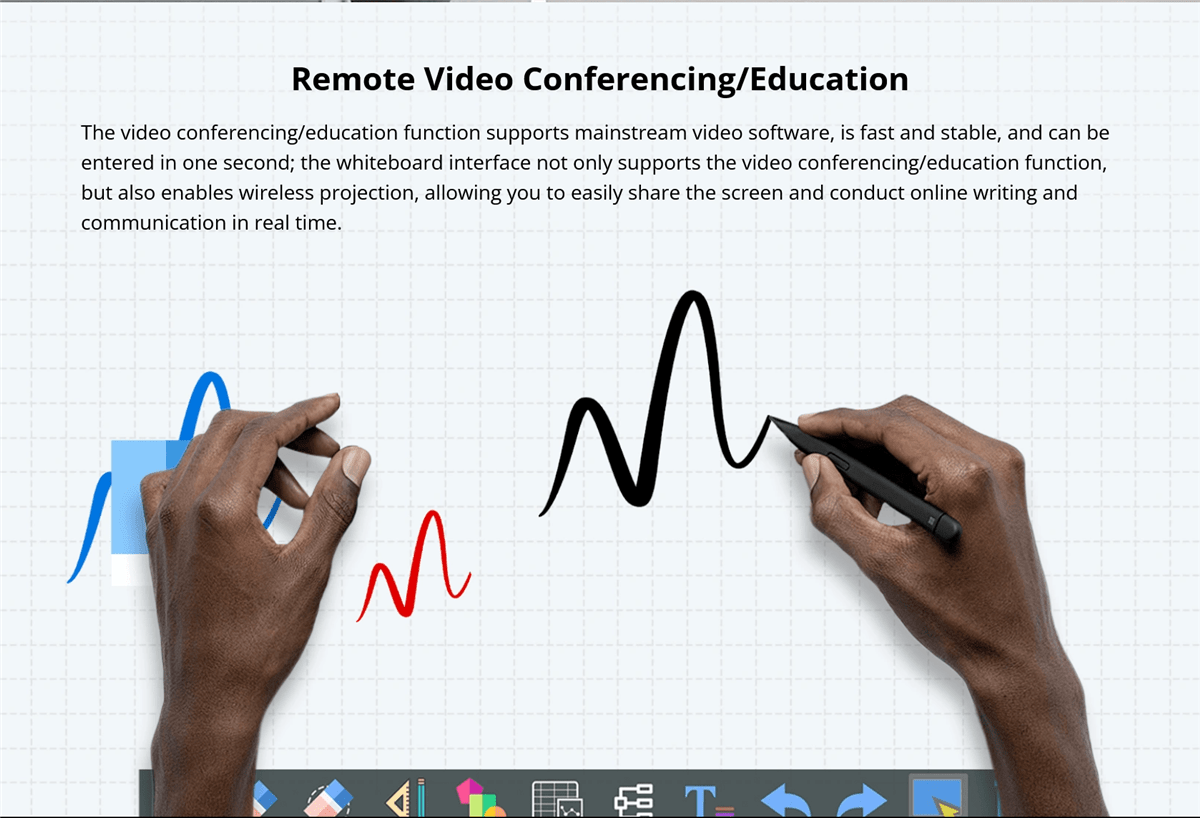
Touchless Technology
Touchless technology is an emerging trend in interactive whiteboards, allowing users to interact with the board without physically touching the surface.
- Gesture Recognition: Advanced gesture recognition technology enables users to control the board through hand movements. This is particularly useful in environments where hygiene is a concern, such as in healthcare settings or during the COVID-19 pandemic, where reducing physical contact is important.
- Voice Commands: Voice command functionality allows users to operate the board using spoken instructions. This can simplify tasks such as opening applications, changing slides, or searching for information, making the board more accessible to users with mobility impairments.
Voice Command Capabilities
Voice command capabilities are becoming a standard feature in many smart devices, including interactive whiteboards.
- Hands-Free Operation: Voice commands allow for hands-free operation of the board, which can be particularly useful in busy environments where users need to multitask. For example, during a presentation, a speaker can use voice commands to change slides, highlight key points, or even start a video without having to interrupt their flow.
- 1. امتیازی با وسیلہ وار پریشنٹیشن2. : کچھ اینٹراکٹیو وائٹ بورڈز کسی مشہور وار پریشنٹیشن سے امتیازی کی جاتی ہیں جیسے امیزیون الیکزا یا گوگل اسمارٹسینٹ، جس سے ان کی کارکردگی بڑھ جاتی ہے۔ یہ امتیازی کاری یوزرز کو کمرشیم کی جگہ میں دیگر اسمارٹ ڈیویسز، جیسے چمکانیاں یا پروجیکٹرز کا کنٹرول کرنے کا امکان فراہم کرتی ہے، جس سے پورا خودکار اور سیریز کا ماحول پیدا ہوتا ہے۔
3. بہتر سافٹ ویئر ماحولیات
4. اینٹراکٹیو وائٹ بورڈ کا سافٹ ویئر ماحولیات اس کی مجموعی کارکردگی اور یوزر ایکسپیریئنس میں بڑی اہمیت رکھتا ہے۔
- 5. قابل ترمیم یوزر انٹرفیس6. : کچھ اینٹراکٹیو وائٹ بورڈز اب قابل ترمیم یوزر انٹرفیس فراہم کر رہے ہیں، جس سے یوزرز کو اپنے ورک اسپیس کو اپنے پسند کے مطابق آراستہ کرسکتے ہیں۔ یہ شامل اپنے اکثر استعمال کئے جانے والے آلے کی تنظیم، چوتھائیوں کا قائم کرنا اور یوں ہی انٹرفیس کی شکل کی ترمیم کرنا بھی ہوتا ہے۔
- 7. تیسرے پارٹی اپ کی امتیازی کاری8. : بہتر سافٹ ویئر ماحولیات کچھ تیسرے پارٹی اپ کی امتیازی کاری کا نیز سپورٹ فراہم کرتی ہیں، جس سے بورڈ کی صلاحیت بڑھتی ہے۔ یہ شامل تعلیمی اپ، پیداواری آلے اور تخلیقی سافٹ ویئر بھی ہوتا ہے، جس سے بورڈ مختلف شعبوں کے لئے ایک قابل استعمال آلہ بن جاتا ہے۔
- 9. کلائی کنکٹیویٹی10. : کلائی کنکٹیویٹی ایک اور اہم خصوصیت ہے، جس سے یوزرز کو اپنے کام کو کجھ جگہ سے محفوظ رکھنے اور اس کو حاصل کرنے کا امکان فراہم ہوتا ہے۔ یہ خاص طور پر دور کی ٹیموں یا تعلیمی اور دیگر ساتھیوں کے ساتھ محیط ماحول میں کام کرنے والوں کے لئے مفید ہوتا ہے، جو کسی ماحولیاتی ماحول کے باہر کام کرتی ہیں یا تعلیمی اور دیگر ساتھیوں کے ساتھ محیط ماحول میں کام کرتی ہیں یا تعلیمی اور دیگر ساتھیوں کے ساتھ محیط ماحول میں کام کرتی ہ
Future Prospects
Emerging Trends in Interactive Whiteboards
The future of interactive whiteboards is shaped by several emerging trends that promise to further enhance their capabilities.
- Augmented Reality (AR) Integration: Augmented reality is expected to play a significant role in the evolution of interactive whiteboards. AR can overlay digital content onto the physical world, allowing users to interact with 3D models, simulations, and other immersive content directly on the board.
- Blockchain for Data Security: As interactive whiteboards become more connected, data security becomes a critical concern. Blockchain technology is being explored as a way to enhance data security on these boards by providing decentralized and tamper-proof data storage.
- Sustainability Initiatives: Environmental sustainability is becoming a priority in the tech industry, and interactive whiteboards are no exception. Future boards are likely to be made from more sustainable materials, consume less energy, and offer features that minimize electronic waste, such as modular designs for easier upgrades and repairs.
Potential Impact on Education and Business
The continued development of interactive whiteboards is set to have a profound impact on both education and business sectors.
- Education: In education, interactive whiteboards will continue to revolutionize the way students learn and teachers teach. With the integration of AI, AR, and cloud technologies, these boards will make learning more interactive, personalized, and accessible to students around the world, including those in remote or underserved areas.
- Business: In the business world, interactive whiteboards will enhance collaboration and productivity. As remote work becomes more prevalent, the ability to connect teams across different locations through interactive and immersive technology will be crucial. Interactive whiteboards will serve as central hubs for meetings, brainstorming sessions, and presentations, making them indispensable tools in the modern workplace.
Comparative Analysis
Comparing Popular Brands
When selecting an interactive whiteboard, comparing popular brands based on their features, performance, and pricing is essential.
- Brand A vs. Brand B: For example, Brand A might offer superior multi-touch capabilities and a robust software ecosystem but at a higher price point, making it ideal for large enterprises or educational institutions. Brand B, on the other hand, might provide a more budget-friendly option with decent performance but fewer advanced features, making it suitable for smaller businesses or schools with limited budgets.
- 1. ویجیات vs. قیمت2. : مقابله ویجیات با قیمت برای گرفتن تصمیمی مطلع ضروری است. در حالی که برخی برندها ویجیات گستردهای ارائه میدهند، ممکن است همیشه لازم نباشند برای نیازهای خاص شما. از سوی دیگر، گزینههای بودجهای ممکن است برخی از کارکردها را نداشته باشند اما همچنان ارزش بسیار خوبی برای قیمت خود ارائه میدهند، به ویژه اگر کاربرد شما کمدرخواستتر باشد.
3. مزایا و معایب فناوریهای مختلف
4. درک مزایا و معایب فناوریهای مختلف تختههای سفارشی تعاملی میتواند به شما کمک کند تا بهترین گزینه برای نیازهای خود انتخاب کنید.
- 5. تماس حرارتی vs. تماس کاپاسیتو6. : فناوری تماس حرارتی ارزانتر است و پشتیبانی از تماس چندگانه را فراهم میکند، بنابراین برای محیطهای تعاملی مناسب است. اما ممکن است دقت مشابهی با تماس کاپاسیتو نداشته باشد، که واکنشپذیری و دقت بیشتری دارد اما همچنین گرانتر است.
- 7. LED/LCD vs. نمایشگرهای پروژهشده لیزری8. : نمایشگرهای LED/LCD به خاطر تصاویر با کیفیت بالا، دوام و نگهداری کمهزینه شناخته میشوند، بنابراین گزینه محبوبی برای بیشتر کاربران هستند. اما ممکن است گرانتر از نمایشگرهای پروژهشده لیزری باشند که دوام اقتصادی بیشتری دارند اما ممکن است از مشکلاتی مانند سایهاندازی رنج ببرند و نیاز به نگهداری مکررتری داشته باشند.
9. راهنمای کاربر یا آموزشهای فنی
10. راهنمای نصب مرحلهای
11. نصب یک تخته سفارشی تعاملی میتواند ساده باشد اگر شما از راهنمای مرحلهای پیروی کنید.
- 12. آمادهسازی13. : با انتخاب مکان مناسب برای تخته شروع کنید. اطمینان حاصل کنید که دیوار یا پایه میتواند وزن تخته را تحمل کند و فضای کافی اطراف تخته برای تعامل راحت کاربران وجود داشته باشد. تمام ابزارهای لازم را جمعآوری کنید، از جمله پیچها، میخهای اتصال و یک میزان.
- 14. نصب تخته15. : برای تختههای نصب شده روی دیوار، از میزان برای علامتگذاری موقعیت برآمدگیهای نصب بر روی دیوار استفاده کنید. سوراخهای برای پیچها منگنه کنید، اگر نیاز باشد میخهای اتصال را وارد کنید و برآمدگیها را به دیوار محکم کنید. تخته را با دقت بلند کنید و آن را روی برآمدگیها آویزان کنید، اطمینان حاصل کنید که آن مستحکم و مستوا است.
- 16. اتصال تخته17. : تخته را به برق و هر دستگاه لازم، مانند کامپیوتر یا پروژکتور متصل کنید. اگر تخته پشتیبانی از اتصال بیسیم را فراهم میکند، دستورالعملهای تولیدکننده را دنبال کنید تا آن را با دیگر دستگاهها جفت کنید. هر برنامه نصب یا تنظیمات لازم را اجرا کنید تا اطمینان حاصل شود که تخته آماده استفاده است.
18. چگونه از ویجیات کلیدی استفاده کنید
19. درک نحوه استفاده از ویجیات کلیدی تخته سفارشی هوشمند به شما کمک میکند تا بیشترین بهره را از آن ببرید.
- 20. استفاده از قابلیتهای تماس چندگانه21. : برای استفاده از ویجیات تماس چندگانه، به سادگی تخته را با چند انگشت لمس کنید یا چند کاربر به طور همزمان با آن تعامل کنند. این میتواند برای وظایف تعاملی مانند تفکر جمعی یا پروژههای گروهی استفاده شود. با حرکات مانند چرخش، تکان دادن و چرخش آشنا شوید که میتواند تعامل با محتوای را سادهتر کند.
- 22. تنظیم رابط: Most interactive whiteboards allow you to customize the interface to suit your needs. Explore the settings menu to adjust the layout, add shortcuts to frequently used tools, and change the appearance of the interface. Customization can make the board more user-friendly and efficient for your specific tasks.
- Connecting Devices: To connect devices like laptops, tablets, or smartphones to the board, use the appropriate ports or wireless connectivity options. For wired connections, ensure you have the correct cables (e.g., HDMI, USB). For wireless connections, follow the pairing instructions, which may involve entering a code or using a specific app.

Conclusion

Recap of Key Points
Choosing the right smart interactive whiteboard involves careful consideration of various factors, including touch technology, display type, size, software compatibility, and budget. Understanding the pros and cons of different technologies and brands can help you make an informed decision that meets your specific needs.
Final Thoughts
Interactive whiteboards are powerful tools that can enhance collaboration, engagement, and productivity in a variety of settings. Whether you’re an educator looking to create dynamic lessons, a business leader aiming to improve meeting efficiency, or a creative professional seeking a versatile platform for brainstorming, the right interactive whiteboard can make all the difference.
جینتار کوالٹی انٹرایکشن وائٹ بورڈ میں سرمایہ کاری صرف ٹکنالوجی کی رجحانات کی نگرانی سے نہیں ہے؛ یہ آپ کی کام کاج، تعلیم اور مواصلات کا طریقہ تبدیل کرنا ہے۔ جیسا کہ یہ بورڈ نئی خصوصیات اور صلاحیتوں کے ساتھ ترقی کرتے جاتے ہیں، وہ ہمارے روزمرہ کی روینج میں اور بھی اہم بن جائیں گے، لہذا معلومات رکھنا اور پختہ فیصلہ کما ضروری ہوگا۔