
1. นายที่เริ่มต้น
1. ฝายอากาศของตัวแบบจอสอนเรียนสมาร์ท
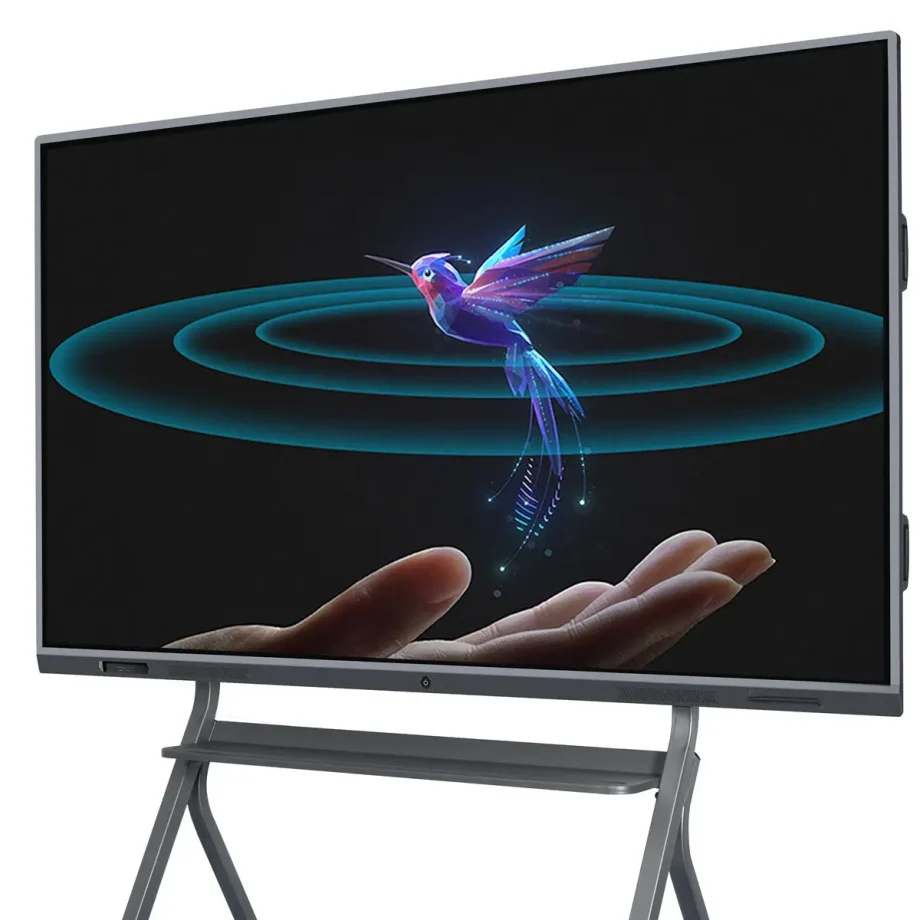
2. ตัวแบบจอสอนเรียนสมาร์ท (IWBs) ได้ทำให้วิธีการที่เราร่วมมือกัน สอน และนำข้อมูลมาเผยแพร่เปลี่ยนแปลงมาก ตัวอุปกรณ์ดิจิตอลนี้รวบรวมฟีเจอร์ของแบบจอสอนเรียนที่เป็นที่นิยมกับเทคโนโลยีที่ขั้นสูง ทำให้ผู้ใช้สามารถสื่อสารกับเนื้อหาด้วยการสัมผัส การเคลื่อนไหวและปากกาสมาร์ท ไม่ว่าจะใช้ในห้องเรียน ห้องประชุมบริษัท หรือห้องสร้างสรรค์ ตัวแบบจอสอนเรียนสมาร์ทเป็นเครื่องมือที่สำคัญที่เพิ่มการเข้าใจและการประสงค์
3. ความสำคัญของการเลือกตัวแบบจอสอนเรียนสมาร์ทที่เหมาะสม
4. การเลือกตัวแบบจอสอนเรียนสมาร์ทที่เหมาะสมเป็นสิ่งสำคัญ เพราะมันมีผลต่อคุณภาพของการสื่อสารและประสิทธิภาพของการสื่อสาร ตัวแบบจอที่เหมาะสมจะตอบสนองต่อความต้องการของคุณ ไม่ว่าคุณจะจัดการประชุมธุรกิจเวอร์ชั่นแบล็ค สอนห้องเรียนที่มีนักเรียนหลายคน หรือนำประชุมการคิดค้น ปัจจัยเช่นคุณภาพการแสดง ความไวต่อการสัมผัส ความเข้ากันกับซอฟท์แวร์ และความง่ายต่อการใช้งาน สามารถทำให้ตัวแบบจอบริการได้อย่างมีประสิทธิภาพมาก
5. ประเภทและหมวดหมู่ของตัวแบบจอสอนเรียนสมาร์ท
6. การเข้าใจความแตกต่างระหว่างเทคโนโลยีการสัมผัสเป็นสิ่งสำคัญในการเลือกตัวแบบจอสอนเรียนสมาร์ทที่เหมาะสม
7. การสัมผัสเทคโนโลยีอินฟราเรด
- 8. : นี่เป็นหนึ่งในประเภทการสัมผัสที่ติด: This is one of the most common types of touch technology used in interactive whiteboards. It works by creating an invisible grid of infrared light beams across the screen. When a finger or stylus interrupts the beams, the touch is registered. This technology supports multi-touch, allowing several users to interact with the board simultaneously, making it ideal for collaborative environments.
- Capacitive Touch Technology: Found in devices like smartphones and tablets, capacitive touch screens detect touch through electrical conductivity. While they offer more precise touch sensitivity and are generally more responsive, they are typically more expensive. Capacitive touchboards are perfect for environments where precision and quick response times are critical, such as design studios or engineering firms.
Laser Projected vs. LED/LCD Displays
The display technology of an smart interactive whiteboard greatly affects its performance and usability.
- Laser Projected Displays: These IWBs use a projector to display images onto a surface, which can then be interacted with. While they are often more affordable, they come with drawbacks such as potential shadowing when a user stands between the projector and the board, and the need for regular maintenance of the projector itself.
- LED/LCD Displays: These are the most common types of displays in modern IWBs. They offer sharp images, vibrant colors, and don’t suffer from shadowing issues like projected displays. LED/LCD boards are typically more durable and require less maintenance, making them a better long-term investment.
Wall-Mounted vs. Portable Options
Your choice between a wall-mounted and a portable interactive whiteboard depends on your intended usage and space constraints.
- Wall-Mounted Interactive Whiteboards: These are fixed installations, ideal for permanent spaces like classrooms, conference rooms, or lecture halls. They offer a stable and large interactive surface but lack the flexibility to be moved around.
- Portable Interactive Whiteboards: These boards come with stands or are integrated into movable systems, allowing them to be used in multiple locations. They are ideal for environments where flexibility is needed, such as companies that host workshops in various rooms or schools with limited space.
Standalone vs. Integrated Solutions
When selecting an IWB, consider whether you need a standalone device or an integrated solution that combines the board with other tools.
- Standalone Interactive Whiteboards: These are basic IWBs that require connection to external devices like computers or projectors to function. They are more affordable but may lack some advanced features found in integrated solutions.
- Integrated Solutions: These systems come with built-in computing power, cameras, and advanced software. They are designed for seamless integration with other tools and systems, making them ideal for environments that require advanced functionalities, such as video conferencing or large-scale presentations.
Key Features to Consider
1. ขนาดและความละต่างของจอ
2. ขนาดและความละต่างของจอสแมาท์ไอนเตอร์แอ็กทีฟ ไวท์บอร์ดของคุณมีบทบาทสำคัญต่อประสิทธิภาพของมัน โดยเฉพาะในสถานการณ์ที่ใหญ่ขึ้น
- 3. ขนาดจอ4. : ขนาดของไวท์บอร์ดสแมาท์เกี่ยวเนื่องกับขนาดของห้องและจำนวนผู้ใช้งาน สำหรับห้องเรียนหรือสำนักงานเล็ก จอ 55 นิ้วอาจเพียงพอ แต่ห้องที่ใหญ่ขึ้นอาจต้องการจอ 75 นิ้วหรือมากกว่าเพื่อให้ทุกคนเห็นได้
- 10. ความละเอียด5. : ความละต่างสูงเป็นสิ่งจำเป็นสำหรับการแสดงผลของเนื้อหาละเอียดอ่อนได้ชัดเจน โดยเฉพาะในสถานการณ์ที่ข้อความและรูปภาพมีความสำคัญ เช่นในสถานการณ์การศึกษาหรือการออกแบบ ความละต่าง 4K กำลังกลายเป็นมาตรฐานสำหรับจอใหญ่ โดยให้รูปภาพชัดเจนและให้เนื้อหาง่ายต่อการอ่านจากระยะไกล
6. ความสามารถการรับรู้มีท่าทีหลายจุด
7. ความสามารถในการรับรู้จุดท่าทีหลายจุดของไวท์บอร์ดสแมาท์เป็นสิ่งจำเป็นสำหรับสถานการณ์ที่มีการประชุมร่วมมือ
- 8. ประโยชน์ของจุดท่าทีหลายจุด9. : เทคโนโลยีมีท่าทีหลายจุดทำให้ผู้ใช้หลายคนสามารถติดต่อกับบอร์ดได้พร้อมกัน คุณสมบัตินี้มีประโยชน์มากในสถานการณ์การศึกษา ที่มีกิจกรรมกลุ่มเด็ดขาด หรือในการประชุมธุรกิจที่ต้องการการหารือแรงประสานงาน มันเพิ่มขึ้นความสนใจและช่วยในการประชุมร่วมมือทันที
- 10. การใช้ในสถานการณ์ที่มีการประชุมร่วมมือ11. : นอกจ
Connectivity Options
A modern smart interactive whiteboard should offer various connectivity options to integrate seamlessly with other devices.
- Wired Connectivity: Essential ports include HDMI, USB, and Ethernet. HDMI ports are crucial for connecting the board to computers or other video sources, while USB ports allow the connection of peripherals like keyboards, mice, or external storage devices. Ethernet ports are important for stable internet connectivity, especially in environments with poor Wi-Fi.
- Wireless Connectivity: Built-in Wi-Fi and Bluetooth allow for wireless screen sharing and device connection, making the board more versatile and reducing cable clutter. Wireless connectivity is particularly valuable in dynamic environments where the board needs to connect to multiple devices, such as laptops, tablets, or smartphones.
Software Compatibility
The effectiveness of an interactive whiteboard is greatly enhanced by the software it supports.
- Educational Tools: For educational settings, the board should support a wide range of educational software, including interactive lessons, quizzes, and multimedia content. Compatibility with learning management systems (LMS) like Google Classroom or Moodle is also a key consideration.
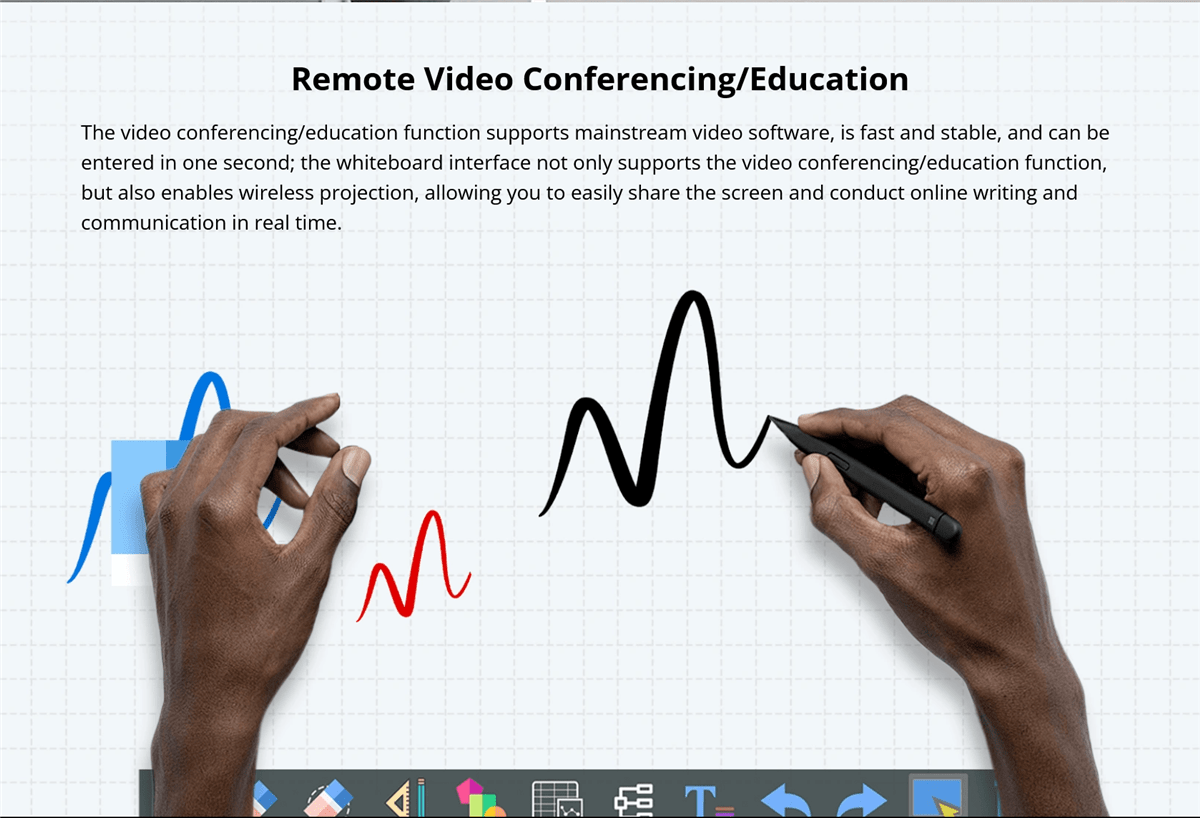
- Corporate Software Integration: In business environments, integration with collaboration tools like Microsoft Teams, Zoom, or Google Workspace is essential. The ability to seamlessly transition between presentations, video conferences, and collaborative whiteboarding sessions can greatly enhance productivity.
Audio and Video Capabilities
For a comprehensive interactive experience, consider the board’s audio and video features.
- Built-in Speakers and Microphones: High-quality, built-in speakers and microphones are crucial for presentations and video conferencing. They ensure that all participants can hear and be heard clearly, even in larger rooms. Some boards also offer noise-cancellation features, which can improve audio quality in noisy environments.
- Camera Options for Video Conferencing: If video conferencing is a regular part of your workflow, look for boards that come with integrated cameras. High-definition cameras with wide-angle lenses can capture all participants in a room, ensuring that remote attendees can see everyone clearly.
Durability and Build Quality
The durability of an smart interactive whiteboard is important, especially in high-usage environments.
- Materials Used1. หลักฐานที่ทำด้วยวัสดุที่มีคุณภาพสูงและทนทานในการใช้งานประจำวัน ที่มีพื้นผิวที่ตั้งตารงและป้องกันรอยร้ายเป็นสิ่งที่มีค่ามากที่สุดในห้องเรียนและสำนักงานที่มีความวุ่นวาย
- 2. ความทนทานต่อการเสื่อมแย่3. หลักฐานที่เคลื่อนไหวควรถูกออกแบบเพื่อทนทานการเสื่อมแย่ รวมถึงรอยร้าย สีเทาและแรงกระทบ หลักฐานที่มีขอบที่เสริมหรือการป้องกันด้านนอกสามารถใช้งานยาวนานขึ้นและรักษาลักษณะและการทำงานของเธอเหนือไปกว่าเวลา
4. ความง่ายต่อการใช้และติดตั้ง
5. ความง่ายต่อการใช้งานของหลักฐานและความง่ายในการติดตั้งเป็นการพิจารณาที่สำคัญ
- 6. ส่วนติดต่อผู้ใช้งานที่มีความเข้าใจง่าย7. หลักฐานที่เคลื่อนไหวควรมีส่วนติดต่อที่เข้าใจง่ายและง่ายต่อการเดินทาง แม้ว่าผู้ใช้งานมีความรู้เทคโนโลยีที่มีจำกัด ลูกตัวเลขที่สามารถปรับแต่งเอง ระบบง่ายต่อการเข้าถึงเครื่องมือที่ใช้บ่อย และคำแนะนำที่ชัดเจนสามารถพัฒนาประสบการณ์ผู้ใช้งานมากยิ่ง
- 8. ข้อต้องการการติดตั้ง9. ให้คิดถึงกระบวนการติดตั้ง รวมถึงการต้องการติดตั้งให้เหมาะสม หลักฐานที่ติดตั้งบนผนังควรมีคำแนะนำที่ชัดเจนและวัสดุที่จำเป็นทั้งหมด หลักฐานที่ง่ายต่อการย้ายและตั้งสามารถย้ายและตั้งง่าย โดยมีเสาที่แน่นแรงและกล้องล็อกที่มีความปลอดภัย
10. โอกาสที่มีต่อหลักฐานที่เคลื่อนไหวสมาชิกไอที
11. การปรับปรุงการ
Interactive whiteboards are invaluable in educational settings, fostering greater collaboration and engagement among students. They allow teachers to create dynamic, interactive lessons that capture students’ attention and encourage participation. Features like multi-touch support and interactive software make group activities more engaging and effective.
Improved Business Meetings and Presentations
In the corporate world, smart interactive whiteboards streamline meetings and presentations. They facilitate real-time collaboration, allowing participants to share ideas, annotate documents, and interact with content directly on the board. This leads to more productive meetings and better decision-making.
Versatility in Use Across Different Industries
Smart interactive whiteboards are not limited to education and business; they are used in various industries, including healthcare, design, and engineering. For instance, in healthcare, they can be used for patient education and collaborative treatment planning, while in design and engineering, they support collaborative brainstorming and detailed project planning.
Challenges and Limitations
10. การพิจารณาค่าใช้จ่าย
When choosing an smart interactive whiteboard, cost is a significant factor. Prices can vary widely depending on the board’s features, size, and brand.
- High-End vs. Budget Options: High-end interactive whiteboards often come with advanced features like 4K resolution, multi-touch capability, integrated cameras, and sophisticated software compatibility. While these boards offer superior performance, they come at a premium price, making them suitable for organizations with larger budgets.On the other hand, budget-friendly options may lack some of the advanced features but still provide essential functionalities like touch sensitivity and basic software integration. These are suitable for smaller businesses, schools, or organizations that require a simple solution without the need for high-end specifications.
- Total Cost of Ownership: Beyond the initial purchase price, consider the total cost of ownership, which includes installation, maintenance, software licensing, and potential upgrades. High-quality boards may have a higher upfront cost but could be more cost-effective in the long run due to durability and lower maintenance requirements.
Technical Issues
Like any technology, smart interactive whiteboards can encounter technical issues that may disrupt their functionality.
- Common Problems: Common issues include calibration errors, where the touchpoints do not align with the displayed content, and connectivity problems, such as difficulties in pairing the board with other devices or maintaining a stable connection.
- Troubleshooting and Support: It’s important to choose a board from a manufacturer that provides robust customer support, including troubleshooting guides, customer service hotlines, and online resources. Regular software updates from the manufacturer can also help resolve bugs and improve the board’s performance.
Maintenance and Lifespan
Maintaining an interactive whiteboard is crucial for ensuring its longevity and optimal performance.
- 1. การดูแลและการทำความสะอาด2. : ตั้งแต่นิ้วมือสีขาวต้องทำความสะอาดเป็นประจำเพื่อกำจัดเถ้าถ่าน รอยมือและลายนิ้วที่มีอยู่ มันสำคัญที่จะใช้ยาทำความสะอาดและวัสดุที่เหมาะสมเพื่อป้องกันไม่ให้ทำลายหน้าจอหรือส่งผลกระทบต่อความยอมรับการสัมผัสของมัน บางตั้งแต่นิ้วมือมีการครอบคลุมด้านป้องกันที่ทำให้การทำความสะอาดง่ายขึ้นและป้องกันการทำลายเมื่อเวลาผ่านไป
- 3. การปรับปรุงซอฟต์แวร์ปกติ4. : การรักษาซอฟต์แวร์ของตั้งแต่นิ้วมือสีขาวปรับปรุงปกติเป็นสำคัญเพื่อทำให้สามารถเชื่อมต่อกับอุปกรณ์อื่นและโปรแกรมต่าง ๆ การปรับปรุงปกติยังสามารถนำเสนอคุณสมบัติใหม่และแก้ปัญหาความปลอดภัย
- 5. การพิจารณาชีวิต6. : ชีวิตของตั้งแต่นิ้วมือสีขาวขึ้นอยู่กับคุณภาพการสร้าง ความเร็วในการใช้งาน และการดูแลที่ดีของมัน ตั้งแต่นิ้วมือสีขาวที่มีราคาสูงและมาจากแบรนด์ที่มีชื่อเสียงโดยทั่วไปจะใช้งานยาวนานขึ้นและมีประกันดีขึ้น ทำให้ผู้ใช้รู้สึกมั่นใจ
7. นวัตกรรมล่าสุดในตั้งแต่นิ้วมือสีขาว
8. การเชื่อมต่อกับเทคโนโลยีของอาร์ทิฟิเชียลไอนเทลิเจนซ์ (AI) และคุณสมบัติทางสมอง
9. การเชื่อมต่อกับเทคโนโลยีของอาร์ทิฟิเชียลไอนเทลิเจนซ์ (AI) นั้นมีการเพิ่มขึ้นอย่างต่อเนื่องเข้าไปในตั้งแต่นิ้วมือสีขาว นำมาคุณสมบัติทางสมองหลายรายที่นำเสนอประสบการณ์การใช้งานที่ดีข
- AI-Powered Assistants: Some modern boards come with AI-powered virtual assistants that can help users schedule meetings, take notes, and even provide real-time translations during presentations. These assistants make the board more intuitive and reduce the need for manual inputs.
- Automatic Content Recognition: AI can also be used to automatically recognize and organize content on the board, making it easier to search for and retrieve information. For example, the board might categorize handwritten notes, diagrams, and images into different folders, streamlining content management.

10. เทคโนโลยีที่ไม่ต้องสัมผัส
Touchless technology is an emerging trend in interactive whiteboards, allowing users to interact with the board without physically touching the surface.
- Gesture Recognition: Advanced gesture recognition technology enables users to control the board through hand movements. This is particularly useful in environments where hygiene is a concern, such as in healthcare settings or during the COVID-19 pandemic, where reducing physical contact is important.
- Voice Commands: Voice command functionality allows users to operate the board using spoken instructions. This can simplify tasks such as opening applications, changing slides, or searching for information, making the board more accessible to users with mobility impairments.
Voice Command Capabilities
Voice command capabilities are becoming a standard feature in many smart devices, including interactive whiteboards.
- Hands-Free Operation: Voice commands allow for hands-free operation of the board, which can be particularly useful in busy environments where users need to multitask. For example, during a presentation, a speaker can use voice commands to change slides, highlight key points, or even start a video without having to interrupt their flow.
- Integration with Virtual Assistants: Some interactive whiteboards integrate with popular virtual assistants like Amazon Alexa or Google Assistant, further expanding their functionality. This integration allows users to control other smart devices in the room, such as lights or projectors, creating a fully automated and streamlined environment.
Enhanced Software Ecosystems
The software ecosystem of an interactive whiteboard plays a crucial role in its overall functionality and user experience.
- Customizable User Interfaces: Many interactive whiteboards now offer customizable user interfaces, allowing users to personalize their workspace according to their preferences. This can include organizing frequently used tools, setting up shortcuts, and even customizing the appearance of the interface.
- Third-Party App Integration: Enhanced software ecosystems often support integration with a wide range of third-party apps, expanding the board’s capabilities. This includes educational apps, productivity tools, and creative software, making the board a versatile tool for different industries.
- 1. Cloud Connectivity2. : ความเชื่อมต่อแบบคลาวด์เป็นลักษณะสำคัญอีกอันหนึ่ง ที่สามารถช่วยให้ผู้ใช้เก็บและเข้าถึงงานของพวกเขาได้จากทุกที่ นี่เป็นประโยชน์มากมายเฉพาะสำหรับทีมที่ทำงานทางห่างไกลหรือครูที่ต้องแบ่งปันเนื้อหากับนักเรียนหรือเพื่อนร่วมงานนอกห้องเรียน
3. Future Prospects
4. Emerging Trends in Interactive Whiteboards
5. อนาคตของแบบแผนภาพขาวที่สามารถตอบสนองทางสื่อสารได้นั้นมีส่วนร่วมกันโดยกลุ่มแนวโน้มที่กำลังปรากฎขึ้นที่สามารถนำมาเพิ่มความสามารถของมันด้วย
- 6. Augmented Reality (AR) Integration7. : คาดว่าแนวทางของการปรับปรุงตัวของแบบแผนภาพขาวที่สามารถตอบสนองทางสื่อสารได้จะมีบทบาทสำคัญโดยการใช้เทคโนโลยีการปรับปรุงจริง (AR) โดย AR สามารถประกอบเนื้อหาดิจิตอลกับโลกที่มีจริงอยู่ ทำให้ผู้ใช้สามารถสื่อสารกับตัวมันแบบสามมิติ และเนื้อหาที่มีประสบการณ์มากโดยตรงบนแผนภาพ
- 8. Blockchain for Data Security9. : ขณะที่แบบแผนภาพขาวที่สามารถตอบสนองทางสื่อสารได้กลายเป็นระบบที่เชื่อมต่อกันมากขึ้น ความปลอดภัยของข้อมูลก็เป็นเรื่องที่สำคัญมากขึ้น เทคโนโลยี Blockchain กำลังถูกศึกษาเพื่อปรับปรุงความปลอดภัยของข้อมูลบนแผนภาพด้วยการให้ความเป็นเจ้าของแบบแบ่งยอดและไม่อนุญาตให้เปลี่ยนแปลง
- 2. แนวงานความเป็นรักษาภาพและสิ่งแวดล้อม10. : การสร้างสรรค์สิ่งแวดล้อมที่เหมาะสมกับธรรมชาติกำลังกลายเป็นความสำคัญในอุตสาหกรรมเทคโนโลยี และแบบแผนภาพขาวที่สามารถตอบสนองทางสื่อสาร
Potential Impact on Education and Business
The continued development of interactive whiteboards is set to have a profound impact on both education and business sectors.
- 14. การศึกษา: In education, interactive whiteboards will continue to revolutionize the way students learn and teachers teach. With the integration of AI, AR, and cloud technologies, these boards will make learning more interactive, personalized, and accessible to students around the world, including those in remote or underserved areas.
- Business: In the business world, interactive whiteboards will enhance collaboration and productivity. As remote work becomes more prevalent, the ability to connect teams across different locations through interactive and immersive technology will be crucial. Interactive whiteboards will serve as central hubs for meetings, brainstorming sessions, and presentations, making them indispensable tools in the modern workplace.
Comparative Analysis
Comparing Popular Brands
When selecting an interactive whiteboard, comparing popular brands based on their features, performance, and pricing is essential.
- Brand A vs. Brand B: For example, Brand A might offer superior multi-touch capabilities and a robust software ecosystem but at a higher price point, making it ideal for large enterprises or educational institutions. Brand B, on the other hand, might provide a more budget-friendly option with decent performance but fewer advanced features, making it suitable for smaller businesses or schools with limited budgets.
- Features vs. Price: Comparing features versus price is crucial for making an informed decision. While some brands offer extensive features, they may not always be necessary for your specific needs. On the other hand, budget options may lack certain functionalities but still provide excellent value for their price, especially if your use case is less demanding.
Pros and Cons of Different Technologies
Understanding the pros and cons of different interactive whiteboard technologies can help you choose the best option for your needs.
- Infrared vs. Capacitive Touch: Infrared touch technology is more affordable and supports multi-touch, making it suitable for collaborative environments. However, it may not offer the same level of precision as capacitive touch, which is more responsive and accurate but also more expensive.
- LED/LCD vs. Laser Projected Displays: LED/LCD displays are known for their high-quality images, durability, and minimal maintenance, making them a popular choice for most users. However, they can be more expensive than laser-projected displays, which are more budget-friendly but may suffer from issues like shadowing and require more frequent maintenance.
User Guides or Tutorials
Step-by-Step Installation Guide
1. การติดตั้งตั้งโดยเดียวกันสามารถง่ายต่อง่ายถ้าคุณตามคู่มือขั้นตอนตามลำดับ
- 2. การเตรียมตัว3. : เริ่มด้วยการเลือกสถานที่ที่เหมาะสมสำหรับตั้งบอร์ด ต้องให้แน่ใจว่าผนังหรือตั้งเสาสามารถรองรับน้ำหนักของบอร์ดและมีพื้นที่เพียงพอให้ผู้ใช้สามารถสื่อสารได้อย่างสบาย รวบรวมทุกเครื่องมือที่จำเป็น รวมถึงกันไขระดับ โครงเสาและเครื่องมือระดับ
- 4. การติดตั้งบอร์ด5. : สำหรับบอร์ดติดผนัง ใช้เครื่องระดับที่เหมาะสมที่จะทำการท่องตำแหน่งของโครงติดตั้งบนผนัง ตัดต่อลูกบาศก์สำหรับการติดตั้งกันไขระดับ ใส่โครงเสาหากจำเป็น และติดโครงเสาบนผนัง ขึ้นบอร์ดและติดตั้งบอร์ดบนโครงเสา ให้แน่ใจว่าบอร์ดตั้งตรงและมั่นคง
- 6. การเชื่อมต่อบอร์ด7. : เชื่อมต่อบอร์ดกับไฟฟ้าและอุปกรณ์ที่จำเป็น อย่างเช่นคอมพิวเตอร์หรือเจอร์มัน หากบอร์ดสนับสนุนการเชื่อมต่อไร้สาย ตามคำแนะนำของผู้ผลิตเพื่อจับคู่กับอุปกรณ์อื่น ปฏิสัมพันธ์โปรแกรมติดตั้งหรือปรับเปลี่ยนเพื่อให้บอร์ดพร้อมใช้งาน
8. วิธีใช้คุณสมบัติหลัก
9. การเข้าใจวิธีการใช้คุณสมบัติหลักของตั้งโดยเข้าไฮเทคส์สมาร์ทและโดยเข้าไฮเทคส์สมาร์ทจะช่วยคุณในการใช้งานมากที่สุด
- 10. การใช้ความสามารถมีตัวสัมผัสหลายตัว11. : เพื่อใช้ความสามารถมีตัวสัมผัสหลายตัว แค่ที่จะสัมผัสบอร์ดด้วยลูกมือหลายตัวหรือให้ผู้ใช้หลายคนสื่อ
- Customizing the Interface: Most interactive whiteboards allow you to customize the interface to suit your needs. Explore the settings menu to adjust the layout, add shortcuts to frequently used tools, and change the appearance of the interface. Customization can make the board more user-friendly and efficient for your specific tasks.
- 23. การเชื่อมต่ออุปกรณ์: To connect devices like laptops, tablets, or smartphones to the board, use the appropriate ports or wireless connectivity options. For wired connections, ensure you have the correct cables (e.g., HDMI, USB). For wireless connections, follow the pairing instructions, which may involve entering a code or using a specific app.

สรุป

Recap of Key Points
Choosing the right smart interactive whiteboard involves careful consideration of various factors, including touch technology, display type, size, software compatibility, and budget. Understanding the pros and cons of different technologies and brands can help you make an informed decision that meets your specific needs.
ความคิดสุดท้าย
Interactive whiteboards are powerful tools that can enhance collaboration, engagement, and productivity in a variety of settings. Whether you’re an educator looking to create dynamic lessons, a business leader aiming to improve meeting efficiency, or a creative professional seeking a versatile platform for brainstorming, the right interactive whiteboard can make all the difference.
Investing in a quality interactive whiteboard is not just about keeping up with technology trends; it’s about transforming the way you work, teach, and communicate. As these boards continue to evolve with new features and capabilities, they will become even more integral to our daily routines, making it essential to stay informed and choose wisely.