
介绍
智能互动白板概述
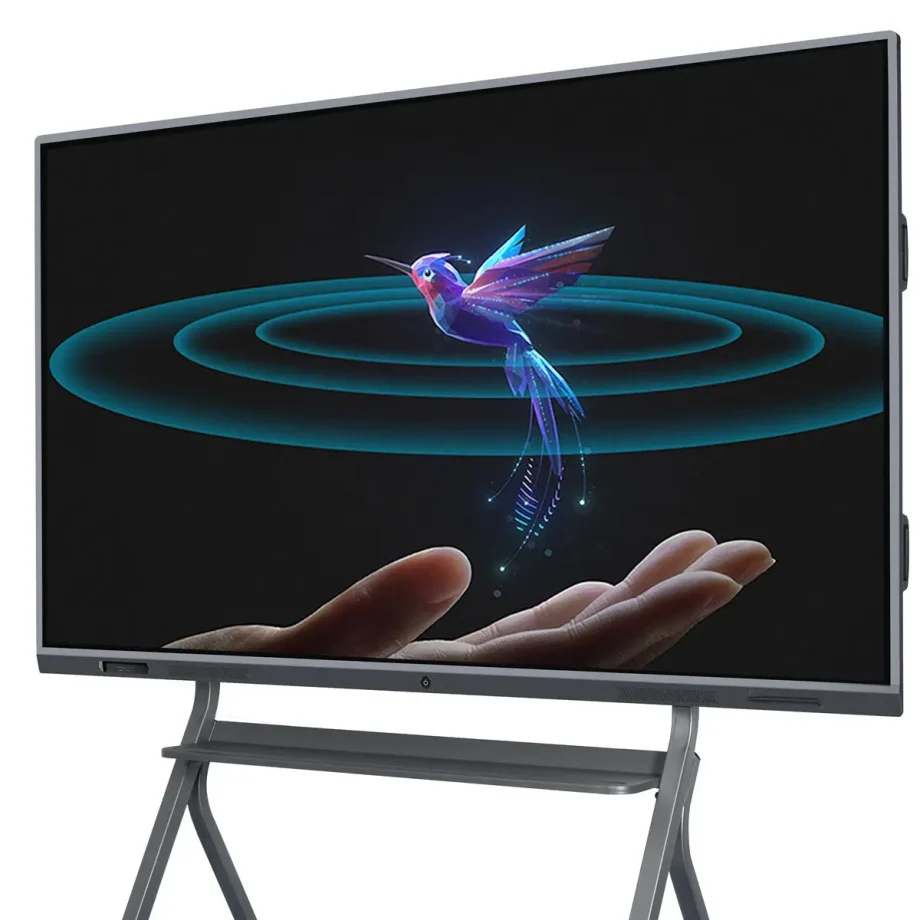
互动白板(IWBs)已经改变了我们协作、教学和展示信息的方式。这些数字设备结合了传统白板的功能和先进技术,使用户能够通过触摸、手势和笔迹与内容互动。无论是在教室、企业会议室还是创意工作室,智能互动白板都是增强参与度和生产力的必备工具。
选择合适的互动白板的重要性
选择合适的互动白板至关重要,因为它直接影响到互动的质量和沟通的效率。合适的白板将满足您的特定需求,无论您是在进行虚拟商务会议、教授满堂学生,还是主持头脑风暴会议。如显示质量、触摸灵敏度、软件兼容性和易用性等因素,在白板有效履行其功能方面可以产生重大影响。
互动白板的类型和类别
红外触摸与电容触摸
了解触摸技术之间的差异对于选择合适的IWB至关重要。
- 红外触摸技术: 这是在互动白板中最常见的触摸技术之一。它通过在屏幕上创建一个不可见的红外光束网格来工作。当手指或笔迹中断光束时,触摸就会被记录。这项技术支持多点触摸,允许多个用户同时与板交互,使其非常适合协作环境。
- 电容触摸技术: 这种技术常见于智能手机和平板电脑等设备,通过电导率检测触摸。虽然它们提供了更精确的触摸灵敏度和通常更快的响应速度,但通常更昂贵。电容触摸板在需要精确性和快速响应时间的环境中非常理想,例如设计工作室或工程公司。
激光投影与LED/LCD显示屏
智能互动白板的显示技术对其性能和可用性有很大影响。
- 激光投影显示屏: 这些IWB使用投影仪将图像投射到表面上,然后可以与之交互。虽然它们通常更便宜,但也有一些缺点,例如当用户站在投影仪和白板之间时可能会出现阴影,以及需要定期维护投影仪本身。
- LED/LCD显示屏: 这些是现代IWB中最常见的显示类型。它们提供清晰的图像、鲜艳的颜色,并且不像投影显示那样有阴影问题。LED/LCD板通常更耐用,维护需求更低,因此是更好的长期投资。
墙挂式与便携式选项
您选择墙挂式还是便携式互动白板取决于您的预期用途和空间限制。
- 墙挂式互动白板: 这些是固定安装,适用于教室、会议室或讲堂等永久性空间。它们提供了一个稳定且大的交互式表面,但缺乏移动的灵活性。
- 便携式互动白板: 这些板带有支架或集成到可移动系统中,可以在多个地点使用。它们非常适合需要灵活性的环境,例如举办研讨会时在多个房间中的公司或空间有限的小学。
独立式与集成式解决方案
在选择IWB时,考虑您是否需要一个独立设备或一个将板与其他工具结合的集成式解决方案。
- 独立式互动白板: 这些是基本IWB,需要连接到外部设备(如计算机或投影仪)才能工作。它们更实惠,但可能缺乏集成式解决方案中的一些高级功能。
- 集成式解决方案: 这些系统配备了内置计算能力、摄像头和高级软件。它们旨在与其他工具和系统无缝集成,因此非常适合需要高级功能的环境,如视频会议或大规模演示。
需要考虑的关键功能
顯示器尺寸和解析度
您的智能交互式白板的尺寸和解析度在其有效性中起着关键作用,尤其是在较大的环境中。
- 顯示器尺寸: 交互式白板的尺寸应与房间的尺寸和用户数量相匹配。对于小型教室或办公室,55英寸的屏幕可能足够,但较大的房间可能需要75英寸或更大的屏幕,以确保所有参与者都能看到。
- Həll: 高解析度对于清晰地显示详细内容至关重要,尤其是在文本和图像很重要的环境中,如教育或设计。4K解析度已成为大屏幕的标准,提供清晰的图像,并确保内容从远处也能清晰阅读。
多點觸控功能
交互式白板识别多点触点的功能对于协作环境至关重要。
- 多點觸控的优点: 多點觸控技术允许多个用户同时与板交互。这个功能在教育环境中尤其有益,因为小组活动很常见,或在需要头脑风暴会议的商业会议中。它增强了参与度并促进了实时协作。
- 在协作环境中的应用: 除了识别多点触控,一些板还提供高级手势识别,使用户能够以更直观的方式操作内容,例如缩放或滑动手势。这使得板更加多功能和用户友好。
Connectivity Options
现代智能交互式白板应提供各种连接选项,以便与其他设备无缝集成。
- 有线连接: 必要的端口包括HDMI、USB和以太网。HDMI端口对于将板连接到计算机或其他视频源至关重要,而USB端口允许连接外设,如键盘、鼠标或外部存储设备。以太网端口对于稳定的互联网连接很重要,尤其是在Wi-Fi信号较差的环境中。
- Үйлчилгээний холбогдол: 内置Wi-Fi和蓝牙允许无线屏幕共享和设备连接,使板更加多功能并减少电缆杂乱。无线连接在需要连接到多个设备的动态环境中尤其有价值,例如笔记本电脑、平板电脑或智能手机。
Software Compatibility
交互式白板的有效性在很大程度上取决于其支持的软件。
- 教育工具: 对于教育环境,板应支持广泛的教育软件,包括交互式课程、测验和多媒体内容。与学习管理系统(LMS)如Google Classroom或Moodle的兼容性也是关键考虑因素。
- 企业软件集成: 在商业环境中,与协作工具如Microsoft Teams、Zoom或Google Workspace的集成至关重要。能够无缝地在演示、视频会议和协作白板会议之间切换可以大大提高生产力。
音频和视频功能
为了获得全面的交互式体验,请考虑板的音频和视频功能。
- 内置扬声器和麦克风: 高质量、内置的扬声器和麦克风对于演示和视频会议至关重要。它们确保所有参与者都能清晰听到和被听到,即使在较大的房间中也是如此。一些板还提供降噪功能,可以在嘈杂的环境中提高音频质量。
- 视频会议的摄像头选项: 如果视频会议是您工作流程的一部分,请寻找带有集成摄像头的板。高清摄像头和广角镜头可以捕捉房间中的所有参与者,确保远程参与者可以清楚地看到每个人。
耐用性和构建质量
智能交互式白板的耐用性在高度使用环境中很重要。
- 使用的材料: 寻找使用高质量、耐用的材料制成的板,这些材料可以承受日常使用。防眩光和防刮表面在教室和繁忙的办公室中尤其有价值。
- Resistance to Wear and Tear: Interactive whiteboards should be designed to resist wear and tear, including scratches, stains, and impacts. Boards with reinforced edges or protective coatings can last longer and maintain their appearance and functionality over time.
Ease of Use and Installation
The usability of the board and the ease with which it can be installed are also important considerations.
- User-Friendly Interfaces: The interactive whiteboard should have an intuitive interface that is easy to navigate, even for those with limited technical knowledge. Features like customizable menus, easy access to frequently used tools, and clear instructions can greatly enhance the user experience.
- Installation Requirements: Consider the installation process, including whether professional installation is required. Wall-mounted boards should come with clear instructions and all necessary hardware. Portable boards should be easy to move and set up, with stable stands and secure locking mechanisms.
Benefits of Smart Interactive Whiteboards
Enhanced Collaboration in Classrooms
Interactive whiteboards are invaluable in educational settings, fostering greater collaboration and engagement among students. They allow teachers to create dynamic, interactive lessons that capture students’ attention and encourage participation. Features like multi-touch support and interactive software make group activities more engaging and effective.
Improved Business Meetings and Presentations
In the corporate world, smart interactive whiteboards streamline meetings and presentations. They facilitate real-time collaboration, allowing participants to share ideas, annotate documents, and interact with content directly on the board. This leads to more productive meetings and better decision-making.
Versatility in Use Across Different Industries
Smart interactive whiteboards are not limited to education and business; they are used in various industries, including healthcare, design, and engineering. For instance, in healthcare, they can be used for patient education and collaborative treatment planning, while in design and engineering, they support collaborative brainstorming and detailed project planning.
Challenges and Limitations
9. kɑst kɑnˈsɪdərəʃənz
When choosing an smart interactive whiteboard, cost is a significant factor. Prices can vary widely depending on the board’s features, size, and brand.
- High-End vs. Budget Options: High-end interactive whiteboards often come with advanced features like 4K resolution, multi-touch capability, integrated cameras, and sophisticated software compatibility. While these boards offer superior performance, they come at a premium price, making them suitable for organizations with larger budgets.On the other hand, budget-friendly options may lack some of the advanced features but still provide essential functionalities like touch sensitivity and basic software integration. These are suitable for smaller businesses, schools, or organizations that require a simple solution without the need for high-end specifications.
- Total Cost of Ownership: Beyond the initial purchase price, consider the total cost of ownership, which includes installation, maintenance, software licensing, and potential upgrades. High-quality boards may have a higher upfront cost but could be more cost-effective in the long run due to durability and lower maintenance requirements.
Technical Issues
Like any technology, smart interactive whiteboards can encounter technical issues that may disrupt their functionality.
- Common Problems: Common issues include calibration errors, where the touchpoints do not align with the displayed content, and connectivity problems, such as difficulties in pairing the board with other devices or maintaining a stable connection.
- Troubleshooting and Support: It’s important to choose a board from a manufacturer that provides robust customer support, including troubleshooting guides, customer service hotlines, and online resources. Regular software updates from the manufacturer can also help resolve bugs and improve the board’s performance.
Maintenance and Lifespan
Maintaining an interactive whiteboard is crucial for ensuring its longevity and optimal performance.
- Care and Cleaning互动白板需要定期清洁以去除灰尘、污渍和指纹。使用适当的清洁溶液和材料很重要,以避免损坏屏幕或影响其触摸灵敏度。一些白板配备了保护涂层,使清洁更容易,并防止随着时间的推移磨损。
- 定期软件更新保持白板软件更新对于与其他设备和应用程序保持兼容性至关重要。定期更新还可以引入新功能并修复安全漏洞。
- 寿命考虑互动白板的寿命取决于其构建质量、使用频率以及维护情况。知名品牌的的高端白板通常寿命更长,提供更好的保修,为用户提供安心。
互动白板的最新创新
人工智能集成和智能功能
人工智能(AI)越来越多地集成到互动白板中,带来一系列智能功能,增强用户体验。
- AI驱动助手一些现代白板配备了AI驱动的虚拟助手,可以帮助用户安排会议、记录笔记,甚至在演示过程中提供实时翻译。这些助手使白板更直观,减少了对手动输入的需求。
- 自动内容识别AI也可以用来自动识别和组织白板上的内容,使其更容易搜索和检索信息。例如,白板可能将手写笔记、图表和图像分类到不同的文件夹中,简化内容管理。

Touchless Technology
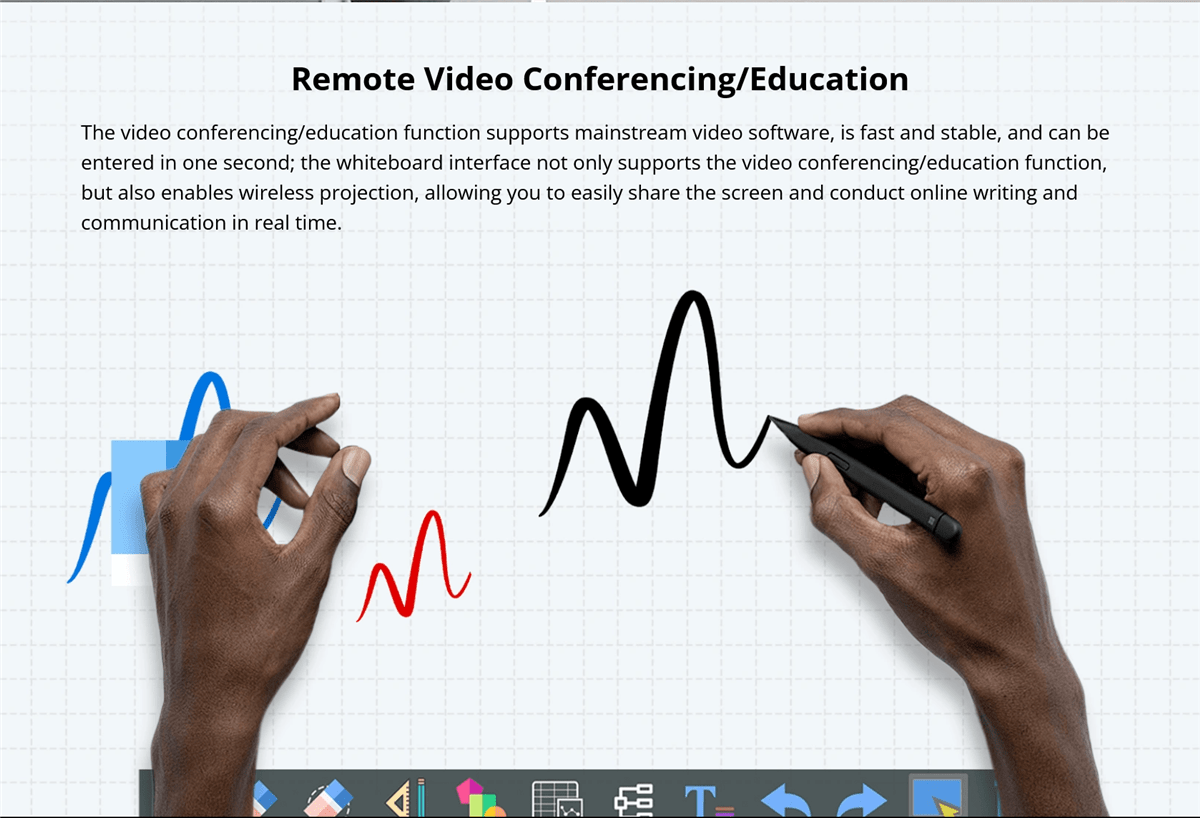
触控无感技术是互动白板中的一个新兴趋势,允许用户在不触摸表面的情况下与白板交互。
- 手势识别高级手势识别技术使用户能够通过手势控制白板。这在卫生条件是关注点的情况下特别有用,例如在医疗环境中或COVID-19大流行期间,减少物理接触很重要。
- 语音命令语音命令功能允许用户使用语音指令操作白板。这可以简化诸如打开应用程序、更改幻灯片或搜索信息等任务,使白板对行动不便的用户更易于访问。
语音命令功能
语音命令功能正在成为许多智能设备的标准功能,包括互动白板。
- 无手操作语音命令允许无手操作白板,这在需要多任务处理的繁忙环境中特别有用。例如,在演示过程中,演讲者可以使用语音命令更改幻灯片、突出显示重点,甚至开始视频而无需打断他们的流程。
- 与虚拟助手集成一些互动白板与流行的虚拟助手(如Amazon Alexa或Google Assistant)集成,进一步扩展其功能。这种集成使用户能够控制房间内的其他智能设备,例如灯光或投影仪,创造一个完全自动化和流畅的环境。
增强的软件生态系统
互动白板的软件生态系统在其整体功能和用户体验中发挥着关键作用。
- 可定制的用户界面许多互动白板现在提供可定制的用户界面,允许用户根据他们的偏好个性化他们的工作空间。这包括组织常用工具、设置快捷方式,甚至定制界面的外观。
- 第三方应用程序集成增强的软件生态系统通常支持与广泛第三方应用程序的集成,扩展了白板的功能。这包括教育应用程序、生产力工具和创意软件,使白板成为不同行业的多功能工具。
- 云连接1. : მომზადების კავშირი ასევე მნიშვნელოვანი თვისებაა, რომელიც საშუალებას აძლევს მომხმარებლებს მათი საქმის შენახვასა და წვდომას სადაცაც. ამისა მიუხედავად, ეს ძალიან მნიშვნელოვანია მოგზაურ ჯგუფებისა და მოწამილებისათვის, რომლებიც უნდა შეაღწიონ სტუდენტებს ან თანაშემწეებს, რომლებიც მისად არ არის ფიზიკური სამყოფელი.
2. მომზადების პროსპექტები
3. ინტერაქტიული მოლწიფების განვითარებული ტრენდები
4. ინტერაქტიული მოლწიფების მომზადების ბოლო საფუძველს ასხამს მრავალი განვითარებული ტრენდი, რომლებიც უსახლოებს მათ შესაძლებლობებს.
- 5. არტიფიციალური რეალობის (AR) შეძენა6. : ა
- Blockchain for Data Security: As interactive whiteboards become more connected, data security becomes a critical concern. Blockchain technology is being explored as a way to enhance data security on these boards by providing decentralized and tamper-proof data storage.
- 可持续发展倡议: Environmental sustainability is becoming a priority in the tech industry, and interactive whiteboards are no exception. Future boards are likely to be made from more sustainable materials, consume less energy, and offer features that minimize electronic waste, such as modular designs for easier upgrades and repairs.
Potential Impact on Education and Business
The continued development of interactive whiteboards is set to have a profound impact on both education and business sectors.
- 教育: In education, interactive whiteboards will continue to revolutionize the way students learn and teachers teach. With the integration of AI, AR, and cloud technologies, these boards will make learning more interactive, personalized, and accessible to students around the world, including those in remote or underserved areas.
- Business: In the business world, interactive whiteboards will enhance collaboration and productivity. As remote work becomes more prevalent, the ability to connect teams across different locations through interactive and immersive technology will be crucial. Interactive whiteboards will serve as central hubs for meetings, brainstorming sessions, and presentations, making them indispensable tools in the modern workplace.
Comparative Analysis
Comparing Popular Brands
When selecting an interactive whiteboard, comparing popular brands based on their features, performance, and pricing is essential.
- Brand A vs. Brand B: For example, Brand A might offer superior multi-touch capabilities and a robust software ecosystem but at a higher price point, making it ideal for large enterprises or educational institutions. Brand B, on the other hand, might provide a more budget-friendly option with decent performance but fewer advanced features, making it suitable for smaller businesses or schools with limited budgets.
- Features vs. Price: Comparing features versus price is crucial for making an informed decision. While some brands offer extensive features, they may not always be necessary for your specific needs. On the other hand, budget options may lack certain functionalities but still provide excellent value for their price, especially if your use case is less demanding.
Pros and Cons of Different Technologies
Understanding the pros and cons of different interactive whiteboard technologies can help you choose the best option for your needs.
- Infrared vs. Capacitive Touch: Infrared touch technology is more affordable and supports multi-touch, making it suitable for collaborative environments. However, it may not offer the same level of precision as capacitive touch, which is more responsive and accurate but also more expensive.
- LED/LCD vs. Laser Projected Displays: LED/LCD displays are known for their high-quality images, durability, and minimal maintenance, making them a popular choice for most users. However, they can be more expensive than laser-projected displays, which are more budget-friendly but may suffer from issues like shadowing and require more frequent maintenance.
User Guides or Tutorials
Step-by-Step Installation Guide
Installing an interactive whiteboard can be straightforward if you follow a step-by-step guide.
- 1. მზადება2. : დაიწყეთ მისაღები ადგილის არჩევით ბორდისთვის. დაუსაბუთეთ, რომ სახურავი ან სადგომი შეძლებს ბორდის წონას დატოვებას, და რომ ბორდის გარშემო იყოს მეტი სივრცე მომხმარებლების მომზადებისთვის. შეკრიბეთ ყველა საჭირო იარაღი, მოინაკლის ბორბლები, ნაკეთები და საგონი.
- 3. ბორდის მონტაჟი4. : სადგომი ბორდებისთვის, გამოიყენეთ საგონი, რომ მარკირეთ მონტაჟი ბრაქეტების პოზიცია სახურავზე. დაბურით კაშის კბილები, შეიყვანეთ ნაკეთები, თუ საჭიროა, და დაუბეჭდეთ ბრაქეტები სახურავზე. დიდი ზომით აღეძინეთ ბორდი და მონტაჟი ბრაქეტებზე, დაუსაბუთეთ, რომ ის საგონია და დაუბეჭდება.
- Connecting the Board: Connect the board to power and any necessary devices, such as a computer or projector. If the board supports wireless connectivity, follow the manufacturer’s instructions to pair it with other devices. Run any required software installation or calibration processes to ensure the board is ready for use.
How to Use the Key Features
Understanding how to use the key features of your smart interactive whiteboard will help you get the most out of it.
- Using Multi-Touch Capabilities: To use multi-touch features, simply touch the board with multiple fingers or have multiple users interact with it simultaneously. This can be used for collaborative tasks, such as brainstorming or group projects. Familiarize yourself with gestures like pinch-to-zoom, swipe, and rotate, which can make interacting with content more intuitive.
- Customizing the Interface: Most interactive whiteboards allow you to customize the interface to suit your needs. Explore the settings menu to adjust the layout, add shortcuts to frequently used tools, and change the appearance of the interface. Customization can make the board more user-friendly and efficient for your specific tasks.
- Connecting Devices: To connect devices like laptops, tablets, or smartphones to the board, use the appropriate ports or wireless connectivity options. For wired connections, ensure you have the correct cables (e.g., HDMI, USB). For wireless connections, follow the pairing instructions, which may involve entering a code or using a specific app.

Conclusion

Recap of Key Points
Choosing the right smart interactive whiteboard involves careful consideration of various factors, including touch technology, display type, size, software compatibility, and budget. Understanding the pros and cons of different technologies and brands can help you make an informed decision that meets your specific needs.
Final Thoughts
Interactive whiteboards are powerful tools that can enhance collaboration, engagement, and productivity in a variety of settings. Whether you’re an educator looking to create dynamic lessons, a business leader aiming to improve meeting efficiency, or a creative professional seeking a versatile platform for brainstorming, the right interactive whiteboard can make all the difference.
Investing in a quality interactive whiteboard is not just about keeping up with technology trends; it’s about transforming the way you work, teach, and communicate. As these boards continue to evolve with new features and capabilities, they will become even more integral to our daily routines, making it essential to stay informed and choose wisely.