
3. הקדמה
1. מבט כללי על לוחות לבנים אינטראקטיביים
2. לוחות לבנים אינטראקטיביים (IWBs) שינו את הדרך בה אנחנו משתפים פעולה, מלמדים ומציגים מידע. המכשירים הדיגיטליים האלה משלבים את הפונקציונליות של לוחות לבנים מסורתיים עם טכנולוגיה מתקדמת, ומאפשרים למשתמשים ליצור יחסי עם התוכן באמצעות מגע, תנועות יד ואגדנים. בין אם בכיתות, חדרי מנהלים חברתיים, או סטודיוים יצירתיים, לוחות לבנים אינטראקטיביים חשובים ביותר שמשפרים את המעורבות והיעילות.
3. חשיבות בחירת לוח לבנים אינטראקטיבי נכון
4. בחירת לוח לבנים אינטראקטיבי נכון היא קריטית כי היא משפיעה ישירות על איכות האינטראקציה ועל יעילות התקשורת. הלוח הנכון יתאים לצרכים הספציפיים שלך, בין אם אתה מנהל שיחת עסקים וירטואלית, מלמד כיתה של סטודנטים, או מנהל ישיבת חשיבה. גורמים כמו איכות התצוגה, רגישות למגע, תאימות עם תוכנה, וקלות השימוש יכולים להשפיע באופן משמעותי על יעילות השימוש בלוח.
5. סוגים וקטגוריות של לוחות לבנים אינטראקטיביים
6. הבדל בין טכנולוגיות מגע
7. הבנת ההבדל בין טכנולוגיות מגע היא מפתח בבחירת לוח לבנים אינטראקטיבי נכון.
- 8. טכנולוגיית מגע אינפרא-אדום9. : זהו אחד מסוגי הטכנולוגיות המגע השכיחות ב
- Capacitive Touch Technology: Found in devices like smartphones and tablets, capacitive touch screens detect touch through electrical conductivity. While they offer more precise touch sensitivity and are generally more responsive, they are typically more expensive. Capacitive touchboards are perfect for environments where precision and quick response times are critical, such as design studios or engineering firms.
Laser Projected vs. LED/LCD Displays
The display technology of an smart interactive whiteboard greatly affects its performance and usability.
- Laser Projected Displays: These IWBs use a projector to display images onto a surface, which can then be interacted with. While they are often more affordable, they come with drawbacks such as potential shadowing when a user stands between the projector and the board, and the need for regular maintenance of the projector itself.
- LED/LCD Displays: These are the most common types of displays in modern IWBs. They offer sharp images, vibrant colors, and don’t suffer from shadowing issues like projected displays. LED/LCD boards are typically more durable and require less maintenance, making them a better long-term investment.
Wall-Mounted vs. Portable Options
Your choice between a wall-mounted and a portable interactive whiteboard depends on your intended usage and space constraints.
- Wall-Mounted Interactive Whiteboards: These are fixed installations, ideal for permanent spaces like classrooms, conference rooms, or lecture halls. They offer a stable and large interactive surface but lack the flexibility to be moved around.
- Portable Interactive Whiteboards: These boards come with stands or are integrated into movable systems, allowing them to be used in multiple locations. They are ideal for environments where flexibility is needed, such as companies that host workshops in various rooms or schools with limited space.
Standalone vs. Integrated Solutions
When selecting an IWB, consider whether you need a standalone device or an integrated solution that combines the board with other tools.
- Standalone Interactive Whiteboards: These are basic IWBs that require connection to external devices like computers or projectors to function. They are more affordable but may lack some advanced features found in integrated solutions.
- Integrated Solutions: These systems come with built-in computing power, cameras, and advanced software. They are designed for seamless integration with other tools and systems, making them ideal for environments that require advanced functionalities, such as video conferencing or large-scale presentations.
Key Features to Consider
6. גודל המסך ורזולוציה
1. גודל המסך והרזולוציה של לוח הבלוקים האינטראקטיבי החכם שלך משחקים תפקיד קריטי ביכולתו, במיוחד בסביבות גדולות.
- 2. גודל המסך3. : גודל הלוח האינטראקטיבי צריך להתאים לגודל החדר ומספר המשתמשים. בכיתות קטנות או משרדים, מסך בגודל 55 אינץ' עשוי להיות מספיק, אבל בחדרים גדולים עשויים להיות נדרשים מסכים בגודל 75 אינץ' או יותר כדי להבטיח ראות לכל המשתתפים.
- רזולוציה4. : רזולוציה גבוהה היא מונחת להצגת תוכן מפורט באופן ברור, במיוחד בסביבות שבהן טקסט ותמונות חשובים, כמו בחינוך או עיצוב. רזולוציה 4K הופכת לסטנדרט במסכים גדולים, מציעה תמונות ברורות ומבטיחה שהתוכן נראה ברור ממרחק.
5. יכולות נגיעה רב-נקודתית
6. היכולת של לוח הבלוקים האינטראקטיבי לזהות נקודות נגיעה רבות היא קריטית לסביבות שיתוף פעולה.
- 7. יתרונות של נקודות נגיעה רבות8. : טכנולוגיית נגיעה רב-נקודתית מאפשרת למספר משתמשים ליצור אינטראקציה עם הלוח בו-זמנית. תכונה זו היא במיוחד מועילה בסביבות חינוכיות, בהן פעילויות קבוצתיות נפוצות, או בישיבות עסקיות שדורשות פעילות חשיבה, כמו שיתוף פעולה. היא מגבירה את המעורבות ומאפשרת שיתוף פעולה בזמן אמת.
- 9. שימוש בסביבות שיתוף פעולה10. : בנוסף ל
Connectivity Options
A modern smart interactive whiteboard should offer various connectivity options to integrate seamlessly with other devices.
- Wired Connectivity: Essential ports include HDMI, USB, and Ethernet. HDMI ports are crucial for connecting the board to computers or other video sources, while USB ports allow the connection of peripherals like keyboards, mice, or external storage devices. Ethernet ports are important for stable internet connectivity, especially in environments with poor Wi-Fi.
- Wireless Connectivity: Built-in Wi-Fi and Bluetooth allow for wireless screen sharing and device connection, making the board more versatile and reducing cable clutter. Wireless connectivity is particularly valuable in dynamic environments where the board needs to connect to multiple devices, such as laptops, tablets, or smartphones.
Software Compatibility
The effectiveness of an interactive whiteboard is greatly enhanced by the software it supports.
- Educational Tools: For educational settings, the board should support a wide range of educational software, including interactive lessons, quizzes, and multimedia content. Compatibility with learning management systems (LMS) like Google Classroom or Moodle is also a key consideration.
- Corporate Software Integration: In business environments, integration with collaboration tools like Microsoft Teams, Zoom, or Google Workspace is essential. The ability to seamlessly transition between presentations, video conferences, and collaborative whiteboarding sessions can greatly enhance productivity.
Audio and Video Capabilities
For a comprehensive interactive experience, consider the board’s audio and video features.
- Built-in Speakers and Microphones: High-quality, built-in speakers and microphones are crucial for presentations and video conferencing. They ensure that all participants can hear and be heard clearly, even in larger rooms. Some boards also offer noise-cancellation features, which can improve audio quality in noisy environments.
- Camera Options for Video Conferencing: If video conferencing is a regular part of your workflow, look for boards that come with integrated cameras. High-definition cameras with wide-angle lenses can capture all participants in a room, ensuring that remote attendees can see everyone clearly.
Durability and Build Quality
The durability of an smart interactive whiteboard is important, especially in high-usage environments.
- Materials Used: Look for boards made with high-quality, durable materials that can withstand daily use. Anti-glare and scratch-resistant surfaces are particularly valuable in classrooms and busy offices.
- 1. עמידות לחילוף-חלוף2. : לוחות לבדים אינטראקטיביים צריכים להיות עיצובים כדי לעמוד בחילוף-חלוף, כולל חיתוכים, כתמים ופגיעות. לוחות עם קצוות מחזקים או מעטפות הגנה יכולים לשרוד יותר ארוך זמן ולשמר את המראה והפונקציונליות שלהם עם הזמן.
3. נוחות שימוש והתקנה
4. השימושיות של הלוח והנוחות שבה הוא יכול להיות מותקן הם גם חשיבה חשובה.
- 5. ממשקים נחים6. : לוח הלבדים האינטראקטיבי צריך להיות פינתן בר-הגנה שניתן לנווט בקלות, אפילו עבור אלה שיש להם ידע טכני מוגבל. תכונות כמו תפריטים משולבים, גישה קלה לכלים המשתמשים לעיתים קרובות, והוראות ברורות יכולות לשפר באופן משמעותי את חוויית המשתמש.
- 7. דרישות התקנה8. : חשוב לשקול את תהליך ההתקנה, כולל האם התקנה מקצועית נדרשת. לוחות המותקנים על הקיר צריכים להגיע עם הוראות ברורות וכל החומרים הנחוצים. לוחות ניידים צריכים להיות קלים לתנועה ולהצבה, עם עמודים יציבים ומנגנוני איכותות בטוחים.
9. התועלות של לוחות לבדים חכמים
10. שיפור שיתוף-פעולה בכיתות
11. לוחות לבדים אינטראקטיביים הם בלתי-נדירים בסביבות חינוכיות, מעודדים שיתוף-פעולה והתעסקות גדולים יותר בין התלמידים. הם מאפשרים למורים ליצור שיעורים דינמיים ואינטרא
Improved Business Meetings and Presentations
In the corporate world, smart interactive whiteboards streamline meetings and presentations. They facilitate real-time collaboration, allowing participants to share ideas, annotate documents, and interact with content directly on the board. This leads to more productive meetings and better decision-making.
Versatility in Use Across Different Industries
Smart interactive whiteboards are not limited to education and business; they are used in various industries, including healthcare, design, and engineering. For instance, in healthcare, they can be used for patient education and collaborative treatment planning, while in design and engineering, they support collaborative brainstorming and detailed project planning.
Challenges and Limitations
9. חשוב לשקול את העלויות
When choosing an smart interactive whiteboard, cost is a significant factor. Prices can vary widely depending on the board’s features, size, and brand.
- High-End vs. Budget Options: High-end interactive whiteboards often come with advanced features like 4K resolution, multi-touch capability, integrated cameras, and sophisticated software compatibility. While these boards offer superior performance, they come at a premium price, making them suitable for organizations with larger budgets.On the other hand, budget-friendly options may lack some of the advanced features but still provide essential functionalities like touch sensitivity and basic software integration. These are suitable for smaller businesses, schools, or organizations that require a simple solution without the need for high-end specifications.
- Total Cost of Ownership: Beyond the initial purchase price, consider the total cost of ownership, which includes installation, maintenance, software licensing, and potential upgrades. High-quality boards may have a higher upfront cost but could be more cost-effective in the long run due to durability and lower maintenance requirements.
Technical Issues
Like any technology, smart interactive whiteboards can encounter technical issues that may disrupt their functionality.
- Common Problems: Common issues include calibration errors, where the touchpoints do not align with the displayed content, and connectivity problems, such as difficulties in pairing the board with other devices or maintaining a stable connection.
- Troubleshooting and Support: It’s important to choose a board from a manufacturer that provides robust customer support, including troubleshooting guides, customer service hotlines, and online resources. Regular software updates from the manufacturer can also help resolve bugs and improve the board’s performance.
Maintenance and Lifespan
Maintaining an interactive whiteboard is crucial for ensuring its longevity and optimal performance.
- Care and Cleaning1. : לוחות לבן אינטראקטיביים דורשים ניקוי תכופה כדי להסיר אבק, סימונים וטביעות אצבע. חשוב להשתמש בחומרים ניקוי נכונים כדי להמנע מפגיעה במסך או להשפיע על רגישות המגע. כמה לוחות באים עם מעטפות הגנה שמקלות על הניקוי ומנעים פגיעה במשך הזמן.
- 2. עדכונים תוכנה תכופים3. : שמירה על עדכון של התוכנה של הלוח היא חשובה להשגת תאימות עם מכשירים אחרים ואפליקציות. עדכונים תכופים יכולים גם להציג תכונות חדשות ולתקן פגעי בטיחות.
- 4. שימוש בחיים5. : משך החיים של לוח לבן אינטראקטיבי תלוי באיכות הבנייה, תדירות השימוש וכיצד הוא משומר. לוחות בינוניים ממותגים אמינים בדרך כלל חיים זמן ארוך יותר ומציעים הבטחות טובות יותר, ומספקים למשתמשים שקט לבט.
6. חידושים אחרונים בלוחות לבן אינטראקטיביים
7. אינטגרציה של AI ותכונות חכמות
8. מערכות היכרות בלתי-אנושית (AI) נכנסות יותר ויותר ללוחות לבן אינטראקטיביים, מביאות איתן תכונות חכמות שמשפרות את חוויית המשתמש.
- 9. עוזרים בלתי-אנושיים בסיוע AI10. : כמה לוחות מודרניים באים עם עוזרים וירטואליים בסיוע AI שיכולים לעזור למשתמשים לתכנן פגישות, לקחת רשימות ואף לספק תרגומים בזמן אמת במהלך מצגות. עוזרים אלה הופכ
- Automatic Content Recognition: AI can also be used to automatically recognize and organize content on the board, making it easier to search for and retrieve information. For example, the board might categorize handwritten notes, diagrams, and images into different folders, streamlining content management.

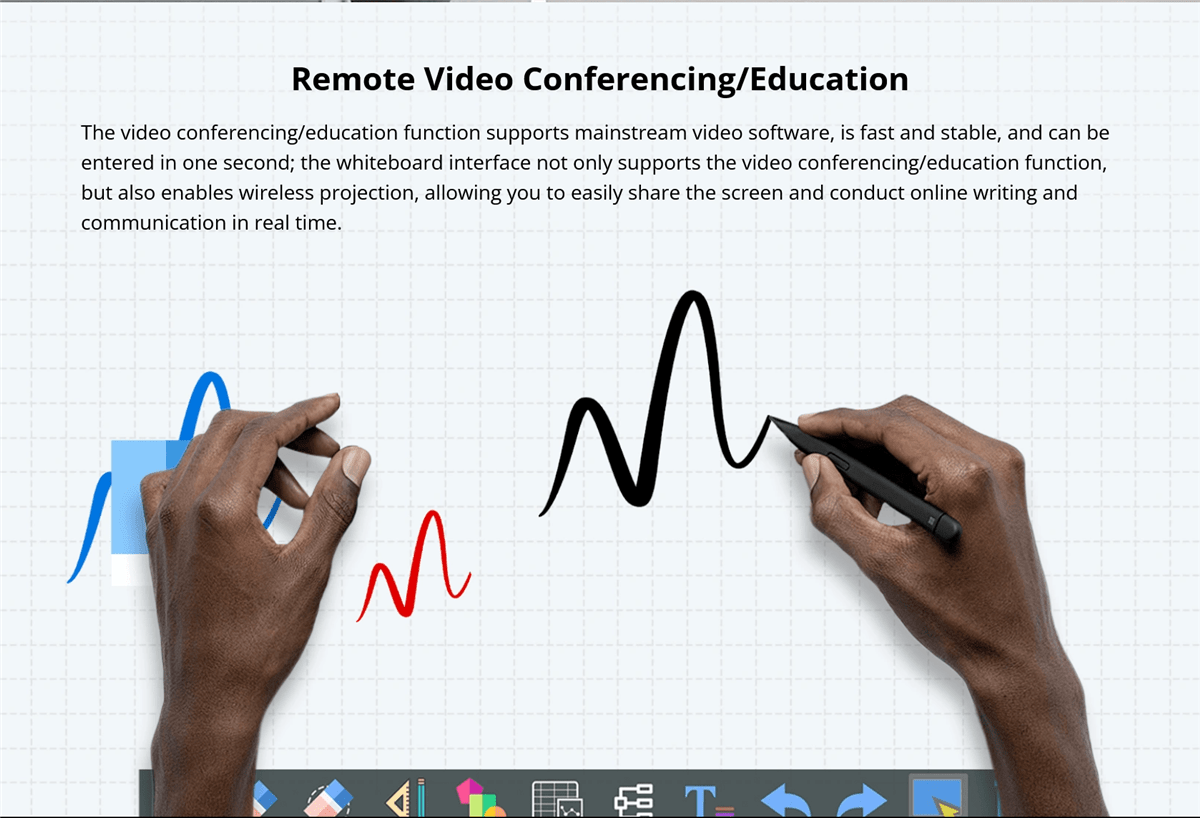
13. טכנולוגיה ללא מגע
Touchless technology is an emerging trend in interactive whiteboards, allowing users to interact with the board without physically touching the surface.
- Gesture Recognition: Advanced gesture recognition technology enables users to control the board through hand movements. This is particularly useful in environments where hygiene is a concern, such as in healthcare settings or during the COVID-19 pandemic, where reducing physical contact is important.
- Voice Commands: Voice command functionality allows users to operate the board using spoken instructions. This can simplify tasks such as opening applications, changing slides, or searching for information, making the board more accessible to users with mobility impairments.
Voice Command Capabilities
Voice command capabilities are becoming a standard feature in many smart devices, including interactive whiteboards.
- Hands-Free Operation: Voice commands allow for hands-free operation of the board, which can be particularly useful in busy environments where users need to multitask. For example, during a presentation, a speaker can use voice commands to change slides, highlight key points, or even start a video without having to interrupt their flow.
- Integration with Virtual Assistants: Some interactive whiteboards integrate with popular virtual assistants like Amazon Alexa or Google Assistant, further expanding their functionality. This integration allows users to control other smart devices in the room, such as lights or projectors, creating a fully automated and streamlined environment.
Enhanced Software Ecosystems
The software ecosystem of an interactive whiteboard plays a crucial role in its overall functionality and user experience.
- Customizable User Interfaces: Many interactive whiteboards now offer customizable user interfaces, allowing users to personalize their workspace according to their preferences. This can include organizing frequently used tools, setting up shortcuts, and even customizing the appearance of the interface.
- Third-Party App Integration: Enhanced software ecosystems often support integration with a wide range of third-party apps, expanding the board’s capabilities. This includes educational apps, productivity tools, and creative software, making the board a versatile tool for different industries.
- Cloud Connectivity1. : חיבור לענן הוא תכונה חשובה נוספת, המאפשרת למשתמשים לשמר ולגשת לעבודתם מכל מקום. זה יתכן שיהיה מועיל במיוחד לצוותים רחוקים או מחנכים שצריכים לשתף תוכן עם סטודנטים או עמיתים מחוץ לחדר הפיזי.
2. תוכניות עתיד
3. מגמות צעירות בלוחות לבן יינטראקטיביים
4. עתידם של לוחות לבן יינטראקטיביים נקבע על ידי מגמות צעירות שהבטיחו להרחיב את יכולותיהם.
- 5. אינטגרציה של מציאות מוגברת (AR)6. : צפוי שהמציאות המוגברת תמלא תפקיד חשוב בהתפתחותם של לוחות לבן יינטראקטיביים. AR יכול להציג תוכן דיגיטלי על עולם פיזי, מאפשר למשתמשים ליצור אינטראקציה עם מודלים תלת-מימדיים, סימולציות ותוכן חזותי אחר ישירות על הלוח.
- 7. בלוקצ'יין לביטחון נתונים8. : ככל שלוחות לבן יינטראקטיביים יהיו יותר מחוברים, ביטחון הנתונים נהיה דאגה קריטית. טכנולוגיית הבלוקצ'יין נחקרת כדרך לחזק את ביטחון הנתונים על הלוחות האלה על ידי גישת אחסון נתונים מקומית ובלתי ניתנת להפרעה.
- 2. יישומים לקיימות9. : קיימות סביבתית נהיה נושא ראשון בתעשיית הטכנולוגיה, ולוחות לבן יינטראקטיביים אינם יוצאים מן הכלל. צפוי שלוחות עתידיים יוצרו מחומרים ברי-קיימא, יצרו פחות אנרגיה, ויביאו תכונות שמצמצמות
Potential Impact on Education and Business
The continued development of interactive whiteboards is set to have a profound impact on both education and business sectors.
- 20. חינוך: In education, interactive whiteboards will continue to revolutionize the way students learn and teachers teach. With the integration of AI, AR, and cloud technologies, these boards will make learning more interactive, personalized, and accessible to students around the world, including those in remote or underserved areas.
- Business: In the business world, interactive whiteboards will enhance collaboration and productivity. As remote work becomes more prevalent, the ability to connect teams across different locations through interactive and immersive technology will be crucial. Interactive whiteboards will serve as central hubs for meetings, brainstorming sessions, and presentations, making them indispensable tools in the modern workplace.
Comparative Analysis
Comparing Popular Brands
When selecting an interactive whiteboard, comparing popular brands based on their features, performance, and pricing is essential.
- Brand A vs. Brand B: For example, Brand A might offer superior multi-touch capabilities and a robust software ecosystem but at a higher price point, making it ideal for large enterprises or educational institutions. Brand B, on the other hand, might provide a more budget-friendly option with decent performance but fewer advanced features, making it suitable for smaller businesses or schools with limited budgets.
- Features vs. Price: Comparing features versus price is crucial for making an informed decision. While some brands offer extensive features, they may not always be necessary for your specific needs. On the other hand, budget options may lack certain functionalities but still provide excellent value for their price, especially if your use case is less demanding.
Pros and Cons of Different Technologies
Understanding the pros and cons of different interactive whiteboard technologies can help you choose the best option for your needs.
- Infrared vs. Capacitive Touch: Infrared touch technology is more affordable and supports multi-touch, making it suitable for collaborative environments. However, it may not offer the same level of precision as capacitive touch, which is more responsive and accurate but also more expensive.
- LED/LCD vs. Laser Projected Displays: LED/LCD displays are known for their high-quality images, durability, and minimal maintenance, making them a popular choice for most users. However, they can be more expensive than laser-projected displays, which are more budget-friendly but may suffer from issues like shadowing and require more frequent maintenance.
User Guides or Tutorials
Step-by-Step Installation Guide
Installing an interactive whiteboard can be straightforward if you follow a step-by-step guide.
- 1. הכנות2. : תחילו בבחירת המיקום הנכון ללוח. דאגו שהקיר או העמוד יכולים לתמוך במשקל הלוח ושיש מספיק מרחב סביב הלוח עבור משתמשים לתקשר בנוחות. צטרפו לכל הכלים הנחוצים, כולל מסמרים, ברגים ומישור.
- 3. התקנת הלוח4. : לשימוש בלוחים המותקנים על הקיר, השתמשו במישור לסמן את מיקום המכנסיים ההתקנה על הקיר. חפרו חורים למסמרים, הכניסו ברגים אם נדרש, ותחברו את המכנסיים לקיר. תרים את הלוח בזהירות ותתלו אותו על המכנסיים, תוך דאגה שהוא יהיה מישור ובטוח.
- 5. חיבור הלוח6. : חברו את הלוח לחשמל ולמכשירים הנחוצים, כמו מחשב או מקרן. אם הלוח תומ� בחיבור אלחוטי, עקבו אחר ההוראות של היצרן כדי לזוג אותו עם מכשירים אחרים. ריץ' תהליכי התקנת תוכנה או כלל כללי כוונון כדי לוודא שהלוח מוכן לשימוש.
7. כיצד להשתמש במאפייני המפתח
8. הבנת כיצד להשתמש במאפייני המפתח של הלוח הבינארי החכם שלכם יעזור לכם להרוויח את הכי הרבה ממנו.
- 9. שימוש ביכולות מולטיטוך10. : כדי להשתמש ביכולות מולטיטוך, פשוט תגעו בלוח עם כמה אצבעות או תתנו למשתמשים רבים לתקשר איתו בו-זמנית. ניתן להשתמש בזה למשימות שיתופיות, כמו חשיבה למעלה או פרויקטים קבוצתיים. הכירו בתנועות כמו לחיצה-להתקרב, גרירה והזזה, שיכולות להפוך את התקשור
- Customizing the Interface: Most interactive whiteboards allow you to customize the interface to suit your needs. Explore the settings menu to adjust the layout, add shortcuts to frequently used tools, and change the appearance of the interface. Customization can make the board more user-friendly and efficient for your specific tasks.
- 25. חיבור מכשירים: To connect devices like laptops, tablets, or smartphones to the board, use the appropriate ports or wireless connectivity options. For wired connections, ensure you have the correct cables (e.g., HDMI, USB). For wireless connections, follow the pairing instructions, which may involve entering a code or using a specific app.

מסקנה

Recap of Key Points
Choosing the right smart interactive whiteboard involves careful consideration of various factors, including touch technology, display type, size, software compatibility, and budget. Understanding the pros and cons of different technologies and brands can help you make an informed decision that meets your specific needs.
מחשבות אחרונות
Interactive whiteboards are powerful tools that can enhance collaboration, engagement, and productivity in a variety of settings. Whether you’re an educator looking to create dynamic lessons, a business leader aiming to improve meeting efficiency, or a creative professional seeking a versatile platform for brainstorming, the right interactive whiteboard can make all the difference.
Investing in a quality interactive whiteboard is not just about keeping up with technology trends; it’s about transforming the way you work, teach, and communicate. As these boards continue to evolve with new features and capabilities, they will become even more integral to our daily routines, making it essential to stay informed and choose wisely.