
Training
Smart Interactive Whiteboards Overview
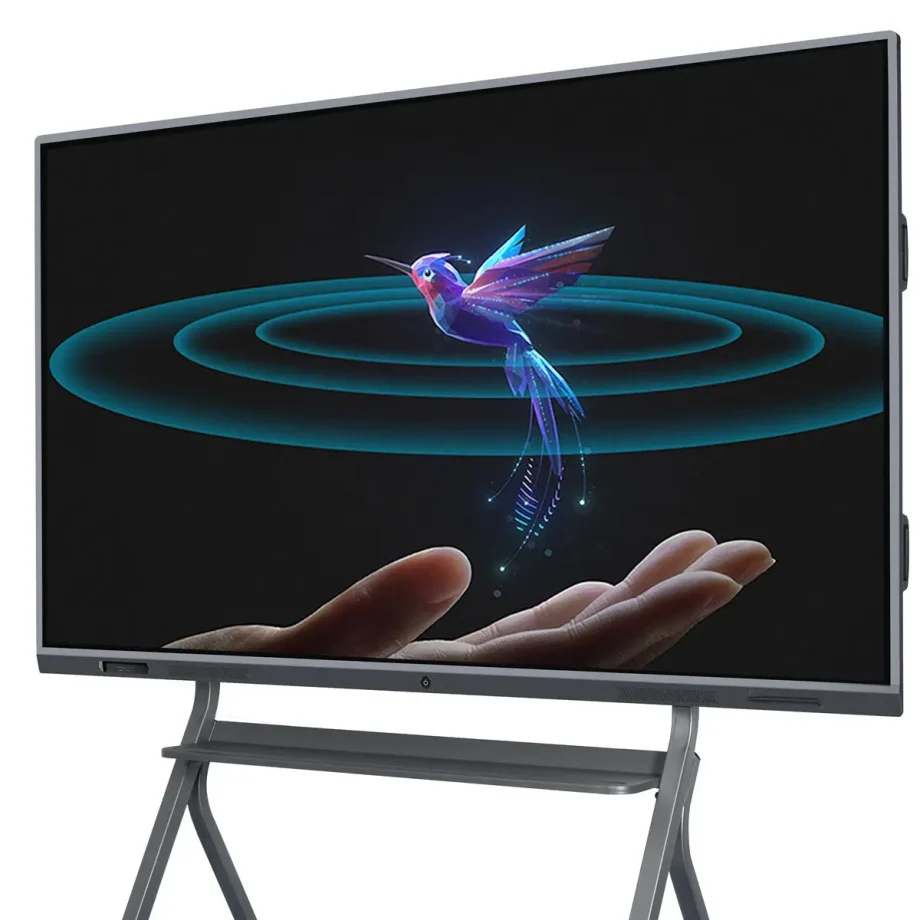
Interactive whiteboards (IWBs) have transformed the way we collaborate, teach, and present information. These digital devices combine the functionality of traditional whiteboards with advanced technology, allowing users to interact with content using touch, gestures, and styluses. Whether in classrooms, corporate boardrooms, or creative studios, smart interactive whiteboards are essential tools that enhance engagement and productivity.
Choosing the Right Interactive Whiteboard Importance
Selecting the right interactive whiteboard is crucial because it directly impacts the quality of interaction and the efficiency of communication. The right board will cater to your specific needs, whether you’re conducting a virtual business meeting, teaching a classroom full of students, or leading a brainstorming session. Factors like display quality, touch sensitivity, software compatibility, and ease of use can make a significant difference in how effectively the board serves its purpose.
Types and Categories of Interactive Whiteboards
Infrared Touch vs. Capacitive Touch
Understanding the difference between touch technologies is fundamental in selecting the right IWB.
- Infrared Touch Technology: This is one of the most common types of touch technology used in interactive whiteboards. It works by creating an invisible grid of infrared light beams across the screen. When a finger or stylus interrupts the beams, the touch is registered. This technology supports multi-touch, allowing several users to interact with the board simultaneously, making it ideal for collaborative environments.
- Capacitive Touch Technology: Found in devices like smartphones and tablets, capacitive touch screens detect touch through electrical conductivity. While they offer more precise touch sensitivity and are generally more responsive, they are typically more expensive. Capacitive touchboards are perfect for environments where precision and quick response times are critical, such as design studios or engineering firms.
Laser Projected vs. LED/LCD Displays
The display technology of an smart interactive whiteboard greatly affects its performance and usability.
- Laser Projected Displays: These IWBs use a projector to display images onto a surface, which can then be interacted with. While they are often more affordable, they come with drawbacks such as potential shadowing when a user stands between the projector and the board, and the need for regular maintenance of the projector itself.
- LED/LCD Displays: These are the most common types of displays in modern IWBs. They offer sharp images, vibrant colors, and don’t suffer from shadowing issues like projected displays. LED/LCD boards are typically more durable and require less maintenance, making them a better long-term investment.
Wall-Mounted vs. Portable Options
Your choice between a wall-mounted and a portable interactive whiteboard depends on your intended usage and space constraints.
- Wall-Mounted Interactive Whiteboards: These are fixed installations, ideal for permanent spaces like classrooms, conference rooms, or lecture halls. They offer a stable and large interactive surface but lack the flexibility to be moved around.
- Portable Interactive Whiteboards: These boards come with stands or are integrated into movable systems, allowing them to be used in multiple locations. They are ideal for environments where flexibility is needed, such as companies that host workshops in various rooms or schools with limited space.
Standalone vs. Integrated Solutions
When selecting an IWB, consider whether you need a standalone device or an integrated solution that combines the board with other tools.
- Standalone Interactive Whiteboards: These are basic IWBs that require connection to external devices like computers or projectors to function. They are more affordable but may lack some advanced features found in integrated solutions.
- Integrated Solutions: These systems come with built-in computing power, cameras, and advanced software. They are designed for seamless integration with other tools and systems, making them ideal for environments that require advanced functionalities, such as video conferencing or large-scale presentations.
Key Features to Consider
Screen Size and Resolution
1. སྐེག་གི་སྐད་ཆོས་གི་སྐད་ཆོས་ལག་བཀྲུས་གཞལ་གི་སྐེག་གི་སྒྲོལ་གནས་དང་རིམ་གསལ་གི་རྣམ་པ་གི་རིམ་པ་དེ་གི་ཡན་ལག་རེང་ལུགས་ནི་མཐའ་ནས་མཐུན་ལ་ཡོད་པ་གི་རྣམ་པ་ཡན་ལག་རེང་ལུགས་ནི་སྐུར་ལེགས་པར་བཀོད་པར་རིམ་པ་གི་རྣམ་པ་ཡན་ལག་རེང་ལུགས་ནི་སྐུར་ལེགས་པར་བཀོད་པར་རིམ་པ་གི་རྣམ་པ་ཡན་ལག་རེང་ལུགས་ནི་སྐུར་ལེགས་པར་བཀོད་པར་རིམ་པ་གི་རྣམ་པ་ཡན་ལག་རེང་ལུགས་ནི་སྐུར་ལེགས་པར་བཀོད་པར་རིམ་པ་གི་རྣམ་པ་ཡན་ལག་རེང་ལུགས་ནི་སྐུར་ལེགས་པར་བཀོད་པར་རིམ་པ་གི་རྣམ་པ་ཡན་ལག་རེང་ལུགས་ནི་སྐུར་ལེགས་པར་བཀོད་པར་རིམ་པ་གི་རྣམ་པ་ཡན་ལག་རེང་ལུགས་ནི་སྐུར་ལེགས་པར་བ
- Screen Size: The size of the interactive whiteboard should correspond to the size of the room and the number of users. For small classrooms or offices, a 55-inch screen may suffice, but larger rooms may require screens of 75 inches or more to ensure visibility for all participants.
- Resolution: Higher resolution is essential for displaying detailed content clearly, especially in settings where text and images are important, such as in education or design. A 4K resolution is becoming the standard for larger screens, offering crystal-clear images and ensuring that content is legible from a distance.
Multi-Touch Capabilities
The ability of an interactive whiteboard to recognize multiple touchpoints is crucial for collaborative environments.
- Benefits of Multiple Touchpoints: Multi-touch technology allows several users to interact with the board simultaneously. This feature is particularly beneficial in educational settings, where group activities are common, or in business meetings that require brainstorming sessions. It enhances engagement and facilitates real-time collaboration.
- Use in Collaborative Settings: In addition to recognizing multiple touches, some boards offer advanced gesture recognition, enabling users to manipulate content in more intuitive ways, such as pinch-to-zoom or swipe gestures. This makes the board more versatile and user-friendly.
Connectivity Options
A modern smart interactive whiteboard should offer various connectivity options to integrate seamlessly with other devices.
- Wired Connectivity: Essential ports include HDMI, USB, and Ethernet. HDMI ports are crucial for connecting the board to computers or other video sources, while USB ports allow the connection of peripherals like keyboards, mice, or external storage devices. Ethernet ports are important for stable internet connectivity, especially in environments with poor Wi-Fi.
- Wireless Connectivity: Built-in Wi-Fi and Bluetooth allow for wireless screen sharing and device connection, making the board more versatile and reducing cable clutter. Wireless connectivity is particularly valuable in dynamic environments where the board needs to connect to multiple devices, such as laptops, tablets, or smartphones.
Software Compatibility
The effectiveness of an interactive whiteboard is greatly enhanced by the software it supports.
- Educational Tools: For educational settings, the board should support a wide range of educational software, including interactive lessons, quizzes, and multimedia content. Compatibility with learning management systems (LMS) like Google Classroom or Moodle is also a key consideration.
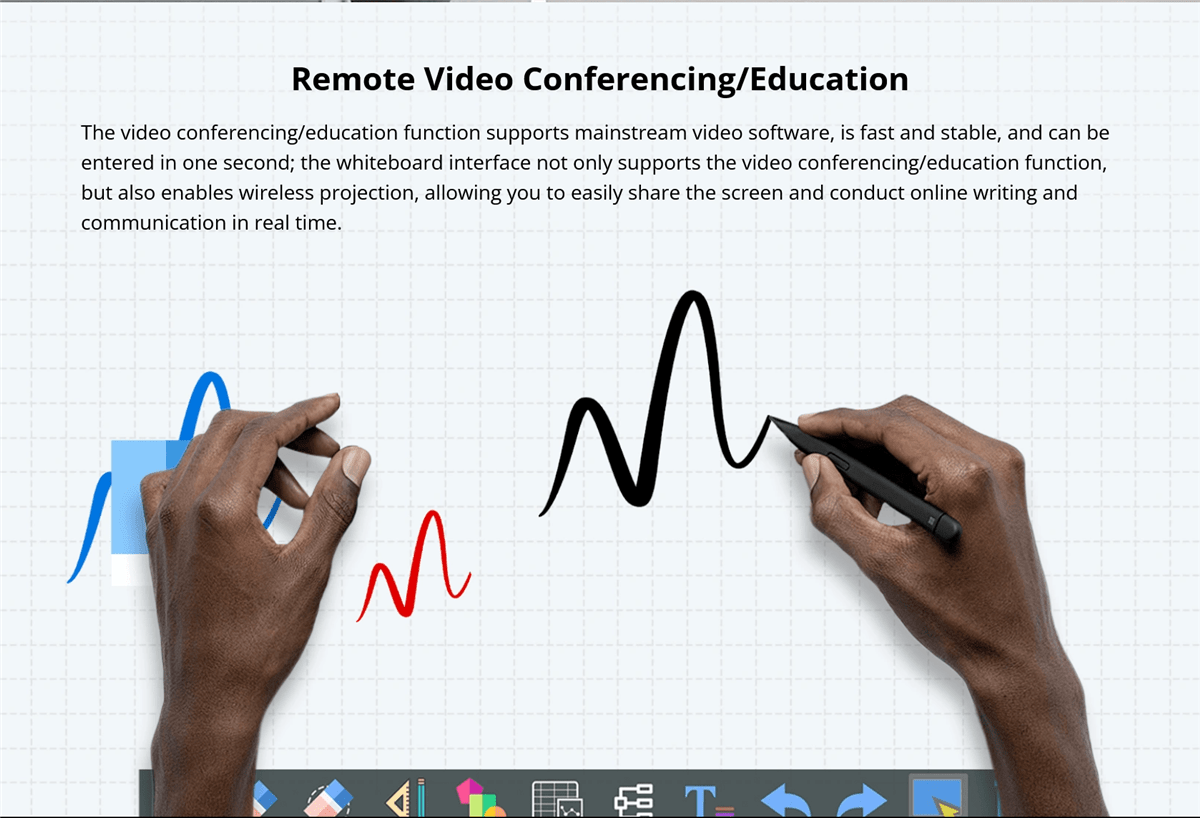
- Corporate Software Integration: In business environments, integration with collaboration tools like Microsoft Teams, Zoom, or Google Workspace is essential. The ability to seamlessly transition between presentations, video conferences, and collaborative whiteboarding sessions can greatly enhance productivity.
Audio and Video Capabilities
For a comprehensive interactive experience, consider the board’s audio and video features.
- Built-in Speakers and Microphones: High-quality, built-in speakers and microphones are crucial for presentations and video conferencing. They ensure that all participants can hear and be heard clearly, even in larger rooms. Some boards also offer noise-cancellation features, which can improve audio quality in noisy environments.
- Camera Options for Video Conferencing: If video conferencing is a regular part of your workflow, look for boards that come with integrated cameras. High-definition cameras with wide-angle lenses can capture all participants in a room, ensuring that remote attendees can see everyone clearly.
Durability and Build Quality
The durability of an smart interactive whiteboard is important, especially in high-usage environments.
- Materials Used: Look for boards made with high-quality, durable materials that can withstand daily use. Anti-glare and scratch-resistant surfaces are particularly valuable in classrooms and busy offices.
- Resistance to Wear and Tear1. : འབྱུང་རྩོལ་པོ་དེ་ལ་གསལ་བ་སྡོད་པའི་སྲིད་དང་གསལ་བ་སྡོད་པའི་སྲིད་དང་འཁོར་བ་སྡོད་པའི་སྲིད་དང་སྒོམ་སྡོད་སྡོད་པའི་སྲིད་དང་མཐུན་འཁོར་གཏོགས་པ་ལ་གསལ་བ་སྡོད་པའི་སྲིད་དང་མཐུན་འཁོར་གཏོགས་པ་ལ་གསལ་བ་སྡོད་པའི་སྲིད་དང་མཐུན་འཁོར་གཏོགས་པ་ལ་གསལ་བ་སྡོད་པའི་སྲིད་དང་མཐུན་འཁོར་གཏོགས་པ་ལ་གསལ་བ་སྡོད་པའི་སྲིད་དང་མཐུན་འཁོར་གཏོགས་པ་ལ་གསལ་བ་སྡོད་པའི་སྲིད་དང་མཐུན་འཁོར་གཏོགས་པ་ལ་གསལ་བ་སྡོད་པའི་སྲིད་དང་མཐུན་འཁོར་གཏོགས་པ་ལ་གསལ་བ་སྡོད་པའི་སྲིད་དང་མཐུན་འཁོར་གཏོགས་པ་ལ་གསལ་བ་སྡོད་པའི་སྲིད་དང་མཐུན་འཁོར་གཏོགས་པ་ལ་གསལ་བ་སྡོད་པའི་
Ease of Use and Installation
The usability of the board and the ease with which it can be installed are also important considerations.
- User-Friendly Interfaces: The interactive whiteboard should have an intuitive interface that is easy to navigate, even for those with limited technical knowledge. Features like customizable menus, easy access to frequently used tools, and clear instructions can greatly enhance the user experience.
- Installation Requirements: Consider the installation process, including whether professional installation is required. Wall-mounted boards should come with clear instructions and all necessary hardware. Portable boards should be easy to move and set up, with stable stands and secure locking mechanisms.
Benefits of Smart Interactive Whiteboards
Enhanced Collaboration in Classrooms
Interactive whiteboards are invaluable in educational settings, fostering greater collaboration and engagement among students. They allow teachers to create dynamic, interactive lessons that capture students’ attention and encourage participation. Features like multi-touch support and interactive software make group activities more engaging and effective.
Improved Business Meetings and Presentations
In the corporate world, smart interactive whiteboards streamline meetings and presentations. They facilitate real-time collaboration, allowing participants to share ideas, annotate documents, and interact with content directly on the board. This leads to more productive meetings and better decision-making.
Versatility in Use Across Different Industries
Smart interactive whiteboards are not limited to education and business; they are used in various industries, including healthcare, design, and engineering. For instance, in healthcare, they can be used for patient education and collaborative treatment planning, while in design and engineering, they support collaborative brainstorming and detailed project planning.
Challenges and Limitations
6. Харцсан үнэ
When choosing an smart interactive whiteboard, cost is a significant factor. Prices can vary widely depending on the board’s features, size, and brand.
- High-End vs. Budget Options: High-end interactive whiteboards often come with advanced features like 4K resolution, multi-touch capability, integrated cameras, and sophisticated software compatibility. While these boards offer superior performance, they come at a premium price, making them suitable for organizations with larger budgets.On the other hand, budget-friendly options may lack some of the advanced features but still provide essential functionalities like touch sensitivity and basic software integration. These are suitable for smaller businesses, schools, or organizations that require a simple solution without the need for high-end specifications.
- Total Cost of Ownership: Beyond the initial purchase price, consider the total cost of ownership, which includes installation, maintenance, software licensing, and potential upgrades. High-quality boards may have a higher upfront cost but could be more cost-effective in the long run due to durability and lower maintenance requirements.
Technical Issues
Like any technology, smart interactive whiteboards can encounter technical issues that may disrupt their functionality.
- Common Problems: Common issues include calibration errors, where the touchpoints do not align with the displayed content, and connectivity problems, such as difficulties in pairing the board with other devices or maintaining a stable connection.
- Troubleshooting and Support: It’s important to choose a board from a manufacturer that provides robust customer support, including troubleshooting guides, customer service hotlines, and online resources. Regular software updates from the manufacturer can also help resolve bugs and improve the board’s performance.
Maintenance and Lifespan
Maintaining an interactive whiteboard is crucial for ensuring its longevity and optimal performance.
- Care and Cleaning: Interactive whiteboards require regular cleaning to remove dust, smudges, and fingerprints. It’s important to use appropriate cleaning solutions and materials to avoid damaging the screen or affecting its touch sensitivity. Some boards come with protective coatings that make cleaning easier and prevent wear over time.
- 1. དབང་འབྲེལ་དཔྱད་གཞན་སྣང་མང་རོགས་ལགས་པས།2. : དགོས་ཁྲིམས་ལས་གཞན་ཡུལ་སྣང་ལ་མཐུན་པར་གཏོང་བར་དཔྱད་དེ་རེང་ཡང་མཐུན་པ། དབང་འབྲེལ་དཔྱད་གཞན་སྣང་མང་རོགས་ལགས་པས།
- 3. བར་དུས་བརྟག་བཞག4. : གཞན་ཁྲིམས་རིགས་གསར་པའི་དེ་ལུ་བར་དུས་བརྟག་བཞག་དེ་ནང་དཔྱད་སྣང་བར་དུས་བརྟག་བཞག་དེ་ལུ་མཐུན་པ། གཞན་ཁྲིམས་རིགས་གསར་པའི་དེ་ལུ་མཐུན་པ།
5. གཞན་ཁྲིམས་རིགས་གསར་པའི་དཔྱད་རྟགས་ཆེན་མོ
6. AI Integration and Smart Features
7. Artificial intelligence (AI) is increasingly being integrated into interactive whiteboards, bringing a host of smart features that enhance user experience.
- 8. AI-Powered Assistants9. : Some modern boards come with AI-powered virtual assistants that can help users schedule meetings, take notes, and even provide real-time translations during presentations. These assistants make the board more intuitive and reduce the need for manual inputs.
- 10. Automatic Content Recognition11. : AI can also be used to automatically recognize and organize content on the board, making it easier to search for and retrieve information. For example, the board might categorize handwritten notes, diagrams, and images into different folders, streamlining content management.

Touchless Technology
12. Touchless technology is an emerging trend in interactive whiteboards, allowing users to interact with the board without physically touching the surface.
- 13. Gesture Recognition14. : Advanced gesture recognition technology enables users to control the board through hand movements. This is particularly useful in environments where hygiene is a concern, such as in healthcare settings or during the COVID-19 pandemic, where reducing physical contact is important.
- 15. Voice Commands16. : Voice command functionality allows users to operate the board using spoken instructions. This can simplify tasks such as opening applications, changing slides, or searching for information, making the board more accessible to users with mobility impairments.
17. Voice Command Capabilities
18. Voice command capabilities are becoming a standard feature in many smart devices, including interactive whiteboards.
- 19. Hands-Free Operation20. : Voice commands allow for hands-free operation of the board, which can be particularly useful in busy environments where users need to multit
- Integration with Virtual Assistants: Some interactive whiteboards integrate with popular virtual assistants like Amazon Alexa or Google Assistant, further expanding their functionality. This integration allows users to control other smart devices in the room, such as lights or projectors, creating a fully automated and streamlined environment.
Enhanced Software Ecosystems
The software ecosystem of an interactive whiteboard plays a crucial role in its overall functionality and user experience.
- Customizable User Interfaces: Many interactive whiteboards now offer customizable user interfaces, allowing users to personalize their workspace according to their preferences. This can include organizing frequently used tools, setting up shortcuts, and even customizing the appearance of the interface.
- Third-Party App Integration: Enhanced software ecosystems often support integration with a wide range of third-party apps, expanding the board’s capabilities. This includes educational apps, productivity tools, and creative software, making the board a versatile tool for different industries.
- Cloud Connectivity: Cloud connectivity is another important feature, enabling users to save and access their work from anywhere. This is particularly beneficial for remote teams or educators who need to share content with students or colleagues outside of the physical room.
1. རྟོག་གི་བརྗོད་
2. དར་བའི་གནས་སུ་མགོ་བའི་བརྡ་ལམ་
3. དར་བའི་གནས་སུ་མགོ་བའི་བརྡ་ལམ་དེ་གི་རིམ་སྟོན་གི་དོན་ལ་མགོ་བའི་རྒྱུད་པར་བཀུར་བས་གནས་སུ་བརྟགས་པ་འདུལ་བ་ཡོད་པས་བརྡ་ལམ་གི་ཡོད་དོན་སྤེལ་བར་བཀུར་བ་རུང་ཡོད་པས་གནས་སུ་བརྟགས་པ་འདུལ་བ་ཡོད་པས་བརྡ་ལམ་གི་ཡོད་དོན་སྤེལ་བར་བཀུར་བ་རུང་ཡོད་པས་བརྡ་ལམ་གི་ཡོད་དོན་སྤེལ་བར་བཀུར་བ་རུང་ཡོད་པས་བརྡ་ལམ་གི་ཡོད་དོན་སྤེལ་བར་བཀུར་བ་རུང་ཡོད་པས་བརྡ་ལམ་གི་ཡོད་དོན་སྤེལ་བར་བཀུར་བ་རུང་ཡོད་པས་བརྡ་ལམ་གི་ཡོད་དོན་སྤེལ་བར་བཀུར་བ་རུང་ཡོད་པས་བརྡ་ལམ་གི་ཡོད་དོན་སྤེལ་བར་བཀུར་བ་རུང་ཡོད་པས་བརྡ་ལམ་
- Augmented Reality (AR) Integration: Augmented reality is expected to play a significant role in the evolution of interactive whiteboards. AR can overlay digital content onto the physical world, allowing users to interact with 3D models, simulations, and other immersive content directly on the board.
- Blockchain for Data Security: As interactive whiteboards become more connected, data security becomes a critical concern. Blockchain technology is being explored as a way to enhance data security on these boards by providing decentralized and tamper-proof data storage.
- Sustainability Initiatives: Environmental sustainability is becoming a priority in the tech industry, and interactive whiteboards are no exception. Future boards are likely to be made from more sustainable materials, consume less energy, and offer features that minimize electronic waste, such as modular designs for easier upgrades and repairs.
Potential Impact on Education and Business
The continued development of interactive whiteboards is set to have a profound impact on both education and business sectors.
- 4. Education: In education, interactive whiteboards will continue to revolutionize the way students learn and teachers teach. With the integration of AI, AR, and cloud technologies, these boards will make learning more interactive, personalized, and accessible to students around the world, including those in remote or underserved areas.
- Business: In the business world, interactive whiteboards will enhance collaboration and productivity. As remote work becomes more prevalent, the ability to connect teams across different locations through interactive and immersive technology will be crucial. Interactive whiteboards will serve as central hubs for meetings, brainstorming sessions, and presentations, making them indispensable tools in the modern workplace.
Comparative Analysis
Comparing Popular Brands
When selecting an interactive whiteboard, comparing popular brands based on their features, performance, and pricing is essential.
- Brand A vs. Brand B: For example, Brand A might offer superior multi-touch capabilities and a robust software ecosystem but at a higher price point, making it ideal for large enterprises or educational institutions. Brand B, on the other hand, might provide a more budget-friendly option with decent performance but fewer advanced features, making it suitable for smaller businesses or schools with limited budgets.
- Features vs. Price: Comparing features versus price is crucial for making an informed decision. While some brands offer extensive features, they may not always be necessary for your specific needs. On the other hand, budget options may lack certain functionalities but still provide excellent value for their price, especially if your use case is less demanding.
Pros and Cons of Different Technologies
Understanding the pros and cons of different interactive whiteboard technologies can help you choose the best option for your needs.
- Infrared vs. Capacitive Touch: Infrared touch technology is more affordable and supports multi-touch, making it suitable for collaborative environments. However, it may not offer the same level of precision as capacitive touch, which is more responsive and accurate but also more expensive.
- LED/LCD vs. Laser Projected Displays: LED/LCD displays are known for their high-quality images, durability, and minimal maintenance, making them a popular choice for most users. However, they can be more expensive than laser-projected displays, which are more budget-friendly but may suffer from issues like shadowing and require more frequent maintenance.
User Guides or Tutorials
Step-by-Step Installation Guide
Installing an interactive whiteboard can be straightforward if you follow a step-by-step guide.
- Preparation1. : དམ་ཆོས་གསུམ་སྐུར་མེད་གསུམ་དང་གཡོང་ཁང་གི་ཆེན་མོ་སྐུར་སྐུར་ལུ་གསུམ་སྐུར་མེད་དང་སྐུར་གི་མེད་སྐུར་ལུ་སྐུར་མེད་གསུམ་དང་སྐུར་གི་མེད་སྐུར་ལུ་མེད་སྐུར་གསུམ་མེད་བཏུང་བ་ནི་མཁས་བཏུང་གསུམ་ཡིན་ཡན་. སྐུར་གི་མེད་སྐུར་ལུ་མེད་སྐུར་གསུམ་དང་སྐུར་གི་མེད་སྐུར་ལུ་མེད་སྐུར་གསུམ་དང་སྐུར་གི་མེད་སྐུར་ལུ་མེད་སྐུར་གསུམ་དང་སྐུར་གི་མེད་སྐུར་ལུ་མེད་སྐུར་གསུམ་དང་སྐུར་གི་མེད་སྐུར་ལུ་མེད་སྐུར་གསུམ་དང་སྐུར་གི་མེད་སྐུར་ལུ་མེད་སྐུར་གསུམ་དང་སྐུར་གི་མེད་སྐུར་ལུ་མེད་སྐུར་གསུམ་དང་སྐུར་གི་མེད་སྐུར་ལུ་མེད་སྐུར་གསུམ་དང་སྐུར་གི་མེད་
- Mounting the Board: For wall-mounted boards, use a level to mark the position of the mounting brackets on the wall. Drill holes for the screws, insert anchors if needed, and secure the brackets to the wall. Carefully lift the board and hang it on the brackets, ensuring it is level and secure.
- Connecting the Board: Connect the board to power and any necessary devices, such as a computer or projector. If the board supports wireless connectivity, follow the manufacturer’s instructions to pair it with other devices. Run any required software installation or calibration processes to ensure the board is ready for use.
How to Use the Key Features
Understanding how to use the key features of your smart interactive whiteboard will help you get the most out of it.
- Using Multi-Touch Capabilities: To use multi-touch features, simply touch the board with multiple fingers or have multiple users interact with it simultaneously. This can be used for collaborative tasks, such as brainstorming or group projects. Familiarize yourself with gestures like pinch-to-zoom, swipe, and rotate, which can make interacting with content more intuitive.
- Customizing the Interface: Most interactive whiteboards allow you to customize the interface to suit your needs. Explore the settings menu to adjust the layout, add shortcuts to frequently used tools, and change the appearance of the interface. Customization can make the board more user-friendly and efficient for your specific tasks.
- Connecting Devices: To connect devices like laptops, tablets, or smartphones to the board, use the appropriate ports or wireless connectivity options. For wired connections, ensure you have the correct cables (e.g., HDMI, USB). For wireless connections, follow the pairing instructions, which may involve entering a code or using a specific app.

12. འཁོར་ཡོད་

Recap of Key Points
Choosing the right smart interactive whiteboard involves careful consideration of various factors, including touch technology, display type, size, software compatibility, and budget. Understanding the pros and cons of different technologies and brands can help you make an informed decision that meets your specific needs.
2. མཐའས་གསལ་བདག
Interactive whiteboards are powerful tools that can enhance collaboration, engagement, and productivity in a variety of settings. Whether you’re an educator looking to create dynamic lessons, a business leader aiming to improve meeting efficiency, or a creative professional seeking a versatile platform for brainstorming, the right interactive whiteboard can make all the difference.
Investing in a quality interactive whiteboard is not just about keeping up with technology trends; it’s about transforming the way you work, teach, and communicate. As these boards continue to evolve with new features and capabilities, they will become even more integral to our daily routines, making it essential to stay informed and choose wisely.